
Vandaag of morgen in huis

Kwaliteit gegarandeerd

Welkomstaanbiedingen ontgrendelen: GRATIS bezorging | Tot 80% korting | Gratis 30 dagen JoyPlus-proefperiode
Download de app
Buying a new computer can feel like navigating a minefield. Between all the marketing jargon and technical specifications, it's tough to determine what you really need. Many people fall into the same traps, ending up with a system that underperforms or is unnecessarily expensive. As a Joybuy Product Recommendation Officer, I'm here to help you avoid these common mistakes, ensuring you make an informed choice that fits your needs.
Before we dive into specifications, it's crucial to recognise the most common marketing traps. This will prevent you from paying for something you don't need.
PC case with a lot of RGB PC lighting might look impressive, but a solid front panel can severely restrict airflow. Without proper cooling, your components will overheat, leading to lower performance and a shorter lifespan. This is a critical point, especially if you plan to build a PC yourself.midi tower is often overkill. Yet, many people choose a traditional desktop out of habit, when a compact and energy-efficient mini PC can perform the same tasks while taking up far less space.To buy the right computer, focus on a few core specifications that truly make a difference.
The PC case is more than just a box; it's the foundation of your system. Pay attention to the following points:
midi tower usually offers the most flexibility.water cooling if you plan on running intensive tasks. Dust filters are essential for keeping the interior clean.Whether you're buying a pre-built gaming PC or building one yourself, the components must be balanced. An expensive processor is pointless if you have too little RAM. A powerful graphics card won't perform optimally with a weak power supply. Ensure the processor, graphics card, memory (RAM), and power supply unit (PSU) are well-matched for stable and reliable performance.
Below are some popular choices tailored to different user profiles. This selection is based on objective specifications that help you sidestep the pitfalls mentioned earlier.
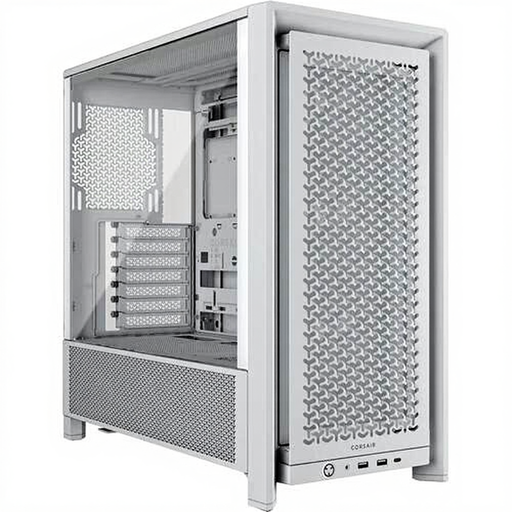
Why This Fits Their Persona: This case is ideal for hobbyists looking for a flexible foundation for their project. It accommodates various motherboard sizes and offers excellent cable management options, simplifying the building process.
It bypasses the poor airflow trap thanks to its ventilated front panel and included ARGB fans, ensuring efficient component cooling.
Supports up to 12 fan positions and is suitable for water cooling. It offers flexibility for future upgrades with support for ATX, E-ATX, Micro-ATX, and Mini-ITX motherboards.
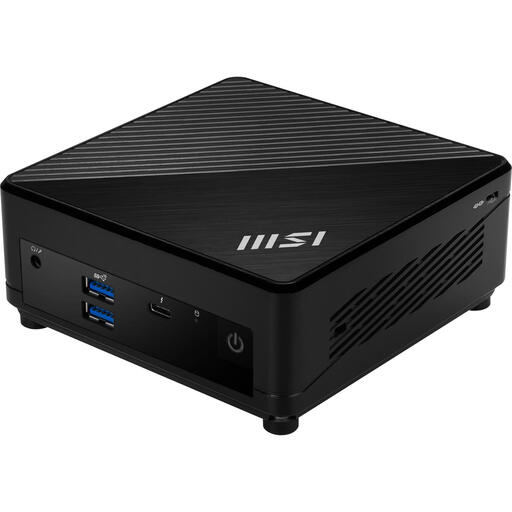
Why This Fits Their Persona: Perfect for a clutter-free desk at home or in the office. This mini PC is powerful enough for all daily tasks, from administrative work to video calls, without taking up the space of a traditional tower case.
Avoids the pitfall of buying an unnecessarily large and expensive desktop. This mini PC delivers all the necessary performance in a highly compact and energy-efficient form factor.
Extremely compact (590 grams) and can be mounted behind a monitor with a VESA bracket. It features modern connectivity like Wi-Fi 6E and Thunderbolt 4, and comes with Windows 11 Pro.
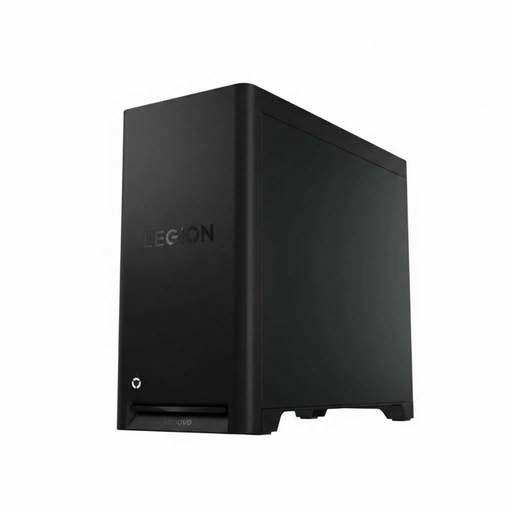
Why This Fits Their Persona: This pre-built gaming desktop is designed for gamers who want to jump right in with a powerful and reliable system. It's ideal for playing the latest games at high settings.
This system avoids the unbalanced components trap. The AMD Ryzen 5 processor, NVIDIA RTX 5060 graphics card, 16 GB of DDR5 memory, and 850W power supply are well-matched for stable gaming performance.
Ready to use out of the box with Windows 11 Home. The combination of a powerful processor and a modern graphics card ensures a future-proof setup. The case features a transparent side panel and an efficient cooling system.
We have compiled a complete, up-to-date list of products that fully meet these strict selection criteria and relevant safety regulations.
Building a PC yourself can be cheaper if you're willing to compare prices for individual parts and wait for sales. However, the biggest advantage is complete control over the quality and balance of each component. In contrast, a pre-built MSI desktop or Lenovo Legion offers convenience, a system-wide warranty, and out-of-the-box readiness.
Proper cooling is crucial for your computer's performance and lifespan. Look for a PC case with a mesh front panel for good air intake. Ensure you have at least two fans: one at the front for cool air intake and one at the back for warm air exhaust. For a high-end gaming PC, water cooling can be an efficient solution to keep the processor or graphics card quiet and cool under heavy load.
The cost varies greatly depending on your requirements. For a solid entry-level model capable of handling modern games at 1080p resolution, you can expect a budget between ?800 and ?1,200. For high-end gaming at 1440p or 4K with high frame rates, prices can quickly exceed ?2,000. It's important to set a budget and choose the components that offer the best performance for your money.
