
Vandaag of morgen in huis

Kwaliteit gegarandeerd

Welkomstaanbiedingen ontgrendelen: GRATIS bezorging | Tot 80% korting | Gratis 30 dagen JoyPlus-proefperiode
Download de app
Buying a new monitor seems simple until you dive into the specifications. Terms like refresh rate, panel type, and resolution are thrown at you, while marketing buzzwords promise a perfect picture. But which PC screen is truly right for you? Whether you're an avid gamer, work long days from home, or are a creative professional, the right monitor makes a world of difference.
As a Joybuy Product Recommendation Officer, I'm here to help you cut through the noise. We'll focus on what really matters, so you can make an informed decision and not waste money on features you don't need.
The monitor market is filled with clever marketing. Before we look at what's important, let's first discuss the pitfalls you should avoid when buying a display.
1. The "Gaming" Label Without the Performance Many budget monitors carry the gaming monitor label but don't offer the specifications needed for a smooth gaming experience. A 75Hz refresh rate is often marketed as "gaming," but for fast-paced games, a 144Hz monitor or higher is the standard. So, don't just look at the label; always check the refresh rate (Hz) and response time (ms).
2. The Unnecessary "Curve" on Small Screens A curved monitor can offer an immersive experience, especially with an ultrawide monitor. On a smaller screen, like a 24-inch model, the effect is minimal. In fact, it can slightly distort straight lines (like in spreadsheets or design software). A curve is not a guarantee of a better monitor; it only becomes useful from 27 inches upwards and is most effective on wider formats.
3. Outdated Connections That Create Clutter A beautiful screen is worthless if you can't connect it properly. Many modern laptops now only have USB-C ports. A monitor with USB-C can transmit video, power, and data through a single cable, keeping your desk tidy. Always check if the monitor has the right ports (DisplayPort, HDMI 2.0+, USB-C) for your devices to avoid a tangle of adapters.
To make the right choice, you need to understand three core specifications. These determine the image quality, smoothness, and ease of use.
The size (in inches) and resolution (the number of pixels) determine how sharp and detailed the image is.
A higher resolution on a larger screen provides a sharper image and more workspace.
These specifications determine how smoothly motion is displayed and how accurate the colours are.
A good monitor is more than just a pretty screen.
Based on the criteria above, we have selected a few monitors that suit specific needs.
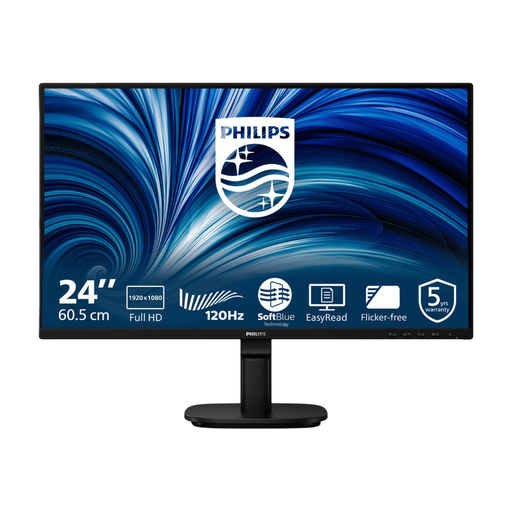
Why This Fits Their Persona: This screen is a practical choice for home workers and students. The 24-inch Full HD IPS panel provides sharp text and good viewing angles. The 120Hz refresh rate makes everyday tasks, like scrolling through documents, noticeably smoother than a standard 60Hz screen.
This monitor focuses on functionality. No unnecessary curve or exaggerated gaming claims, but it does offer useful specifications like a high refresh rate and eye-care technologies for a comfortable workday.
IPS panel with 120Hz: Smooth visuals and good colours. SoftBlue Technology: According to Philips, this reduces blue light for greater eye comfort, which is confirmed by a T?V Rheinland certification.
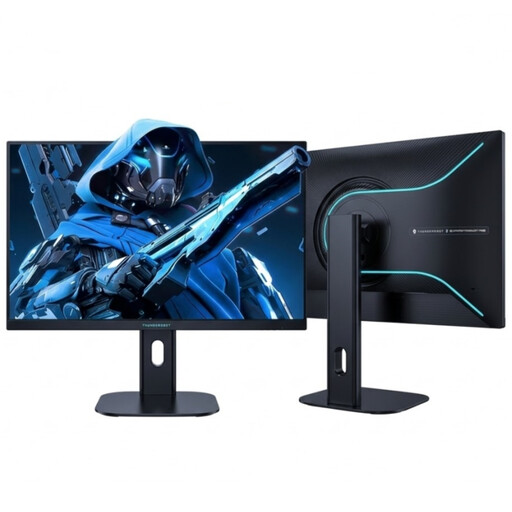
Why This Fits Their Persona: For gamers who want to leverage every millisecond. The combination of a 27-inch QHD resolution (2K) and an extremely high 275Hz refresh rate on a Fast IPS panel provides the sharpness and speed needed for competitive games.
This screen fully delivers on its "gaming" promise. It makes no compromises, combining a high resolution with one of the highest available refresh rates, which sets it apart from models that only carry the name.
275Hz & 1ms GtG: Extremely smooth and responsive gameplay. Ergonomic Stand: Fully adjustable in height and pivotable for an optimal gaming posture.
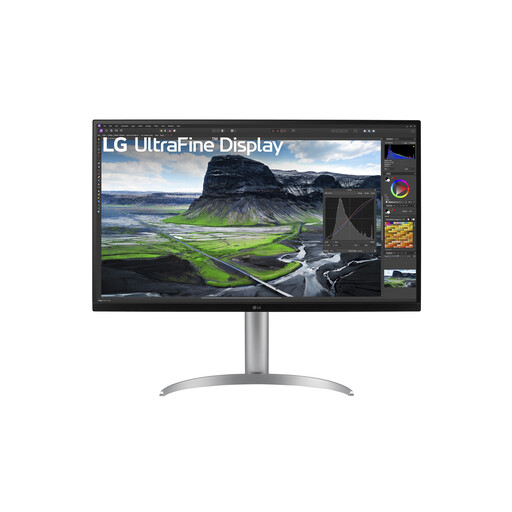
Why This Fits Their Persona: Designed for graphic designers, video editors, and photographers. The large 32-inch 4K screen offers vast screen real estate and pin-sharp detail. The high colour gamut (95% DCI-P3) and IPS Black panel ensure accurate colours and deep contrast, essential for colour-critical work.
This monitor completely avoids the connectivity trap. The USB-C port with 90W Power Delivery makes it a perfect single-cable solution for MacBooks and other powerful laptops, keeping your desk free of extra chargers and cables.
4K IPS Black panel: Superior contrast and colour precision. USB-C with 90W Power Delivery: One cable for video, data, and charging your laptop. Fully ergonomically adjustable.
We have compiled a complete, up-to-date list of products that fully meet these strict selection criteria and safety regulations.
How long does a monitor typically last? A good monitor generally lasts 5 to 7 years, depending on usage. The most common sign of aging is the backlight becoming less bright over time. The lifespan of OLED panels can be shorter, although modern techniques like 'pixel shift' significantly reduce the risk of burn-in.
Is a curved monitor better for your eyes? Not necessarily. The idea behind a curved screen is that the distance from your eyes to every part of the screen is more consistent, which manufacturers claim can reduce eye strain. This effect is most noticeable on large ultrawide screens (34 inches and larger). On smaller screens, the benefit is limited. Features like a flicker-free display (Flicker-Free) and a blue light filter have a more direct and proven effect on eye comfort.
Do I need a 4K monitor for working from home? It's not essential, but it can be very pleasant. A 4K monitor offers four times as many pixels as a Full HD screen, resulting in extremely sharp text and much more workspace to open multiple windows side-by-side. For standard office tasks, however, a QHD (2K) 27-inch monitor is often a major upgrade and a more budget-friendly option.
