
Vandaag of morgen in huis

Kwaliteit gegarandeerd

Welkomstaanbiedingen ontgrendelen: GRATIS bezorging | Tot 80% korting | Gratis 30 dagen JoyPlus-proefperiode
Download de app
Buying a laptop seems simple until you start comparing specifications. A low price can be tempting, but the wrong screen size, too little memory or a missing charger can quickly lead to extra costs. Terms such as AI laptop, Copilot+ laptop and “long battery life” also do not automatically tell you whether a model suits the way you use it.
Joybuy Product Recommendation Officer therefore recommends focusing mainly on specifications you can verify. This helps prevent marketing language from becoming more important than what you actually need every day.
A modern processor is not the only factor that determines speed. RAM and storage are just as important. A laptop with 8 GB of RAM may be suitable for simple tasks, but 16 GB can be more comfortable when you have lots of browser tabs open, make video calls and work with spreadsheets.
Also consider the difference between a processor with integrated graphics and a laptop with a dedicated graphics card. Integrated graphics are often sufficient for documents, streaming and standard office work. For demanding video editing, 3D software or intensive gaming, a dedicated graphics card is usually more relevant.
Battery life depends on brightness, Wi-Fi, programmes, video streaming and connected accessories. According to Apple’s own stated figures, the MacBook Air offers up to 18 hours of battery life; this is a quoted maximum, not a fixed usage time for every situation. Actual results may also vary with other brands.
As well as checking battery capacity in Wh, look at the operating system, processor, screen type and the way you use the laptop.
Several models in this range are supplied with no mains adapter. This includes a number of HP and Lenovo laptops, ASUS models and the MacBook Neo. A USB-C cable alone is not always enough: you may need a suitable USB-C Power Delivery charger with the correct wattage.
Always check the box contents before ordering. This helps you avoid an unexpected purchase after delivery.
A 13-inch laptop or 14-inch laptop is practical for train journeys, lecture theatres and flexible workspaces. A 14-inch model often offers a good balance between portability and working space. The ASUS Zenbook A14, for example, weighs approximately 0.98 kg.
A 15-inch laptop or 16-inch laptop gives you more room for spreadsheets, documents and multitasking. A 17-inch laptop is particularly suitable if you usually work in one fixed location. The larger screen is easier to view, but the weight and size make it less convenient to carry around every day.
Do not look only at the diagonal measurement. A 16:10 aspect ratio provides more vertical space than 16:9. This is useful for web pages, word processing and spreadsheets.
For general use, 16 GB of RAM is a practical choice. You can run several programmes at the same time without immediately reaching the memory limit. However, check whether the memory can be upgraded. The memory in the ASUS Vivobook 14 and ASUS Zenbook A14 is integrated and cannot be expanded.
A 512 GB SSD provides room for Windows, programmes, documents and photos. The usable capacity is always lower than 512 GB because the operating system and recovery files take up space. If you store lots of video files or large local photo libraries, you may need an external SSD or cloud storage.
A Windows laptop works with a wide range of programmes and accessories. With a Snapdragon X model, such as some Copilot+ laptops, you should check whether older software, printer drivers or specialist applications are compatible.
A MacBook with macOS is a good fit for users who already have Apple devices. Before buying, check that the software you use for work or study is available for macOS. Switching between Windows and macOS can affect software, files and peripherals.
An NPU or AI chip supports certain AI features in compatible software. According to ASUS product information, the Hexagon NPU in selected models delivers up to 45 TOPS. The availability of Copilot+ features depends on Windows updates, software, region, account and internet connection.
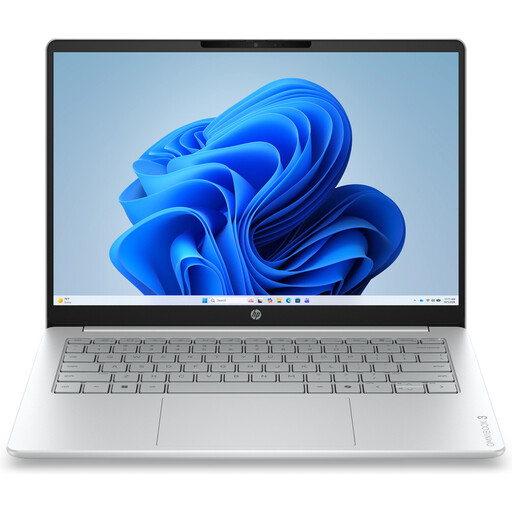
Why it suits this profile: This compact model is designed for browsing, documents, video calls and streaming. Its 14-inch format is suitable for home, study and occasional travel.
The product information clearly states 8 GB of RAM, a 512 GB SSD and a screen resolution of 1920 × 1200. The memory cannot be upgraded and a charger is not included.
14-inch IPS screen, Full HD webcam with privacy shutter and Windows 11 Home.
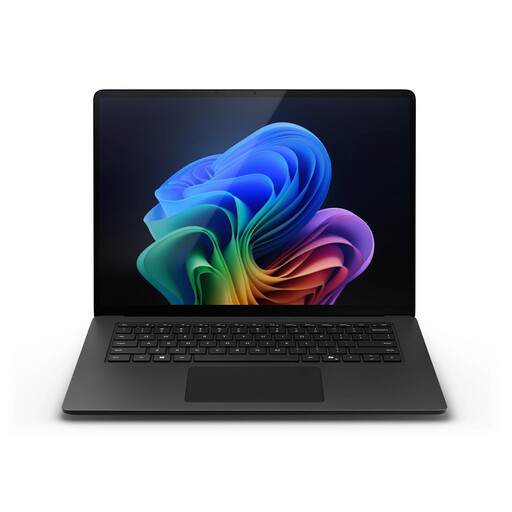
Why it suits this profile: The combination of 32 GB of RAM, a 1 TB SSD and Windows 11 Pro is well suited to business users and professionals who work with lots of files and applications.
The capacity and screen specifications are clearly stated: 32 GB LPDDR5X, a 1 TB SSD and a 15-inch touchscreen with a 3:2 aspect ratio.
Snapdragon X Elite, Wi-Fi 7, 66Wh battery and Windows 11 Pro.
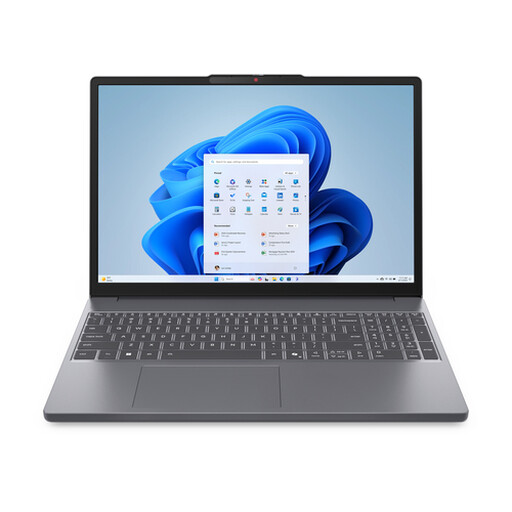
Why it suits this profile: This 15.3-inch laptop combines a Ryzen 7 processor with 16 GB of RAM and a 512 GB SSD for study, work, multitasking and everyday entertainment.
Choosing 16 GB of RAM and an SSD avoids a restrictive basic configuration. However, note that this model has an English QWERTY layout and the charger is not included.
Ryzen 7 8840HS, Radeon 780M graphics, SD card reader and 50Wh battery with Rapid Charge.
We have put together a complete, up-to-date list of products that fully meet these strict selection criteria and the applicable European safety regulations.
For word processing, browsing, video calls and standard office software, 8 GB is usable. 16 GB of RAM gives you more room for multitasking and is a sensible choice if you plan to use the laptop for several years. Demanding creative software or virtual machines may require more memory.
That depends on your files. For documents, study, office work and streaming, 512 GB is often practical. Large video projects, games and photo libraries fill up the drive more quickly. Also check whether the model supports a second SSD, memory card or external storage.
Allow for a charger if one is not included, a protective sleeve, a docking adapter if required and additional storage. Certain software subscriptions may involve extra costs on a Windows laptop. Also check the warranty, keyboard layout and compatibility before ordering.
