
Vandaag of morgen in huis

Kwaliteit gegarandeerd

Welkomstaanbiedingen ontgrendelen: GRATIS bezorging | Tot 80% korting | Gratis 30 dagen JoyPlus-proefperiode
Download de app
Buying a laptop seems straightforward until you start comparing specifications. A low price can be tempting, but a model with limited RAM, the wrong keyboard layout or no charger can disappoint in practice. Terms such as AI laptop and Copilot+ PC also do not automatically mean that a device is suitable for your software.
The most important question, therefore, is not which laptop is promoted the most, but which combination of size, performance, storage and operating system fits the way you use it every day.
Several recent models do not come with a charger as standard. This applies, for example, to a number of Lenovo, HP and ASUS laptops in this selection. Always check:
A missing charger increases the actual purchase price and can be inconvenient if you want to use the device straight away.
A modern processor helps with multitasking, but RAM is also a key factor in how many apps and browser tabs you can use smoothly at the same time. For a laptop for working from home or studying, 16GB RAM is a practical benchmark if you regularly make video calls, edit documents and keep several programmes open.
Also check whether the memory can be upgraded. The memory in the 14-inch and 17-inch HP OmniBook 3 models is integrated and cannot be expanded. The ASUS Zenbook A14 also has 16GB of onboard memory. That is sufficient for many everyday tasks, but you cannot easily add more RAM later.
A 17-inch laptop provides more working space, but generally weighs more. A 13-inch laptop fits more easily into a bag, while a 15-inch laptop offers more room for spreadsheets and multiple windows.
As a general guide:
Also consider the aspect ratio. A 16:10 screen displays more vertical content than a traditional 16:9 screen. This is useful for documents, web pages and spreadsheets.
A laptop with 16GB RAM is suitable for more intensive everyday use, such as video calls, dozens of browser tabs and office software running at the same time. 8GB RAM may be enough for email, word processing and streaming, but leaves less room for extended multitasking.
A 512GB SSD is a useful middle ground for Windows, apps, documents, photos and a limited amount of media files. Bear in mind that the available space will be lower than 512GB because of Windows, recovery partitions and pre-installed software.
A Windows laptop offers broad support for office software, peripherals and business applications. If you choose a laptop with Snapdragon X, check compatibility with older programmes, specialist drivers and certain printers. Windows on ARM supports a wide range of software, but not every application works in exactly the same way as on a traditional x86 system.
A MacBook with macOS is a good fit for users who already have an iPhone or other Apple devices. However, check in advance that your course software, business applications or peripherals are available for macOS.
For Dutch users, a laptop with a QWERTY keyboard is usually the logical choice. Check whether it has a Dutch, English or international QWERTY layout. These can differ in the positioning of punctuation marks and symbols. A Belgian AZERTY version is not the same as QWERTY.
An AI laptop contains an NPU for certain AI features. With a Copilot+ PC, the availability of features depends on the Windows version, updates, region, language and software support. An NPU specification, expressed in TOPS, is a technical indication and does not guarantee that every AI application will work faster.
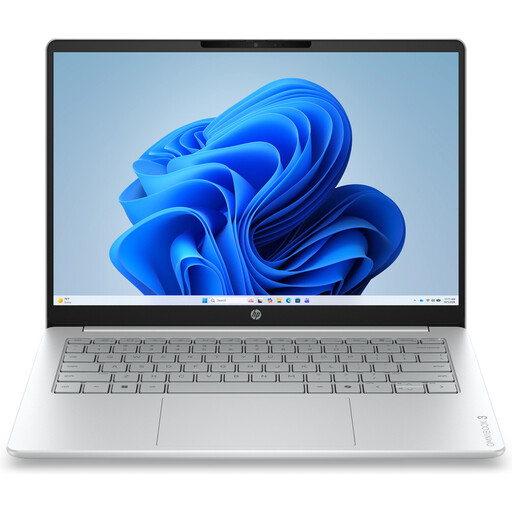
Why it suits this profile: A compact model for email, documents, online lessons, browsing and streaming. It weighs approximately 1.42 kg.
The specifications clearly state 8GB RAM, a 512GB SSD and non-upgradeable memory. Also check whether you need to purchase a 45W charger separately.
14-inch IPS screen with 1920 × 1200 pixels, webcam privacy shutter and Windows 11 Home.
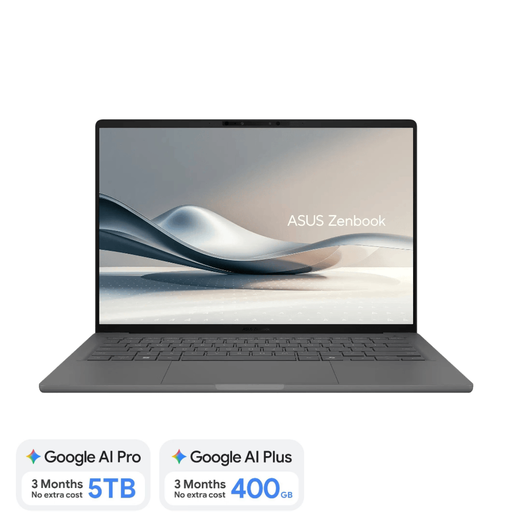
Why it suits this profile: For anyone looking for a lightweight laptop with an OLED screen, 16GB RAM and a Dutch QWERTY layout.
The product explicitly states that the memory cannot be upgraded, the screen is not touch-sensitive and a 65W USB-C charger is required separately.
Approximately 0.98 kg, 512GB SSD, OLED display with 100% DCI-P3 and an NPU of up to 45 TOPS according to the product specifications.
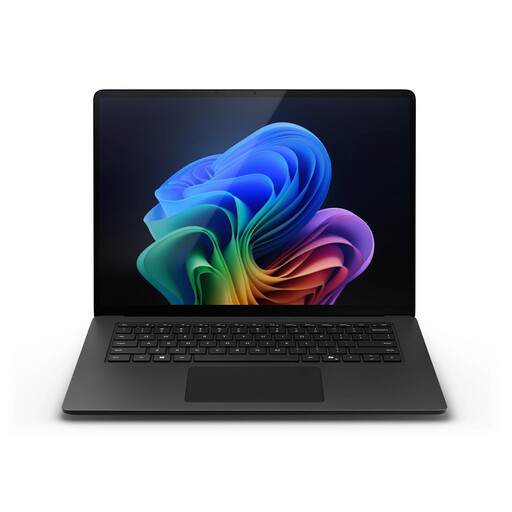
Why it suits this profile: Designed for business users and professionals who need plenty of storage, RAM and a large touchscreen.
The configuration lists 32GB LPDDR5X, a 1TB SSD and Windows 11 Pro. However, check the compatibility of specialist software with Snapdragon in advance.
15-inch touchscreen with a 3:2 aspect ratio, refresh rate of up to 120Hz, Wi-Fi 7 and 1TB of storage.
Why it suits this profile: A permanent home-working setup benefits from the generous screen and full-size QWERTY keyboard with numeric keypad.
The product specifications clearly state the approximate weight of 2.01 kg, 8GB of non-upgradeable RAM and that no charger is included.
17.3-inch Full HD IPS screen, 512GB SSD, webcam shutter and numeric keypad.
We have compiled a complete, up-to-date list of products that fully meet these strict selection criteria and the applicable European safety regulations.
For email, word processing and simple video calls, 8GB may be enough. If you often work with multiple windows, spreadsheets and meeting software, choosing 16GB RAM is a practical choice. Check whether the memory can be upgraded before placing your order.
Its lifespan depends on build quality, battery condition, software updates and workload. A laptop with sufficient RAM and SSD storage will generally remain useful for changing software for longer than an entry-level model with limited memory. Also check the stated warranty and your statutory consumer rights in the EU.
It can be, provided the software you need runs on macOS. In particular, check software for accounting, engineering, education, business management and peripherals. If you rely on specific Windows programmes, a Windows laptop may be a better choice.
