
Vandaag of morgen in huis

Kwaliteit gegarandeerd

Welkomstaanbiedingen ontgrendelen: GRATIS bezorging | Tot 80% korting | Gratis 30 dagen JoyPlus-proefperiode
Download de app
Buying a laptop seems straightforward until you start comparing specifications, accessories and operating systems. A low price can be tempting, but limited storage or a missing charger can sometimes mean extra costs. A powerful processor doesn’t tell you everything about portability, ports or software compatibility either.
If you’re looking for the best laptop, a laptop for work, a laptop for study or a cheap laptop, it’s worth deciding what you’ll use it for first. That way, you won’t pay for features you don’t need or choose a model that feels too limited after a few months.
Processors such as Intel Core, AMD Ryzen or Apple chips often get the most attention. But RAM, the SSD and the screen also affect how enjoyable a laptop is to use. For lots of browser tabs, video calls and documents, 16 GB of memory is more comfortable than 8 GB. For basic admin, streaming and word processing, 8 GB may be enough.
Some models don’t come with a mains adapter. This is the case, for example, with the HP OmniBook, Lenovo IdeaPad, ASUS Zenbook A14 and some MacBook models. So always check:
As a result, a cheap laptop can cost more than you expect.
A laptop with an SSD will generally start up faster than a model with a traditional hard drive. Even so, 256 GB won’t be enough for everyone. Photos, games and video files can quickly take up space.
Pay attention to the keyboard layout too. A Dutch QWERTY layout is different from Belgian AZERTY. If you’re buying a MacBook, also check that your work software, peripherals and cloud environment are compatible with macOS. A Windows 11 laptop will usually work with a wider range of older software, but there can be exceptions there too.
A 15-inch laptop gives you more room to work with spreadsheets, documents and two windows side by side. The trade-off is that this type of model takes up more space in your bag. A 13- or 14-inch model is more convenient for students, train commuters and people working from home who regularly change workspaces.
Don’t just look at the screen size. Also consider:
For study, office work and everyday internet use, 8 GB RAM is a good starting point. If you often work with lots of browser windows, video calls and more demanding programmes, consider 16 GB RAM instead. Check whether the memory can be upgraded. The memory in the HP OmniBook, Lenovo IdeaPad and ASUS Zenbook A14 is onboard and can’t be upgraded.
A 512 GB SSD gives you more room for software, documents and media than 256 GB. You may still need external or cloud storage for large photo or video collections.
Battery life claims depend on brightness, apps, Wi-Fi, video playback and connected devices. Apple states that the MacBook Pro offers up to 20 hours of video playback and the MacBook Air up to 18 hours. According to Apple, the MacBook Neo offers up to 16 hours. Treat these figures as product information based on specific conditions, not as a guaranteed battery life.
Also check the battery capacity, fast-charging function and included adapter. A laptop with long battery life is only practical if you can charge it with the right equipment.
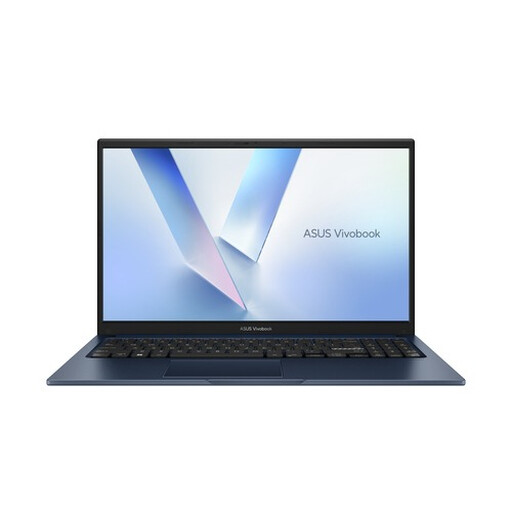
Why it suits this user: This 15.6-inch Windows 11 Home laptop is designed for documents, online lessons, streaming and everyday internet use. The 256GB SSD helps keep the entry price and storage requirements manageable.
The product specifications list 8GB DDR5, a 512GB PCIe 4.0 SSD and an included 45W adapter. Be sure to check the current variant details, as similar Vivobook models may differ.
15.6-inch Full HD screen, Wi-Fi 6, Bluetooth 5.3 and a full-size keyboard.
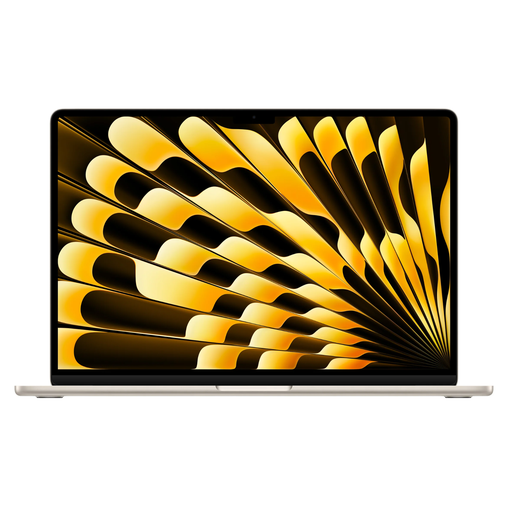
Why it suits this user: The 15.3-inch screen gives you room to multitask, while 16GB of memory and a 512GB SSD are well suited to office work, creative software and more demanding everyday use.
The storage and memory are clearly specified. Do note that, according to the product information, a mains adapter isn’t included.
Apple M5 chip, 512GB SSD, two Thunderbolt 4 ports and up to 18 hours of battery life according to Apple.
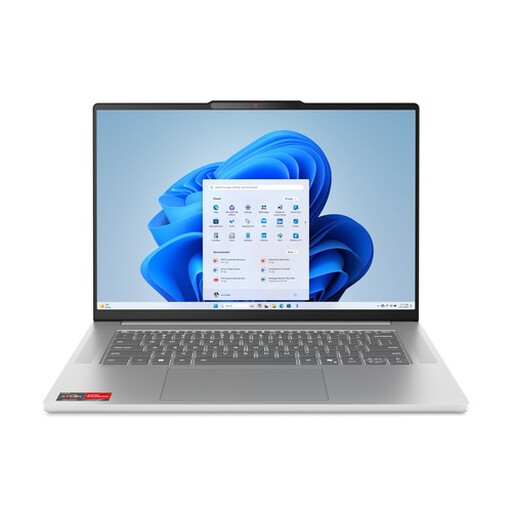
Why it suits this user: The AMD Ryzen 5 7535HS, 16GB LPDDR5X and 512GB SSD are designed for multitasking, office software, study and light creative work.
The model explicitly lists 16GB of memory, so you don’t have to judge it by the processor alone. The RAM can’t be upgraded, and a charger must be bought separately.
15.3-inch 16:10 IPS screen, 70Wh battery, backlit keyboard and integrated Radeon 660M graphics.
We’ve put together a complete, up-to-date list of products that meet these strict selection criteria and the applicable European safety regulations.
For documents, browsing and study, 256 GB may be enough. Choose 512 GB if you store several programmes, photos or files offline. Remember to allow space for Windows, macOS and recovery partitions.
That depends on how you use it, how well it’s maintained, software support and how easy it is to repair. A model with enough RAM, an SSD and up-to-date security updates will generally remain useful for longer. Also check the warranty terms and availability of servicing.
As well as the purchase price, a charger, USB-C hub, case, external storage and software can all add costs. So check the included accessories, operating system and ports you’ll need every day before you buy.
