
Vandaag of morgen in huis

Kwaliteit gegarandeerd

Welkomstaanbiedingen ontgrendelen: GRATIS bezorging | Tot 80% korting | Gratis 30 dagen JoyPlus-proefperiode
Download de app
Buying a laptop seems straightforward until you’re faced with dozens of processors, screen sizes, keyboard layouts and AI labels. A low price can be tempting, but a model with too little memory, the wrong keyboard layout or no charger included could end up costing you more.
This buying guide helps you compare laptops using specifications you can check. That way, you can find the right QWERTY laptop, Windows 11 laptop, lightweight laptop or business laptop for studying, working from home, entertainment and everyday use.
A specification such as Intel Core or Ryzen 7 doesn’t tell you everything. Check the number of cores, the generation, the memory and the graphics chip too. A laptop with Ryzen 7 and 16GB RAM will generally have different specifications from a model with Ryzen 5 and 8GB RAM, but which one is right for you depends on how you’ll use it.
A more basic system is often enough for documents, browser windows and video calls. For intensive multitasking, photo editing or local AI features, 16GB RAM and a more powerful processor are more practical.
A 17-inch laptop gives you plenty of workspace, but it can weigh around 2 kg. That makes it less suitable if you travel to lectures, the office or a shared workspace every day. A 13- or 14-inch model is usually easier to carry. A 15- or 16-inch screen offers a good balance between portability and visibility.
Pay attention to the aspect ratio too. A 16:10 screen with, for example, 1920 × 1200 pixels displays more vertical content than a standard 16:9 Full HD screen. This can be useful for documents, spreadsheets and web pages.
Several models in the range don’t come with a charger as standard. This includes various HP, Lenovo, Dell and ASUS models. Before you buy, check whether you’ll need a compatible USB-C or traditional adapter, and whether one is included.
A QWERTY laptop doesn’t always have the same keyboard layout. Dutch QWERTY differs from Belgian AZERTY, British QWERTY and US QWERTY. Check whether the product page specifies “English QWERTY”, “Dutch QWERTY” or “International English QWERTY”.
8GB RAM can be enough for basic use, such as email, word processing and video streaming. If you use several programmes at once, it’s better to choose a laptop with 16GB RAM. Check whether the memory can be upgraded. Some HP and ASUS models have onboard memory that can’t be upgraded.
A 512GB SSD gives you space for Windows, programmes, documents and photos. An SSD starts up faster than a traditional hard drive. Bear in mind that the available space will be less than 512GB because of Windows, recovery partitions and pre-installed software.
A laptop with AMD Ryzen 7 or Intel Core Ultra can be suitable for more demanding office work, multitasking and certain creative applications. However, actual performance also depends on cooling, software and graphics hardware.
An AI laptop or Copilot+ PC has an NPU for certain AI features. Always check which features are actually supported by Windows, the software and your region. According to manufacturers’ product information, features may change with updates, and some applications may require an account or an internet connection. An AI label is no reason to overlook the other specifications.
An IPS screen with an anti-glare coating is practical for office work, studying and working from home. A laptop with an OLED screen can offer high contrast and deep blacks, but check the brightness, refresh rate and power consumption.
A laptop with a touchscreen or 360-degree hinge is a good fit if you want to navigate directly on the screen. For traditional typing, a standard clamshell laptop is often simpler. Also check for USB-C, HDMI, card readers and DisplayPort support if you use a monitor or docking station.
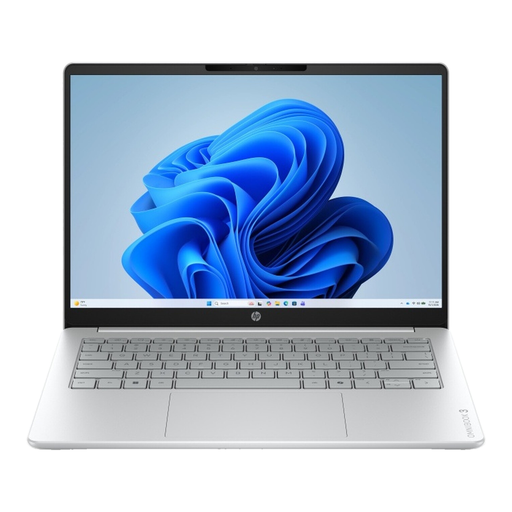
Why it suits this profile: This model is designed for home use, studying, video calls and everyday office programmes. Its 16-inch 16:10 screen gives you extra vertical workspace.
The product information clearly lists 8GB onboard memory, a 512GB SSD, a non-touchscreen display and no charger included. Check these details before you buy.
16-inch IPS screen, 512GB NVMe SSD, Full HD webcam and QWERTY keyboard with number pad.
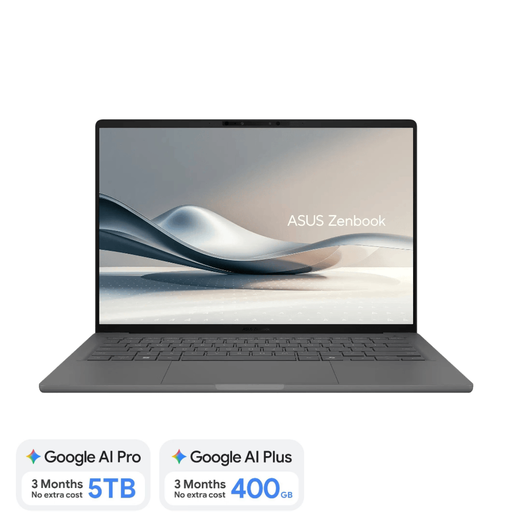
Why it suits this profile: For working on the move, studying and travelling, this lightweight laptop combines a 14-inch OLED screen with 16GB RAM and a weight of around 0.98 kg.
The product details specify a Dutch QWERTY layout, a non-touchscreen display and no adapter included. Check Snapdragon compatibility before you buy.
16GB LPDDR5x, 512GB SSD, OLED with 1920 × 1200 pixels, Wi-Fi 6E and Copilot+ PC support.
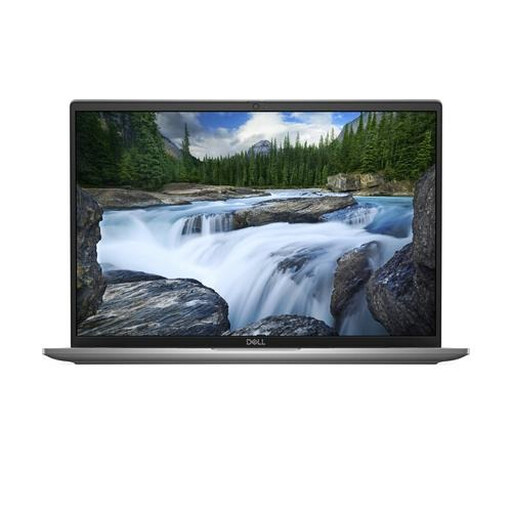
Why it suits this profile: This business laptop is designed for users who need a 16-inch workspace, Windows 11 Pro and a wide range of connections.
The specifications list 16GB LPDDR5x, a 512GB SSD, QWERTY, Wi-Fi 7 and two Thunderbolt 4 ports. You’ll need to arrange a charger separately.
16-inch 1920 × 1200 IPS screen, Intel Core Ultra 7, Windows 11 Pro, Wi-Fi 7 and Thunderbolt 4.
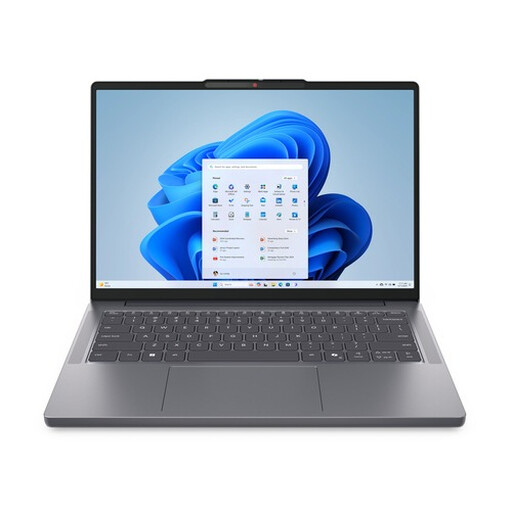
Why it suits this profile: Weighing around 1.39 kg and featuring a 14-inch 16:10 screen, this model suits people who regularly move between home, study and the office.
The configuration lists Ryzen 7, 16GB DDR5, a 512GB SSD and an English QWERTY layout. The screen isn’t touch-enabled; check whether an adapter is included too.
AMD Ryzen 7 8840HS, 16GB DDR5, 512GB PCIe NVMe SSD, anti-glare IPS screen and webcam privacy shutter.
We’ve put together a complete, up-to-date list of products that meet these strict selection criteria and the applicable European safety regulations.
8GB can be enough for word processing, video calls and browsing. 16GB RAM is more practical if you use lots of tabs, spreadsheets, meeting apps and other programmes at the same time. Check whether the memory can be upgraded later.
For studying, office work and everyday use, it usually is. If you store lots of videos, photos, games or large project files, you may need extra cloud storage or an external SSD. The usable capacity is always less than the stated 512GB.
It depends on your software. An NPU can speed up certain supported AI features locally, but not every application uses this hardware. Before paying more, check that your programmes are compatible, and check the Windows version and available features.
