
Vandaag of morgen in huis

Kwaliteit gegarandeerd

Welkomstaanbiedingen ontgrendelen: GRATIS bezorging | Tot 80% korting | Gratis 30 dagen JoyPlus-proefperiode
Download de app
Buying a new laptop can feel like navigating a maze of specifications, marketing terms, and fluctuating prices. Manufacturers promise the world, but in reality, many choices lead to frustration or unnecessary costs. As a Joybuy Product Recommendation Officer, I'll help you cut through the noise and focus on what truly matters, so you can choose a device that fits your needs without overpaying.
Before we dive into specifications, it's crucial to recognise the most common pitfalls. This will prevent you from wasting money on features you don't need or, worse, buying a laptop that feels sluggish after just one year.
AI laptop and Copilot+ PC are everywhere. While this technology can be useful, it's not a necessity for everyone. Many users pay for an advanced AI chip (NPU) whose specific benefits they will hardly ever use in practice.You don't need to be a tech expert to make a good choice. Focus on these three components. They determine 90% of your laptop's real-world performance.
Think of RAM as your computer's short-term memory. The more RAM you have, the more tasks you can run smoothly at the same time.
The storage drive determines how quickly your laptop boots up and loads programs. A Solid State Drive (SSD) is essential here, as it is many times faster than a traditional hard drive (HDD).
The processor is the brain of the laptop. The choice is often between Intel (Core i5, Core 7) and AMD (Ryzen 5, Ryzen 7). For most users, the mid-range models (Core 5/Ryzen 5) offer more than enough power.
An AI laptop or Copilot+ PC also has a special NPU (Neural Processing Unit). This chip is designed to handle AI tasks efficiently, such as generating live captions or blurring backgrounds during video calls. Ask yourself: will I use these specific features daily? If not, a model without this expensive addition is often a smarter choice.
Below are a few models that score well on the above criteria, matched to a specific user profile.
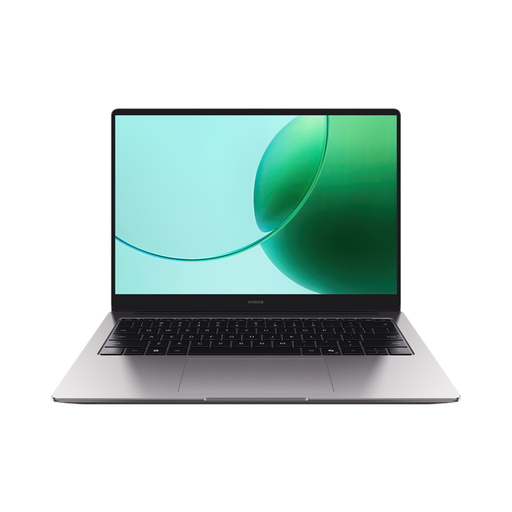
Why This Fits Their Persona: A reliable laptop for writing reports, creating presentations, and streaming series, without paying for features you don't use. The large 16-inch screen is comfortable for long study sessions.
This model bypasses the false economy trap by directly offering the recommended 16GB RAM and 512GB SSD. This ensures smooth performance for years to come.
Solid all-around performance with an AMD Ryzen 5 processor and a spacious 16-inch screen for comfortable multitasking.
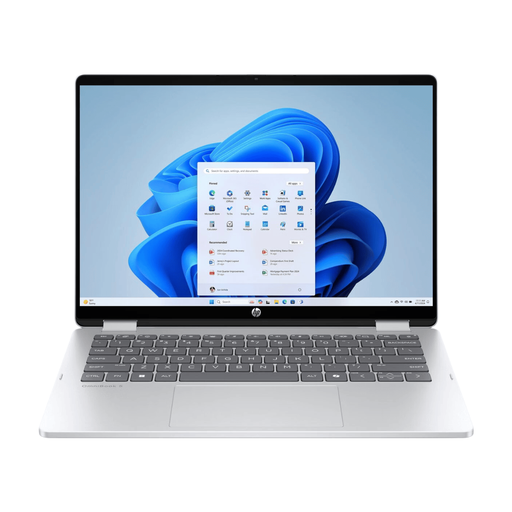
Why This Fits Their Persona: The 2-in-1 laptop design is ideal for those who switch between the office, home, and on-the-go. Use it as a laptop for reports, a tablet for notes, or in tent mode for presentations.
Instead of vague AI hype, this model offers a tangible benefit: a versatile 360-degree hinge and an OLED touchscreen for creative and interactive work.
Premium 2K OLED touchscreen for vibrant colours and a flexible 2-in-1 design in a durable aluminium chassis.
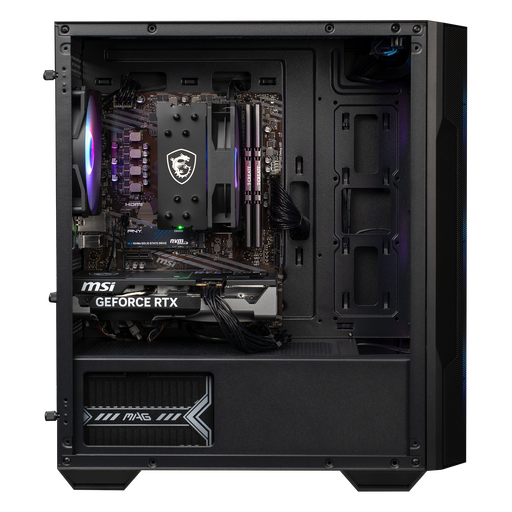
Why This Fits Their Persona: Built for smooth 1080p and 1440p gaming. This gaming pc is ready for modern games and offers better cooling and upgrade options than a laptop.
This isn't a standard office computer with a gaming sticker. The 'Powered by MSI' build with an RTX 5060 graphics card is specifically chosen for gaming performance.
A dedicated gaming pc with a powerful NVIDIA RTX 5060 graphics card and quality components from MSI for a stable gaming experience.
We have compiled a complete, up-to-date list of products that fully meet these strict selection criteria and local regulations.
For general use, such as browsing, Office programs, and streaming, 16GB RAM is the new standard for a smooth experience. Gamers or creative professionals working with large files may want to consider 32GB. 8GB is only recommended for very light tasks and can quickly feel restrictive.
That depends entirely on your usage. A Copilot+ PC has a special chip (NPU) that accelerates AI tasks. If you expect to frequently use features like live translations, advanced video effects during calls, or AI assistance in creative software, it can be an advantage. For standard office work, studying, and browsing, it is not a necessary investment at this time.
A gaming laptop offers portability, allowing you to game anywhere. A gaming pc generally provides better cooling and is easier to upgrade in the future, which can be more cost-effective in the long run. The choice depends on what you value more: mobility or maximum performance and upgradeability.
