
Vandaag of morgen in huis

Kwaliteit gegarandeerd

Welkomstaanbiedingen ontgrendelen: GRATIS bezorging | Tot 80% korting | Gratis 30 dagen JoyPlus-proefperiode
Download de app
Choosing a new keyboard might seem straightforward, until you have to decide between a wireless keyboard, a mechanical model, a compact gaming variant or a classic office keyboard. Most mistakes happen not because of the keys themselves, but because of the wrong layout, limited compatibility or features that add little value in practice.
An AZERTY keyboard from Belgium differs from a Dutch QWERTY keyboard. A QWERTY US International keyboard can also have different characters, punctuation marks and key positions than you are used to. So, do not just check whether “QWERTY” appears on the product page, but also the language variant and layout.
Working with a Mac? Then check the support for macOS and the available function keys. For a Windows PC, Windows keys and shortcuts are often more important. A keyboard that technically connects does not always work comfortably with every operating system.
A Bluetooth keyboard is handy for laptops, tablets and flexible workspaces. However, you need to pay attention to how the keyboard connects. Some models work only via Bluetooth, while others combine Bluetooth with an RF receiver or USB cable.
Also check:
A USB keyboard does not need a battery and is usually recognised immediately. That makes it practical for a fixed office desk, but the cable does take up space on your desk.
A 60% keyboard saves space, but often lacks a numeric keypad, arrow keys and a separate function row. For gaming, that can be pleasant because it leaves more room for your mouse. For spreadsheets, accounting or administrative work, a keyboard with a numeric keypad is usually more convenient.
Also pay attention to the height, width and placement of the keyboard. A full-size model can be comfortable, but does not always fit on a small desk.
Membrane and scissor-switch keys are generally suitable for quiet typing and office work. A mechanical keyboard usually provides more tactile feedback. However, the sound and actuation force vary greatly depending on the switch.
Optical and magnetic switches are mainly found in gaming keyboards. Features such as adjustable actuation or Rapid Trigger sound appealing, but are mainly relevant for specific games and users. According to the brands' own information, these features are designed to register input faster; consider this a product specification, not a guarantee of better gaming results.
Commonly used sizes are:
If you enter a lot of numbers, you will practically often choose full-size. For mobile working or a small home office, a more compact model can be more logical.
Adjustable height, a stable casing and possibly a wrist rest can make your workspace more practical. An ergonomic keyboard is not automatically suitable for everyone: pay particular attention to the shape, tilt angle and distance to your mouse.
Backlighting is useful in low ambient light. RGB lighting is mainly a visual feature and has no necessary added value for office work. Also check whether lighting requires software and how this affects battery life.
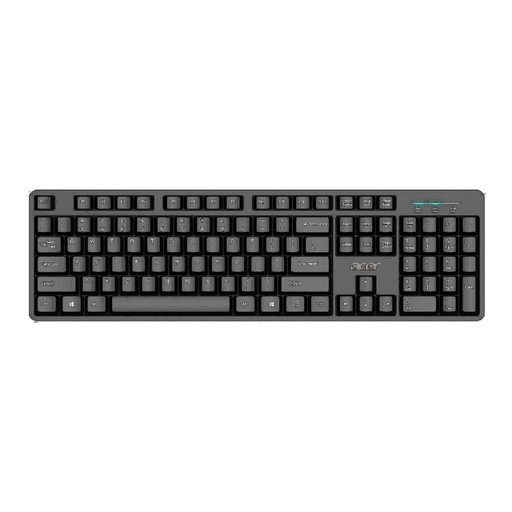
Why this fits the profile: A straightforward full-size USB model for home use, study and basic work on a Windows computer.
The fixed USB connection avoids battery management. Do check beforehand whether the US International layout suits your typing style.
Full-size layout, USB connection and a 1.45-metre cable.
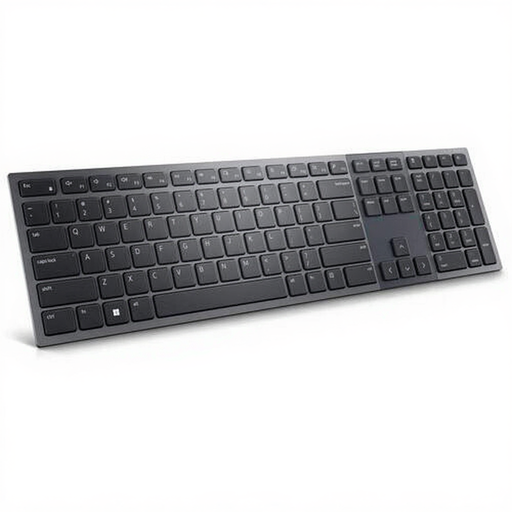
Why this fits the profile: Aimed at hybrid workspaces where quiet typing, video calls and switching between devices come together.
The Belgian AZERTY layout is clearly stated. The combination of RF and Bluetooth 5.1 provides an alternative when one connection is not suitable.
Scissor-switch keys, numeric keypad, white backlighting and a rechargeable 3,000 mAh battery.
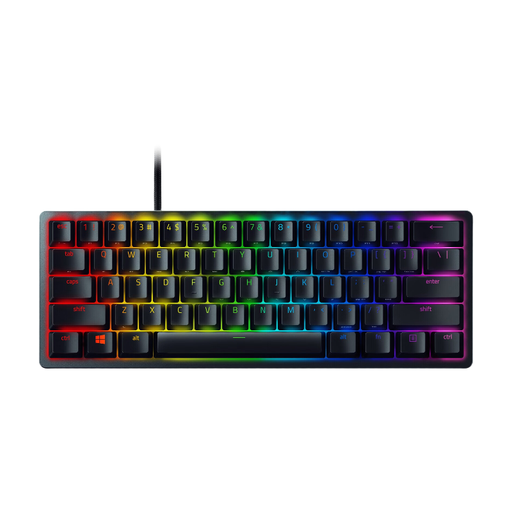
Why this fits the profile: For gamers who want a compact mechanical keyboard and need little desk space.
The 60% size is clearly stated. This means you know in advance that a numeric keypad and separate arrow keys are missing.
61 optical keys, RGB lighting, PBT keycaps and a detachable USB-C cable.
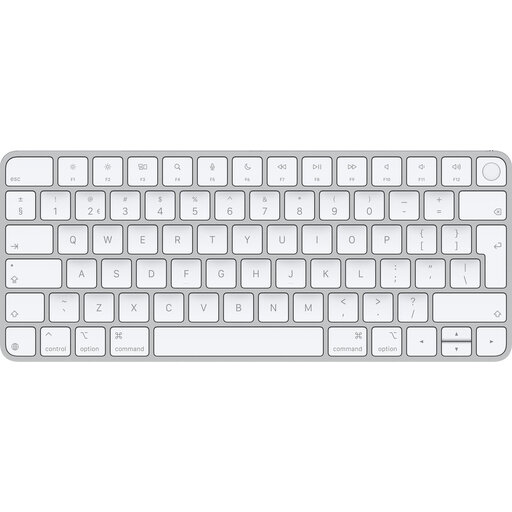
Why this fits the profile: A logical choice for users with a Mac on Apple silicon who are looking for a compact wireless keyboard.
The system requirement of macOS 11.4 or later with Apple silicon is specifically stated. Check this before you order.
Bluetooth, Touch ID, QWERTY layout and a rechargeable battery.
We have compiled a full, up-to-date list of products that fully meet these strict selection criteria and the applicable European safety regulations.
For working from home, quiet keystrokes, a suitable layout and a reliable connection are important. A wireless keyboard keeps your desk clear, while a USB keyboard does not need to be charged. If you work a lot with numbers, you will usually benefit from a full-size model with a numeric keypad.
The lifespan depends on use, cleaning, moisture and the construction of the keys. According to some brands' own information, certain switches can support a specific number of keystrokes. That number is a product specification under certain conditions and not a fixed usage duration for every buyer. Keep the keyboard dry and clean it with a soft cloth.
It can be, but pay attention to the noise level and the switch. A mechanical keyboard often provides more feedback, while a scissor or membrane keyboard usually sounds quieter. For a shared office space, a quiet variant can be more practical than a loud, clicky model.
