
Vandaag of morgen in huis

Kwaliteit gegarandeerd

Welkomstaanbiedingen ontgrendelen: GRATIS bezorging | Tot 80% korting | Gratis 30 dagen JoyPlus-proefperiode
Download de app
Buying a headset sounds straightforward, until you have to choose between a wired headset, wireless headset, gaming headset or USB-C earbuds. Marketing terms such as “surround sound”, “noise cancelling” and “studio sound” do not always tell you what you actually need in practice.
The most important choice depends on your device, how you intend to use the headset and how comfortable it is to wear. A model for video calls, for example, does not necessarily need the same features as a headset for PC and console. The points below can help you avoid making the wrong purchase.
A USB headset does not work in the same way as a model with a 3.5mm connection. So first check which ports your laptop, computer, smartphone or console has.
Also pay attention to cables and adapters. A USB-C connection does not automatically mean that every headset will work with every phone, tablet or console.
A headset with noise cancelling can reduce background noise for the wearer. This is different from a microphone that attempts to limit background noise during a call. So check whether the product information refers to active noise cancellation for listening, a noise-cancelling microphone or passive sound isolation only.
According to DELL’s product information, the WH5024 features active noise cancellation and an AI-based microphone function. These are stated product features; your experience may depend on the room, software and microphone placement.
A range such as 20–20,000 Hz is merely a technical measurement. It does not fully indicate how music, voices or game sounds will come across. Also consider the type of driver, the fit, the volume and the connection being used.
With in-ear earbuds with a microphone, the fit is particularly important. A set with several earbud sizes may provide a better seal than a universal model. An incorrect fit can also result in less bass and a less secure position.
First decide what you will use the headset for:
A movable microphone boom makes it easier to set a practical distance from your mouth. A mute button on the earcup or cable is useful during online meetings and gaming.
Pay attention to the difference between a built-in microphone in a cable and an adjustable boom microphone. The latter is generally easier to position correctly, while in-ear earbuds are particularly compact and portable.
For extended use, weight, ear cushions and the headband all play an important role. An over-ear model largely encloses your ears, while an on-ear headset may feel more compact. In-ear earbuds are lightweight and easy to take with you, but not everyone finds them comfortable to wear.
Also check:
Safe listening habits remain important: avoid listening at high volume for extended periods and take regular breaks. Also follow the warnings in the manual, particularly for models with small parts or cables.
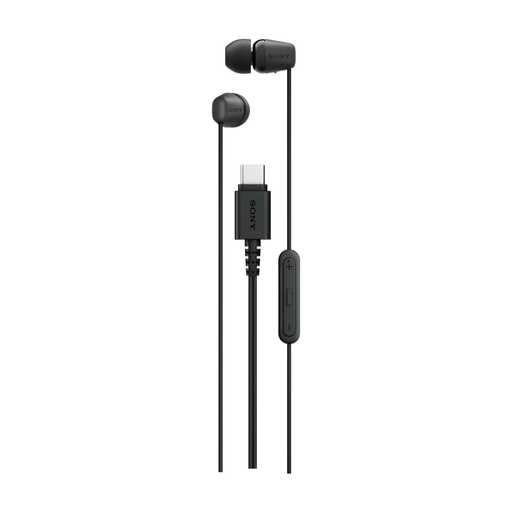
Why it suits this profile: This wired in-ear headset connects via USB-C and is designed for everyday listening and calls without charging or pairing via Bluetooth.
The product information clearly states that it has a USB-C connection, microphone and remote control. This makes it easier to check in advance whether your device is compatible.
USB-C, 1.2-metre cable, built-in microphone and passive sound isolation according to the product specifications.
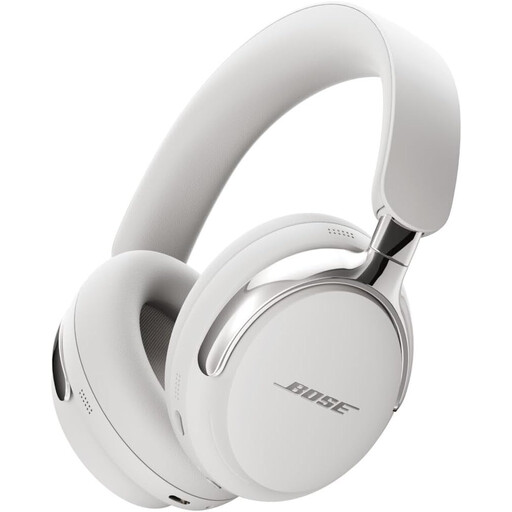
Why it suits this profile: Ideal for anyone looking for over-ear headphones for music and video, with a focus on wearing comfort and active noise cancellation.
The product description explicitly mentions active noise cancelling and an over-ear design. Do check whether you will mainly use it for music, video or calls.
Over-ear design, active noise cancellation and, according to the brand description, support for spatial audio.

Why it suits this profile: This gaming headset is designed for players looking for a wired connection, an adjustable microphone and compatibility with multiple platforms.
The connection is 3.5mm, and the product information lists PC, Mac, PlayStation, Xbox, Switch and mobile devices. Check whether a splitter is needed for each device.
50mm drivers, a weight of 240 grams, memory foam ear cushions and a foldable microphone according to the product specifications.
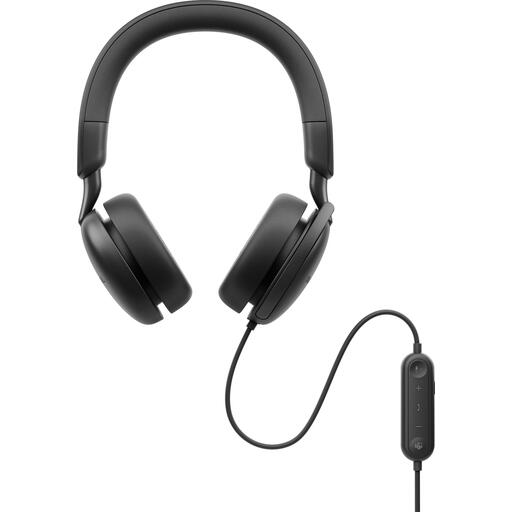
Why it suits this profile: A practical choice for calls via USB-C or USB-A, with inline controls and support for widely used meeting platforms.
The product information lists both USB-C and USB-A, along with a USB-A-to-USB-C cable supplied in the box. This makes it easy to assess the connection requirements in advance.
Boom microphone, 2-metre cable, active noise cancellation and stated compatibility with Microsoft Teams and Zoom.
We have put together a complete, up-to-date list of products that fully meet these strict selection criteria and the applicable European safety regulations.
A wired headset does not have a battery and can work immediately once connected. That is useful at a fixed workstation. Do check whether your computer supports USB, USB-C or 3.5mm. For mobile use, a wireless headset may give you greater freedom to move around.
Its lifespan depends on cable strain, moisture, storage and daily use. A cable should not be sharply bent, and a headset should be stored in a dry place. For intensive use, replaceable ear cushions or a detachable cable are practical features to look out for. In the EU, products are covered by a minimum statutory guarantee of conformity; any additional manufacturer’s warranty may vary by brand.
In addition to the purchase price, a wireless headset uses electricity when charging. The cost is generally limited, but you do need to take the battery and charging cable into account. With a wired headset, there is no need to charge it, although you have less freedom to move around.
