
Vandaag of morgen in huis

Kwaliteit gegarandeerd

Welkomstaanbiedingen ontgrendelen: GRATIS bezorging | Tot 80% korting | Gratis 30 dagen JoyPlus-proefperiode
Download de app
Buying a headset seems straightforward, until you have to choose between a gaming headset, wireless headphones, a wired headset or Bluetooth headphones. Marketing terms such as “surround sound”, “noise cancelling” and “professional microphone” sound appealing, but they don’t always tell you whether a headset will suit your devices and how you plan to use it.
Look out for these common pitfalls:
A 3.5 mm headset is often a practical choice for controllers, smartphones, tablets and laptops. Check whether your device has a combined audio and microphone port, though. Older PCs with separate ports may need a splitter.
A USB connection can offer extra features, such as software-based equaliser settings or multi-channel audio. According to the product specifications, the USB adapter supplied with the Corsair HS65 Surround enables Dolby Audio 7.1 on PC and Mac. The headset also works via its 3.5 mm connection with devices including PlayStation, Xbox, Nintendo Switch and mobile devices, although not necessarily with the same features.
For Bluetooth headphones, check that your laptop, phone or tablet supports Bluetooth. According to the product description, a multipoint model can connect to two devices at once, but the exact controls vary by device.
A 40 or 50 mm driver tells you the size of the speaker, but it doesn’t predict sound quality on its own. Also consider:
A large driver doesn’t guarantee the right sound, then. A neutral sound may suit music, while gamers may place more importance on accurate sound positioning and clear communication.
Headphones with a microphone are suitable for online meetings, gaming and calls, but the controls vary by model. A flip-to-mute microphone is muted by flipping it up. Other models have a button on the cable or ear cup.
Also check the weight and design. According to the product information, the Corsair HS65 weighs 282 grams, while the Logitech H150 is listed as a lightweight model at 80 grams. A lightweight on-ear model may be comfortable for long days working from home; for intensive gaming sessions, over-ear headphones with soft ear cushions may provide better noise isolation.
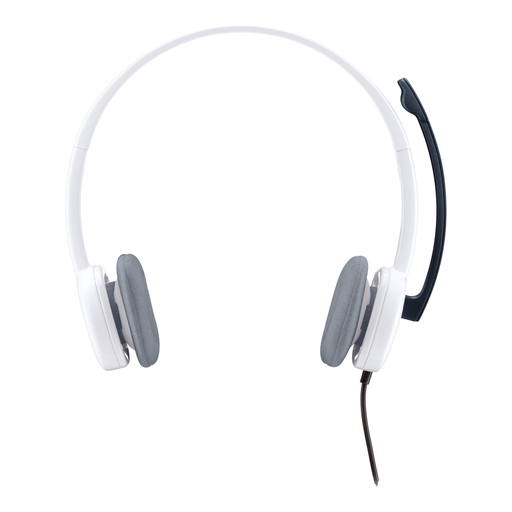
Why it suits this profile: The wired connection and straightforward controls make it a good fit for online calls, working from home and everyday media use, with no battery to recharge.
The 3.5 mm connection means there’s no need to recharge it. If you’re using a PC, check whether you need a splitter for separate microphone and headphone ports.
Stereo audio, an adjustable microphone, volume control and a listed weight of 80 grams.
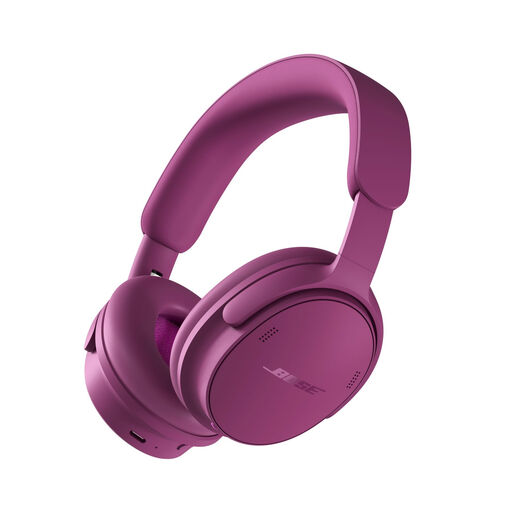
Why it suits this profile: A good choice for travellers, music lovers and people working from home who want active noise cancellation, wireless use and a wired option.
The product specifications list Bluetooth, up to 24 hours of battery life and an included 3.5 mm-to-USB-C audio cable. Check which connections your source device supports before you buy.
Active noise cancellation, USB-C audio according to the product description, microphones for calls and a weight of 230 grams.
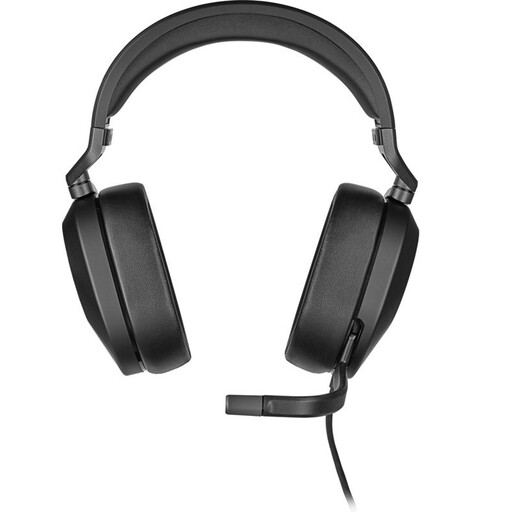
Why it suits this profile: A sensible choice for PC and Mac gamers looking for a wired gaming headset with a microphone and extra USB features.
The connection options are clearly separated: 3.5 mm for compatible devices, and the included USB adapter for surround features on PC and Mac.
50 mm drivers, a flip-to-mute microphone, a weight of 282 grams and compatibility with PCs, consoles and mobile devices according to the product information.
We’ve put together a complete, up-to-date list of products that meet these strict selection criteria and the applicable European safety regulations.
It depends on how you’ll use them. Wireless headphones give you more freedom to move and are convenient for travelling or working from home. A wired headset doesn’t need a battery and can connect directly to a controller or laptop. For gaming, check that the wireless connection is compatible with your PC, PS5, Xbox or Nintendo Switch.
Lifespan depends on the materials, cable use, battery care and how intensively you use it. With a wired headset, the cable and connector are often the parts that take the most wear. With a wireless model, the battery is another factor. Keep your headset dry, don’t pull on the cable, and clean the ear cushions according to the product instructions.
Not always. Many models with a 3.5 mm connection work through the controller. Check that the headset microphone is supported, though, and whether extra features such as surround sound are only available via USB or specific software. A headset designed for PC won’t necessarily support all its features on PS5 or Xbox.
