
Vandaag of morgen in huis

Kwaliteit gegarandeerd

Welkomstaanbiedingen ontgrendelen: GRATIS bezorging | Tot 80% korting | Gratis 30 dagen JoyPlus-proefperiode
Download de app
Buying a 3D printer may seem straightforward until you have to compare speed, build volume, materials, multicolour capabilities and maintenance. A printer that can reach 600 mm/s on paper won’t automatically print every model at that speed. And an AI camera doesn’t necessarily recognise every failed print.
For makers, schools, designers, engineers and small businesses, there are three key pitfalls to watch out for:
An FDM 3D printer uses filament, such as PLA, PETG, TPU, ABS or fibre-reinforced varieties. This type is practical for functional parts, prototypes, education and larger objects. Check the maximum nozzle temperature, the type of extruder and whether the print bed is heated.
A resin 3D printer uses liquid resin and is particularly suited to small models, miniatures, jewellery and parts with fine details. Build volumes are usually smaller. Resin also requires a carefully prepared workspace, protective equipment and good ventilation. Always follow the manufacturer’s safety information and the safety data sheets for the resin you use.
Build volume directly determines what you can print in one go. If you need a 3D printer for large models, look for dimensions of around 300 × 300 × 300 mm or more. According to its product information, the Anycubic Kobra 3 Max Combo offers a build volume of up to 420 × 420 × 500 mm.
An enclosed printer is useful when working with materials that are sensitive to temperature fluctuations. A 3D printer with a heated chamber is particularly relevant for ABS, ASA, PC, nylon and fibre-reinforced filaments. The QIDI Q2 specifies a heated chamber of up to 65 °C; the QIDI Max4 also lists 65 °C. These figures come from the brands’ product information and don’t guarantee that every material will print without warping.
A 3D printer with automatic bed levelling measures or compensates for the distance between the nozzle and print bed. This helps with the first layer, but a clean print surface and correct material settings are still essential.
A 3D printer with an AI camera may offer features such as spaghetti detection, filament detection and print monitoring. According to the relevant brands’ product information, these systems detect visible irregularities; they won’t necessarily recognise every problem. Also check whether the camera works locally only or can be accessed via an app.
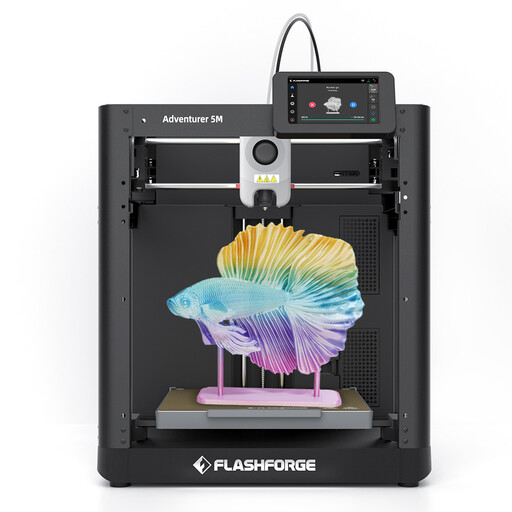
Why it suits this user: A compact FDM printer for beginners, hobbyists and schools looking to work mainly on PLA and PETG projects.
Automatic bed levelling reduces the need for manual adjustment. The 220 × 220 × 220 mm build volume makes the physical limitations clear from the outset.
According to the product information: maximum speed of 600 mm/s, a direct-drive extruder reaching up to 280 °C and quick-change nozzles.
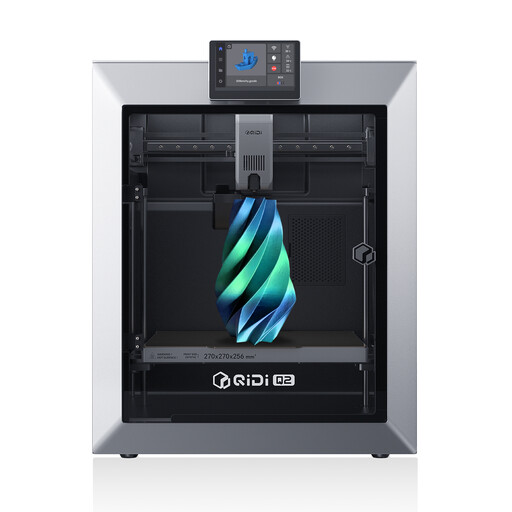
Why it suits this user: Designed for designers, engineers and users who need an enclosed machine and a wide choice of materials.
The enclosure and heated chamber are specifications you can check, so your choice depends less on claims about high speed alone.
According to the product information: 270 × 270 × 256 mm build volume, 370 °C hot end, heated chamber up to 65 °C and AI camera.
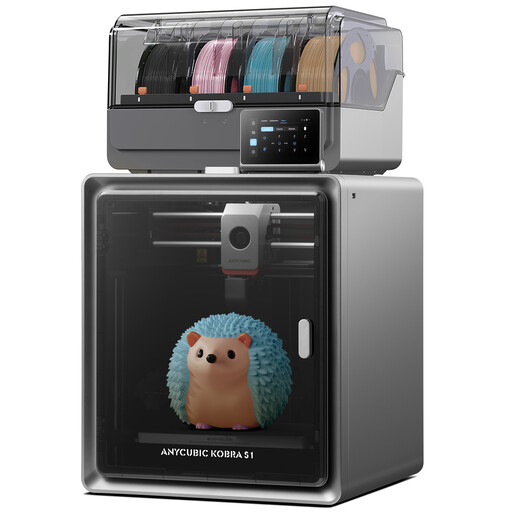
Why it suits this user: For makers who want to combine colour models, prototypes and multiple filaments in a single workflow.
The specifications list four colours as standard, with expansion to sixteen. Be sure to check how many additional ACE 2 Pro units you’ll need and how much filament you can expect to use.
According to Anycubic: 250 × 250 × 250 mm build volume, maximum speed of 600 mm/s, active filament drying and a fully enclosed CoreXY design.
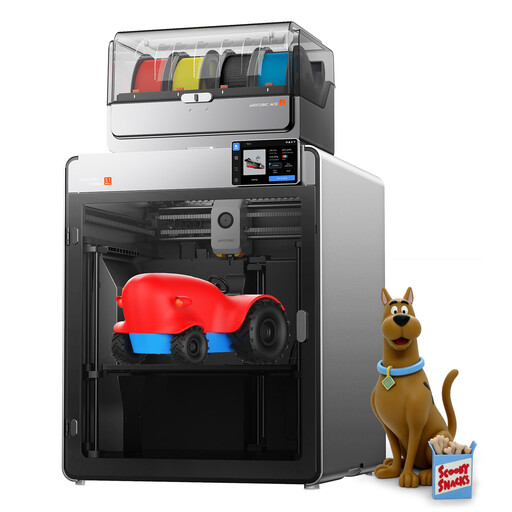
Why it suits this user: For small-scale production, large models and engineers who need a generous build volume and higher material temperatures.
The 350 × 350 × 350 mm build volume means larger parts don’t have to be split into multiple sections from the outset.
According to the product information: maximum speed of 600 mm/s, nozzle temperature up to 350 °C, heated chamber up to 65 °C and expansion to sixteen colours.
We’ve put together a complete, up-to-date list of products that meet these strict selection criteria and comply with current European safety regulations.
As well as the purchase price, you’ll need to pay for filament or resin, electricity, maintenance and sometimes replacement parts. Multicolour printing can use up extra material during colour changes. For prototypes, it’s worth working out the material cost per part and estimated print time in advance.
Its lifespan depends on how many hours it’s used, the materials you print with and how well it’s maintained. Clean the print bed and nozzle regularly, store filament in a dry place and replace worn parts according to the manufacturer’s instructions. High print speeds can put more strain on moving parts, particularly if the printer runs regularly for long periods.
It can be, as long as you have a well-ventilated workspace and follow the safety instructions. Wear suitable gloves and eye protection when handling resin, avoid skin contact, and take care when using UV light and cleaning products. An FDM model may be more practical for a classroom or shared workspace, depending on the material and ventilation.
