
Vandaag of morgen in huis

Kwaliteit gegarandeerd

Welkomstaanbiedingen ontgrendelen: GRATIS bezorging | Tot 80% korting | Gratis 30 dagen JoyPlus-proefperiode
Download de app
Buying a 3D printer opens up a world of creative possibilities. From functional prototypes to detailed miniatures, the technology is more accessible than ever. But the market is also flooded with marketing claims and technical specifications that create more confusion than clarity. Many buyers fall into the same traps, leading to frustration and an expensive purchase that just gathers dust.
As a Joybuy Product Recommendation Officer, I'm here to help you cut through the noise. We'll focus on what truly matters, so you can choose a printer that fits your projects, not a brand's marketing hype. Let's tackle the most common pitfalls head-on:
Before you compare specifications, the most important choice is the technology. There are two main types for consumers: FDM and Resin.
FDM (Fused Deposition Modeling): This is the most common and recognizable technique. An FDM 3D printer melts a plastic thread (filament) and builds an object layer by layer.
Resin (SLA/DLP/LCD): A Resin 3D printer uses liquid, UV-sensitive resin that is cured layer by layer by a light source (often an LCD screen).
Once you've chosen the technology, these are the specifications that really matter.
The build volume (length x width x height) determines the maximum size of the object you can print. Think about what you want to create. For small figures, a compact volume is sufficient. For larger functional parts or multiple objects at once, you'll need a larger print bed.
For a high-speed 3D printer, the recommended print speed is more important than the maximum speed. A stable frame and advanced software features like vibration compensation are essential for maintaining quality at higher speeds. Resolution is expressed in layer height (in mm, lower is finer) and, for resin printers, in XY resolution (in ?m, lower is more detailed).
Modern printers offer features that make life much easier. Automatic levelling is almost indispensable for beginners, as it prevents the most common cause of failed prints. Want more creative freedom? A multicolor 3D printer, such as models from Anycubic or Creality with an external colour system, can print objects in multiple colours without you having to manually swap filament.
Below are some models that align well with different user profiles, based on their objective specifications.
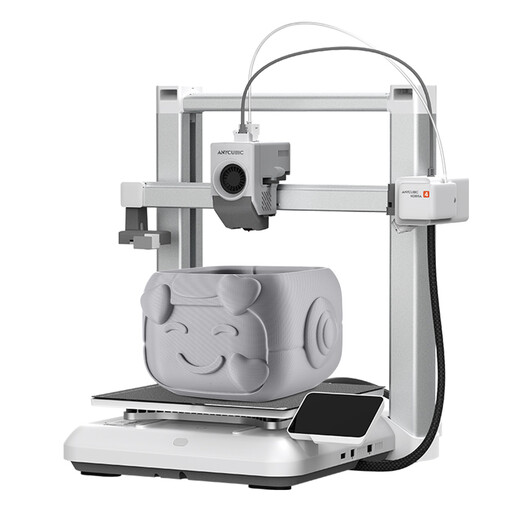
Why This Fits Their Persona: This FDM printer is designed for a quick start. It's affordable and focuses on ease of use, making it ideal for anyone who wants to start 3D printing without too much technical hassle.
Tackles the complexity pitfall with LeviQ 3.0 Auto-Leveling. This system automatically calibrates the print bed, which eliminates the frustration of a bad first layer.
The combination of a high recommended print speed (300 mm/s) and automatic calibration provides an efficient and reliable printing experience for beginners.
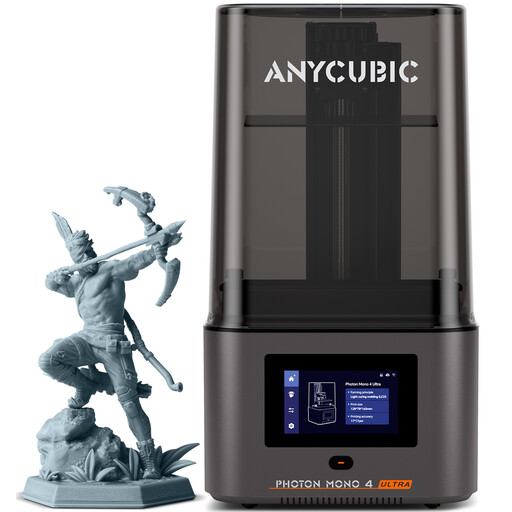
Why This Fits Their Persona: For those who want to create miniatures, jewellery, or models with very fine details. This resin printer is purely focused on maximum resolution and a smooth finish.
This printer focuses on quality, not misleading speed claims. Its specifications are geared towards detail, so you know exactly what you're getting: a machine for precision work.
The 10K resolution on a 7-inch screen delivers an extremely high pixel density (17x17 μm XY resolution), resulting in sharp details that are impossible to achieve with FDM printers.
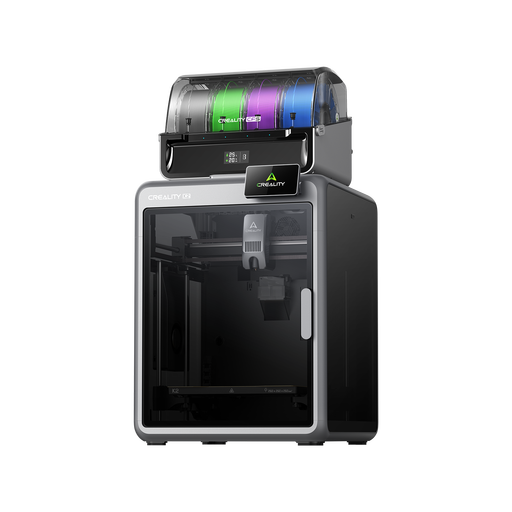
Why This Fits Their Persona: For the user who wants more: speed, a large build volume, and the ability to print in multiple colours. This is a complete system for complex and colourful projects.
Avoids the hidden cost pitfall by being delivered as a 'combo' with the Creality Filament System (CFS). You get a working multicolor solution right out of the box without having to search for separate upgrades.
The combination of a sturdy frame, high speed, a generous build volume (260x260x260 mm), and an integrated multicolor system makes this a highly versatile machine.
The costs depend on the technology. For an FDM printer, a 1 kg roll of filament typically costs between €20 and €30. For a resin printer, a 1-litre bottle of resin usually costs between €30 and €50. Power consumption is comparable to a desktop computer and is relatively low per print.
In general, an FDM printer is more accessible for beginners. The materials are cheaper, the process is cleaner, and fewer safety precautions are needed. A resin printer requires a well-ventilated space, wearing gloves, and a process of washing and curing after printing. The choice depends on what you want to make: sturdy parts (FDM) or highly detailed models (resin).
Yes, for beginners, it is absolutely worth it. Automatic levelling (or auto-levelling) is a feature where the printer itself measures and corrects the distance between the nozzle and the print bed at multiple points. This ensures a perfect first layer, which is crucial for a successful print. It saves a huge amount of time and frustration associated with manual calibration.
