
Vandaag of morgen in huis

Kwaliteit gegarandeerd

Welkomstaanbiedingen ontgrendelen: GRATIS bezorging | Tot 80% korting | Gratis 30 dagen JoyPlus-proefperiode
Download de app
Buying a 3D printer can feel like a daunting task. The market is flooded with models promising impressive speeds and endless possibilities. But behind the marketing often lie pitfalls that lead to frustration and unnecessary costs. As a Joybuy Product Recommendation Officer, I'll help you cut through the noise so you can choose a printer that truly meets your needs, without any hidden flaws.
Before we look at specific models, let's first discuss the most common pitfalls:
To avoid buyer's remorse, it's important to look beyond the marketing hype. Pay attention to the following three specifications that determine what a printer can really do.
The first choice is between two fundamentally different technologies:
A perfect first layer is the foundation of every successful print. 3D printer auto-leveling automates this crucial and often frustrating process. Modern systems use sensors to measure the print bed at multiple points and automatically compensate for any unevenness. This saves time and significantly reduces the number of failed prints.
Additionally, printers are becoming smarter. Features like a built-in AI camera that recognizes "spaghetti detection" (a failed print) and pauses the print provide extra peace of mind, especially during long print sessions.
Do you want to print more than just decorative objects? Then you need a professional 3D printer that can handle a variety of materials. Pay attention to the following:
Based on the criteria above, we have selected a number of models that suit different user profiles.
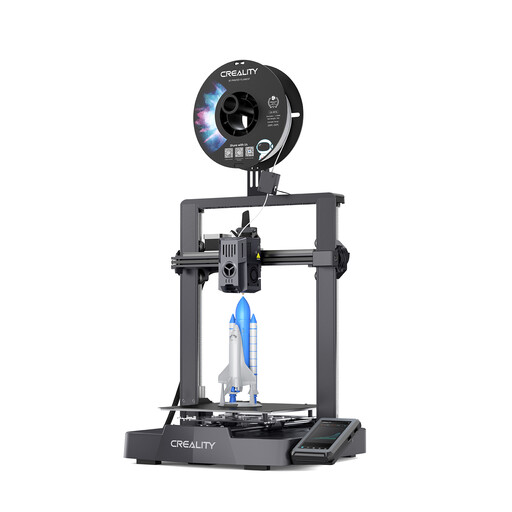
Why This Fits Their Persona: Ideal for those who want to start off right. This printer combines the accessibility of the popular Ender series with modern features normally found in more expensive models. Fast, smart, and ready for the future.
The CR Touch sensor for fully automatic leveling eliminates the frustration of manual calibration. The 300°C nozzle allows for printing with more than just basic PLA.
High print speed up to 500 mm/s with smart algorithms to reduce vibrations. Direct drive extruder for reliable feeding of various filaments.
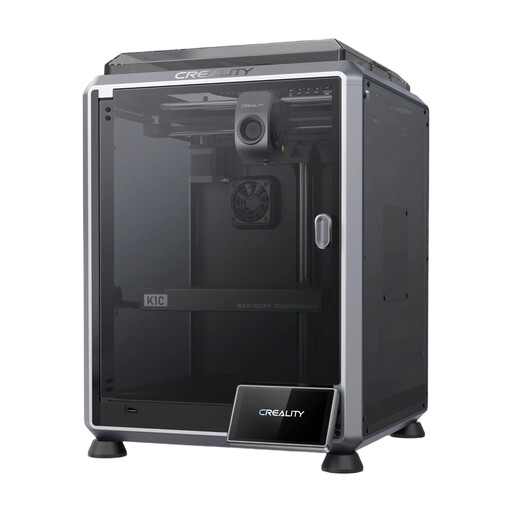
Why This Fits Their Persona: For professionals and serious hobbyists who need speed, reliability, and material freedom. Perfect for rapidly producing prototypes and functional parts with engineering-grade materials.
The CoreXY structure and active vibration compensation ensure that the high speed (up to 600 mm/s) is actually usable. The enclosure and hardened steel nozzle overcome the material limitations of open-frame printers.
Comes standard with an AI camera for monitoring and error detection. The "Unicorn" tri-metal nozzle is designed for abrasion-resistant materials like carbon fiber (CF) filaments.
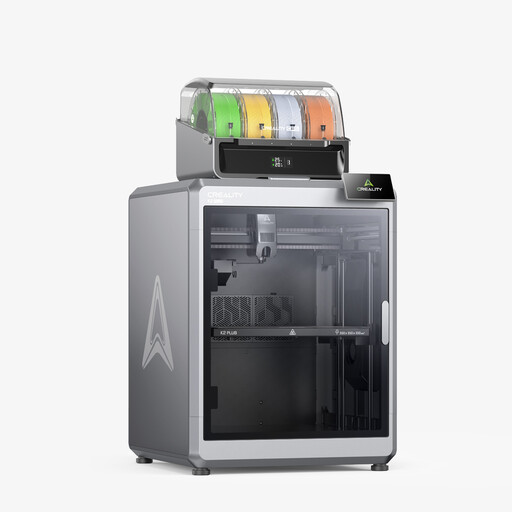
Why This Fits Their Persona: For the maker who doesn't want their creativity limited by a single color. This system makes complex, multi-color objects accessible without the hassle of manual swaps. The large build volume also provides ample space for ambitious projects.
This is an integrated ecosystem. The CFS (Color Filament System) is designed to work seamlessly with the printer, which eliminates the complexity of third-party multicolor solutions.
Print with up to 16 colors (with expansion). Large 350x350x350 mm build volume and active chamber heating for advanced materials.
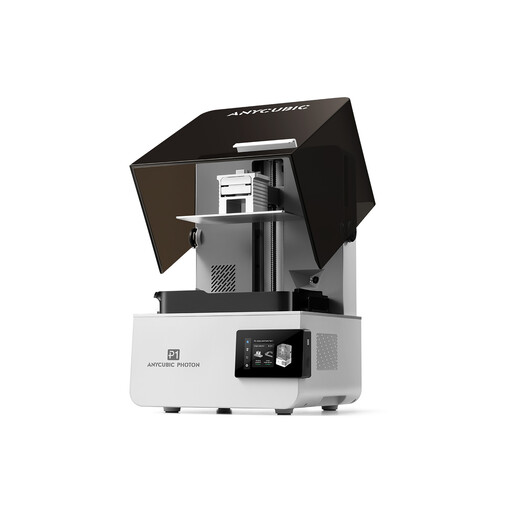
Why This Fits Their Persona: For users where every detail counts. This resin printer is built for extreme precision, ideal for creating jewelry, miniatures, or detailed prototypes where an FDM printer falls short.
This is a specialized machine. Instead of doing a little bit of everything, this printer focuses on one thing: ultra-high resolution. Its industrial-grade components ensure reliability, a common issue with cheaper resin printers.
14K monochrome LCD screen for an extremely high XY resolution of 16.8 × 24.8 μm. Auto-Leveling 3.0 and a stable Z-axis with a ball screw for consistent results.
The costs depend on your usage. The main variable is the filament or resin. A kilogram of standard PLA filament typically costs between €20 and €30. Resin is more expensive per liter. The power consumption of a modern printer is relatively low, comparable to a desktop computer. Consumables like nozzles need to be replaced occasionally, but they usually only cost a few euros.
In general, an FDM printer is a more accessible starting point. The materials are cheaper, the printer is easier to maintain, and fewer safety precautions are needed. A resin printer delivers superior detail, but working with liquid resins requires a well-ventilated space and wearing gloves and safety glasses.
Auto-leveling is a feature where the printer uses a sensor to measure the surface of the print bed and automatically corrects the print height. This ensures a perfect first layer, which is essential for a successful print. While it's not strictly impossible to print without it, it is highly recommended. It saves you a lot of time and frustration and is one of the most significant upgrades for user-friendliness in recent years.
