
Vandaag of morgen in huis

Kwaliteit gegarandeerd

Welkomstaanbiedingen ontgrendelen: GRATIS bezorging | Tot 80% korting | Gratis 30 dagen JoyPlus-proefperiode
Download de app
Anyone looking to buy technical parts and accessories is often faced with impressive figures, broad compatibility claims and product photos that reveal little about the actual connection. A component may look powerful on paper, yet still be incompatible with your PC, car or tools.
The biggest purchasing mistakes usually stem from three common pitfalls:
Always start by identifying the exact model of the component you are replacing. For PC parts, make a note of:
A DDR4 motherboard does not support DDR5 memory, even if the memory speed is similar. For example, the MSI PRO H610M-G uses LGA 1700, has two DDR4 slots and, according to the product specifications, supports speeds of up to 3200 MHz. The product information lists both 64 GB and 96 GB as the maximum capacity. Always check the manufacturer’s current documentation before buying.
For a Wi-Fi card for a PC, the PCIe slot, supplied antenna and driver support are important. The Gigabyte GC-WB1733D-I uses PCIe x1, supports Wi‑Fi 5 and Bluetooth 5.0. The maximum transfer speed depends on the router, network band, distance and environmental factors.
For PC case fans, diameter, thickness and connector are crucial. The Corsair models mentioned are 120mm fans, but they differ in control and lighting. Check:
An RGB case fan may not display all lighting effects without a suitable controller or header. A fan with a high maximum rpm may also produce more noise when running at full speed. So do not just look at airflow in CFM; also consider the noise level, speed range and how the speed is controlled.
The same applies to car accessories. When choosing replacement LED car bulbs, check the fitting, voltage, lighting function and permitted application. A T10 W5W bulb for interior or number plate lighting is not automatically suitable for use as a headlamp. With H4 LED headlamps, you should also check whether the bulb and light distribution are suitable for the vehicle and comply with Dutch traffic regulations. A brand’s claim regarding brightness or compatibility is not a general guarantee for every vehicle.
For consumable items, it is not just the price per pack that matters. Also consider the material and safe storage. The WORKPRO utility knife blades are 18 mm wide, made from SK5 carbon steel and divided between ten plastic boxes, each containing ten blades. Each blade has eight snap-off segments. This makes them practical for cardboard, carpet, leather and packaging, provided you use a compatible knife.
Store sharp blades securely and snap off a blunt segment using the built-in blade breaker or pliers. Wear suitable protection when replacing blades and dispose of used blades as sharp waste. For vacuum cleaner accessories, the vacuum cleaner’s model number is at least as important as the shape of a filter, brush or dust bag. An accessory set may look like a good fit, yet still fail to seal properly.
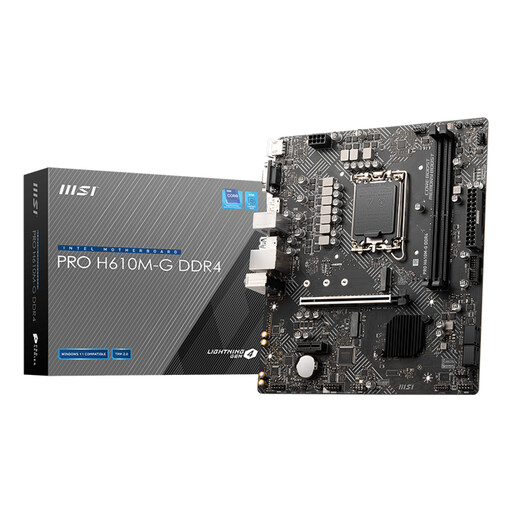
Why it suits this profile: A Micro-ATX foundation for a compact PC build, with LGA 1700, DDR4 and widely used video and USB connections.
The socket, chipset, form factor and DDR4 type are clearly specified. However, check processor and RAM compatibility before installation.
Micro-ATX format, one PCIe x16 slot, one M.2 slot, plus HDMI, DisplayPort and VGA outputs.
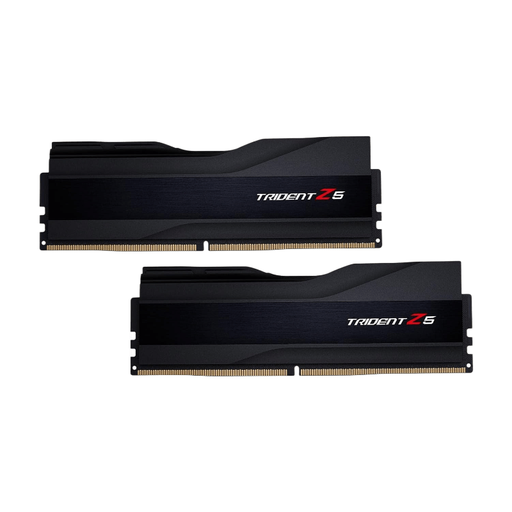
Why it suits this profile: For a new desktop with a DDR5 platform and a need for 32 GB in dual-channel.
The type, capacity, speed and latency are clearly specified. Install this kit only on a DDR5-compatible motherboard.
32 GB as 2 × 16 GB, 6000 MT/s, CL30 and support for Intel XMP 3.0 according to the product specifications.
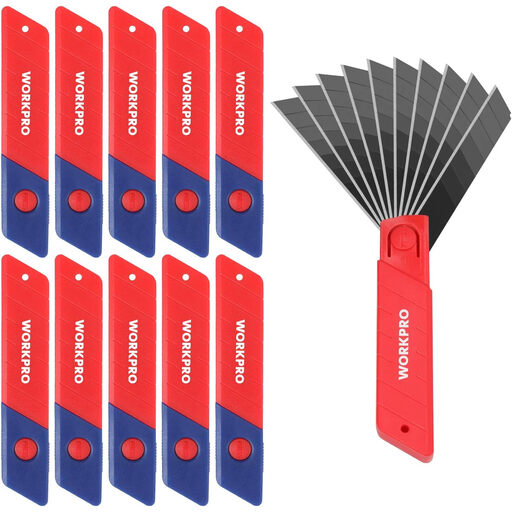
Why it suits this profile: Handy for DIY projects, packaging work and regularly cutting cardboard, carpet or leather.
The 18 mm width makes compatibility easy to check. The ten separate boxes help keep unused blades clean and stored separately.
SK5 steel, 100 blades and eight snap-off segments per blade according to the product description.
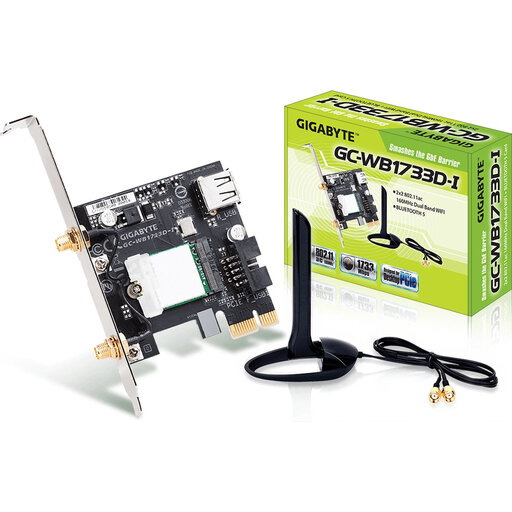
Why it suits this profile: A practical upgrade for a desktop without built-in wireless connectivity.
The PCIe x1 connection, Wi‑Fi 5 support and Bluetooth 5.0 are specified. The actual speed depends on the router and network.
Up to 1733 Mbit/s according to the product specification, plus an external antenna for positioning outside the PC case.
We have put together a complete, up-to-date list of products that fully meet these strict selection criteria and the applicable European safety regulations.
First, note the brand, model number and connection of the old component. Then compare the socket, size, voltage, connector and required standard. For car parts, also check the fitting and lighting function. If in doubt, consult the manual for the vehicle, PC case or motherboard.
This depends on energy consumption, replacement interval and pack size. With case fans, speed and usage time affect power consumption. For utility knife blades, a pack of 100 may be more economical for regular use, but only if 18 mm is the correct size for your knife.
Many components are suitable for DIY installation, but always switch off the power first. Fully disconnect a PC before installing memory, a motherboard, Wi-Fi card or fan. For vehicle lighting, have the beam pattern and application checked to ensure they comply with regulations. Use sharp blades carefully and keep them out of children’s reach.
