
Vandaag of morgen in huis

Kwaliteit gegarandeerd

Welkomstaanbiedingen ontgrendelen: GRATIS bezorging | Tot 80% korting | Gratis 30 dagen JoyPlus-proefperiode
Download de app
When you want to buy a keyboard and mouse, you may first look at lighting, DPI or the number of programmable keys. Yet it is the layout, connection and dimensions that determine whether a product is genuinely comfortable to use. A gaming keyboard that takes up too much space, a wireless mouse with the wrong shape for your hand or a keyboard with an unexpected language layout can quickly turn into a poor purchase.
With this practical guide, you can focus on verifiable product specifications rather than marketing terms alone.
Dutch web shops offer both AZERTY keyboards and QWERTY keyboards. AZERTY is particularly common with the Belgian layout. A US QWERTY model may have different characters, a different-shaped Enter key and punctuation in different positions.
Therefore, check the following before buying:
A software setting can change the layout, but it does not change the printing on the keys.
A compact keyboard with a 60% or 75% layout saves space, but often lacks a numeric keypad and dedicated navigation keys. That can be useful for gaming, while professionals who enter lots of figures may prefer a full-size model.
Also consider the overall width and cable management. A 60% model is portable, but you may need key combinations for Home, End, arrow keys and function keys. A 75% model often offers a useful balance between saving space and keeping keys accessible.
A high DPI value is a technical sensitivity setting, not a guarantee of a better user experience. For office work, shape, scroll wheel, click noise and connectivity are often more important. For gaming, sensor consistency, weight, polling rate and programmable buttons also matter.
When checking a gaming mouse or wireless mouse, look at:
A mechanical gaming keyboard uses individual switches beneath the keys. The Razer BlackWidow V4 75% Hot-Swappable Mechanical Gaming Keyboard has hot-swappable mechanical switches. According to the product description, this means compatible switches can be replaced without replacing the entire keyboard. However, check which switches are compatible and whether tools or additional parts are required.
Optical switches register a key press using light-based technology. The Razer Huntsman Mini uses linear optical switches and has a stated actuation force of 45 grams. Linear keys generally do not provide a tactile click when pressed; the preferred feel is a matter of personal choice.
Membrane and plunger keys are often designed for quiet, practical everyday use. They are well suited to a keyboard and mouse for the office, particularly when low noise and a numeric keypad are important.
A wired keyboard generally uses a USB connection and does not require batteries. This is straightforward for a fixed desktop setup. Wireless models usually connect via Bluetooth or a 2.4GHz USB receiver. Bluetooth is convenient for laptops and tablets, while a receiver can be practical on computers without reliable Bluetooth support.
Check how many USB ports the receiver uses and whether the keyboard and mouse share a single receiver. For bundles, also check the type of receiver included. The Dell KM7120W supports both 2.4GHz RF and Bluetooth 5.0, while the Dell KM5221W uses a wireless 2.4GHz connection.
Measure the available desk space before choosing a full-size model. With a mouse, consider the length of your hand and your grip: palm grip, claw grip and fingertip grip each require a different shape.
An ergonomic mouse may have an angled design, thumb rest or additional scroll wheel. This does not automatically make it suitable for every user. Where possible, compare the dimensions, weight and hand orientation.
Battery life is another point to check. The Dell KM7120W states a battery life of up to 36 months when used with alkaline batteries. A rechargeable mouse, such as the Dell Pro Premium Mouse MS900, uses a USB-C connection and has a stated battery life of up to three months. Actual usage time depends on the settings and your usage pattern.
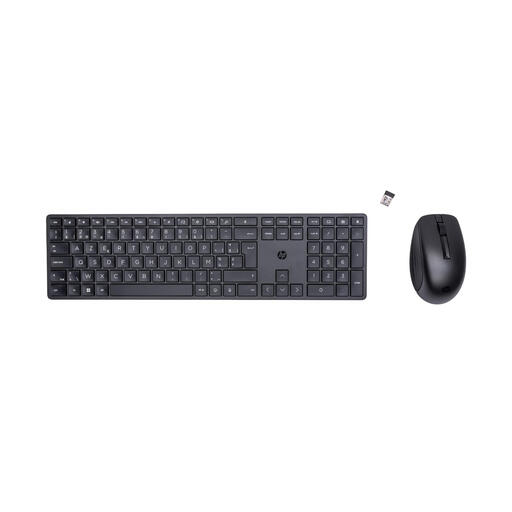
Why it suits this profile: This wireless keyboard and mouse set combines a full-size AZERTY keyboard with a mouse for home use.
The Belgian AZERTY layout and 2.4GHz RF connection are clearly stated, making it less likely that you will choose the wrong language layout or connection.
Full-size design, numeric keypad, mouse included and a stated mouse resolution of 4000 DPI.
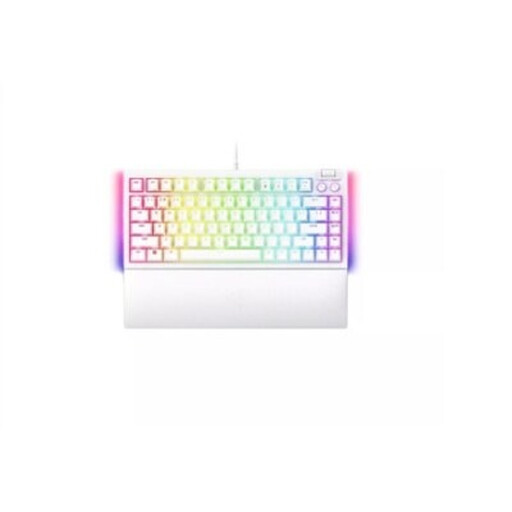
Why it suits this profile: This wired model is designed for gamers who want to combine mechanical switches, a compact size and customisable lighting.
The specifications explicitly state the 75% size and US QWERTY layout. Check, therefore, that this ANSI layout is suitable for your needs.
Hot-swappable mechanical switches, USB connection and Razer Chroma RGB lighting.
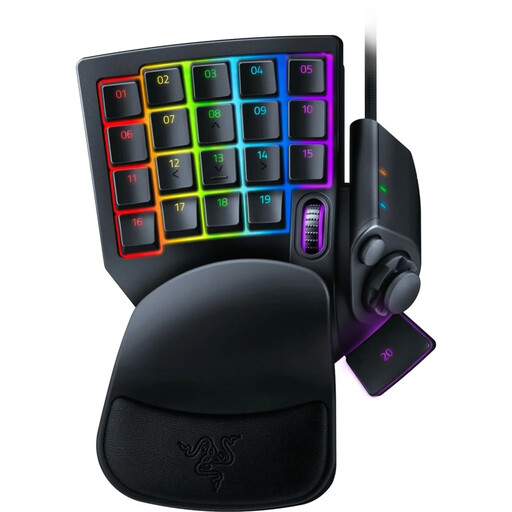
Why it suits this profile: For MMO, MOBA and macro use, this programmable keypad provides a separate control layer alongside a standard keyboard.
You do not need to replace your entire keyboard if you are mainly looking for additional macros, profiles or analogue input.
32 programmable keys, a scroll wheel, adjustable wrist rest and USB connectivity.
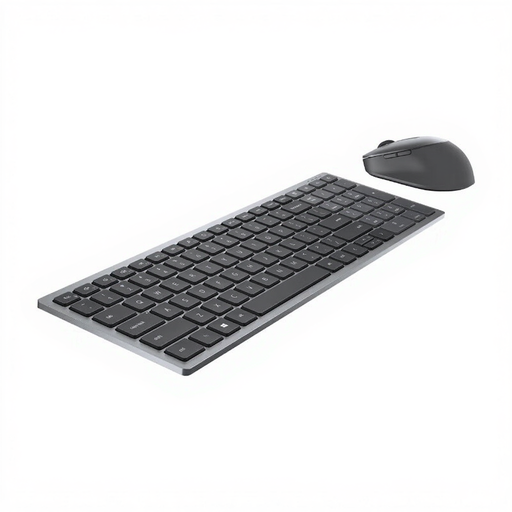
Why it suits this profile: This set is suitable for users who want a wireless combination that works with multiple operating systems and connection types.
The product information states US International QWERTY, RF and Bluetooth 5.0. This allows you to check the layout and connection against your devices in advance.
Wireless RF and Bluetooth connectivity, 7 mouse buttons and a stated battery life of up to 36 months.
We have put together a complete, up-to-date list of products that fully meet these strict selection criteria and the applicable European safety regulations.
Yes, provided that the layout, connection and power supply suit your working environment. A Bluetooth set is convenient for laptops and multiple devices. A 2.4GHz receiver may be simpler for a fixed desktop computer. Also check whether you need a numeric keypad and quiet keys.
Lifespan varies depending on the switch, intensity of use and maintenance. Some manufacturers publish an expected number of keystrokes. According to the product description, the Razer Huntsman Mini, for example, has a stated lifespan of 100 million keystrokes. This is a stated product specification, not a guarantee that every individual unit will reach that figure under the same conditions.
With wired models, power costs during use are limited to USB power consumption. Wireless models run on disposable batteries or a rechargeable battery. Therefore, do not look only at the purchase price; also consider the battery type, stated usage time and whether a USB-C charging port is included. This gives you a better comparison of the total cost of ownership.
