
Vandaag of morgen in huis

Kwaliteit gegarandeerd

Welkomstaanbiedingen ontgrendelen: GRATIS bezorging | Tot 80% korting | Gratis 30 dagen JoyPlus-proefperiode
Download de app
Smart glasses can do much more than an ordinary pair of glasses with Bluetooth. Depending on the model, you might get features such as an AI assistant, camera, open-ear audio, translation or a virtual screen for films and games. However, many models look more similar on paper than they are in practice.
So, keep an eye out for these three common pitfalls:
Checking these differences in advance can help you avoid buying a pair that ends up unused in a drawer after a few weeks.
A pair of smart glasses with open-ear speakers is mainly designed for music, phone calls and voice control. According to the product information, the Blackview D1 Pro uses Bluetooth 6.0, has an open sound space design and an IP54 rating, and offers up to 6 hours of playback. This is a different type of product from AR glasses with a screen.
A model such as the RayNeo Air 4 Pro is designed for films and games, according to its product description. Its listed features include an HDR10 display, 120 Hz and support for USB-C connections to smartphones, laptops and consoles. If you’re choosing glasses for gaming and films, check that your device supports the right video output and cable.
Battery life varies depending on how you use the glasses. Recording with the camera, making phone calls, using AI features and setting the display to high brightness can use more power than simply listening to music.
Look out for:
So, a battery-life claim doesn’t guarantee a set amount of use in every situation. Treat the stated times as product specifications based on certain conditions.
Comfort depends on the frame width, bridge fit, weight and temple length. Ray-Ban Meta Wayfarer Gen1 models, for example, are listed in sizes such as 50-22-150 mm or 53-22-155 mm. The first two numbers refer to the lens and bridge width; the last is the temple length.
Also check:
A camera or microphone can have privacy implications. Keep house rules, workplace policies and Dutch and European privacy laws in mind. And don’t use smart glasses as a substitute for paying attention to traffic around you.
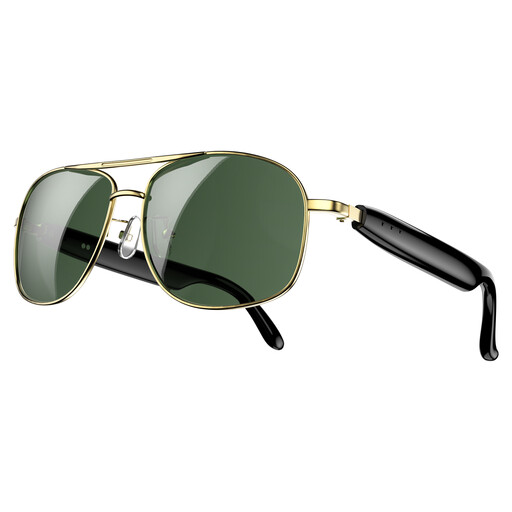
Why it suits this profile: A good choice if you mainly want to make hands-free calls, listen to music and use a voice assistant, without needing a display or camera.
The features are clearly focused on audio and calls, so you’re not paying for a display feature you won’t use.
Bluetooth 6.0, open-ear audio, an IP54 rating and, according to the product information, up to 6 hours of playback.
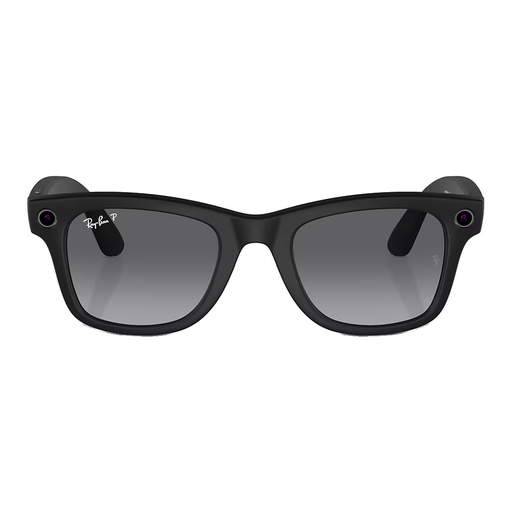
Why it suits this profile: For content creators and travellers who want to pair a distinctive frame with voice control, photos, video, calls and open-ear audio.
The product information lists the camera, five microphones, open-ear speakers, controls and required Meta AI app separately, making the dependencies clear from the outset.
According to the product information, it has a 12 MP camera, Bluetooth 5.2, Wi-Fi 6, support for iOS 14.4/Android 10 and a charging case.
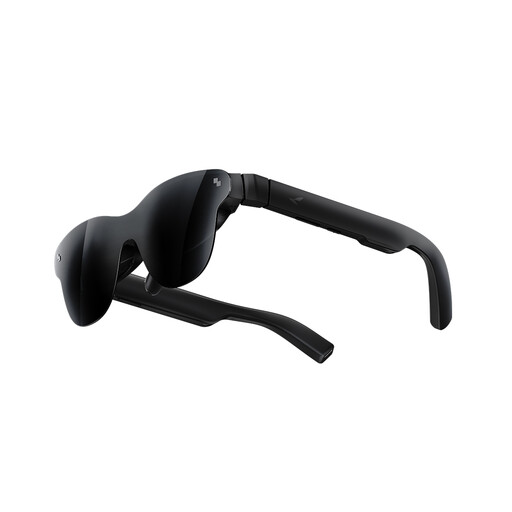
Why it suits this profile: For film fans and gamers looking for a portable screen rather than AI glasses with a camera.
These are clearly display-focused XR glasses. Check in advance that your phone, console or computer supports USB-C video output and is compatible.
According to the product information, it offers HDR10, 120 Hz, support for 3D content and a virtual screen of up to 201 inches.
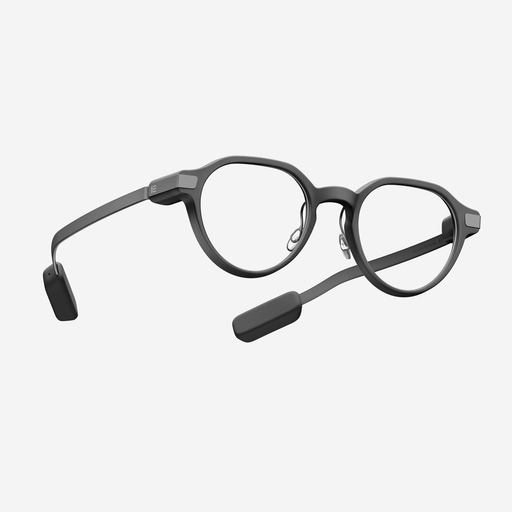
Why it suits this profile: For anyone who wants to discreetly see information, navigation, translations and notifications, and would rather not wear a camera in social or business settings.
According to the product information, this model deliberately has no camera, making the difference between display glasses and recording glasses clear.
Micro-LED display, weighs 36 grams, IP65 rating and, according to the product information, up to 2 days of use with the included case.
We’ve put together a complete, up-to-date list of products that meet these strict selection criteria and the applicable European safety regulations.
It depends on the model. Audio features sometimes work directly via Bluetooth, but AI, translation, firmware updates and importing photos may require an app or an internet connection. So, check the minimum iOS and Android versions and whether a separate app is required.
Battery life ranges from a few hours to several days for models with a display or fewer features. Using the camera, AI and phone-call functions, or setting the screen brightness high, will shorten battery life. Also check whether a charging case or USB-C cable is included.
Use translation as an aid, not as your only source of information for business, legal or safety-critical matters. Some models support dozens or even more than a hundred languages, according to their product descriptions, but how well they work can depend on the app, internet connection, sound quality and language pair. Always check important information for yourself.
