
Vandaag of morgen in huis

Kwaliteit gegarandeerd

Welkomstaanbiedingen ontgrendelen: GRATIS bezorging | Tot 80% korting | Gratis 30 dagen JoyPlus-proefperiode
Download de app
Bringing a 3D printer into your home opens up a world of creativity. From useful repair parts to unique decorations, the possibilities are endless. But the market is flooded with technical specifications and marketing promises that make it difficult to make a sound choice. Before you buy a 3D printer, it's crucial to know what to look for to avoid buyer's remorse.
Many buyers fall into two common traps:
This guide will help you navigate the specifications and show you what really matters for a purchase you'll enjoy for years to come.
To choose the right printer and filament, it helps to understand a few core specifications. These aren't complex technical details, but practical points of focus that make the difference between frustration and a successful project.
A fast 3D printer is attractive, but the maximum speed (expressed in mm/s) isn't the whole story. The acceleration (expressed in mm/s?) is just as important. This determines how quickly the print head can change velocity. A printer with high acceleration can print complex shapes faster without sacrificing quality.
So, don't just focus on the top speed; also check if the printer is built for stability at high speeds, for example, with a sturdy metal frame.
The extruder pushes the filament to the hotend, where it melts. The type of extruder and the maximum temperature of the hotend determine which materials you can use.
The most commonly used material is PLA filament because it's easy to print and comes in many colors. But you might want to experiment with other materials. Check if the printer is compatible with the standard 1.75mm filament diameter, as this gives you the most freedom of choice.
Not everyone needs the same printer or filament. Below are a few options, matched to specific needs and projects.
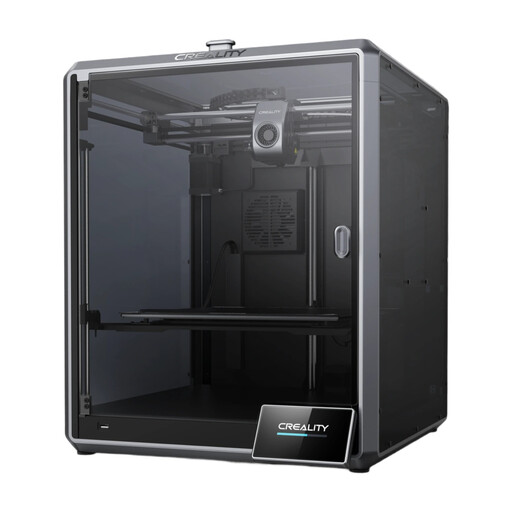
Why This Fits Their Persona: For the user who wants to complete large projects quickly without compromising on quality. Ideal for printing prototypes, large models, or multiple parts simultaneously.
This printer is engineered for speed. Its stable cube frame and CoreXY structure minimize vibrations, ensuring the claimed 600 mm/s delivers genuinely usable results, unlike lighter printers that wobble at high speeds.
Large build volume (300x300x300mm) and an AI LiDAR sensor that scans the first layer for perfect adhesion. Fully automatic calibration makes setup a breeze.
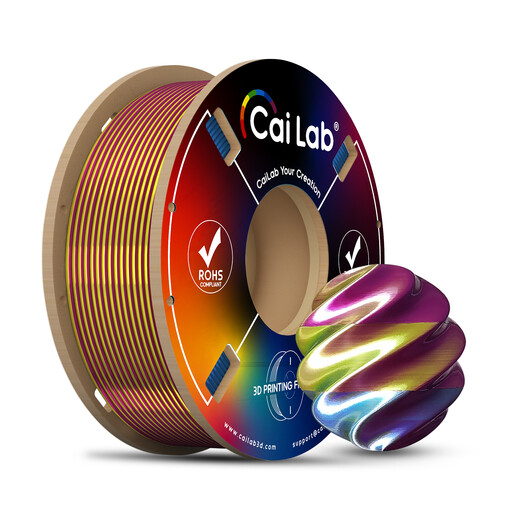
Why This Fits Their Persona: Perfect for hobbyists who print decorative objects, vases, or figurines and want to achieve a unique, color-shifting effect without changing spools.
This is not a standard filament. It bypasses the trap of 'boring' base materials by providing a premium look right out of the box. It demonstrates that choosing the right 3D printer filament is just as important as the printer itself.
Tri-color co-extrusion filament creates a dynamic color gradient that changes depending on the viewing angle. The silk finish effectively hides layer lines for a smooth result.
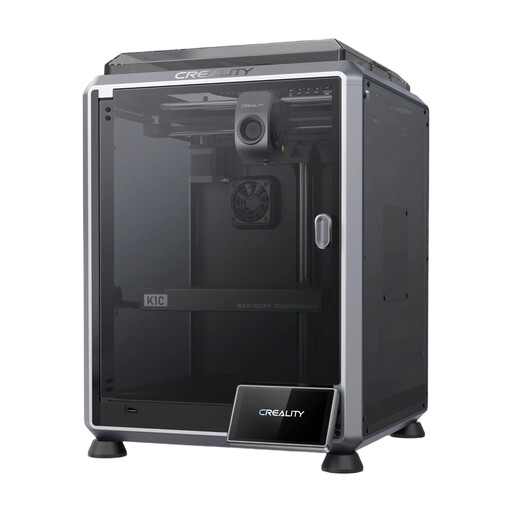
Why This Fits Their Persona: For the user who wants to print functional, high-strength parts with advanced materials like carbon fiber. Ideal for drone components, engineering prototypes, or tools.
This printer avoids the pitfall of limited material compatibility. Where a standard printer stops at PLA or PETG, the K1C is specifically equipped with a 300°C hotend and hardened steel nozzle to handle abrasive materials like PLA-CF and PA-CF.
The "C" stands for Carbon. The printer features a clog-free direct extruder and a built-in AI camera for remote monitoring. Its enclosed chamber ensures a stable temperature, which is crucial for these types of materials.
We have compiled a complete, up-to-date list of products that meet these strict selection criteria and safety regulations.
The costs mainly consist of two parts: filament and electricity. A 1 kg spool of PLA filament typically costs between €15 and €30, depending on the brand and type. This is enough to print dozens of small to medium-sized objects. Power consumption is comparable to a desktop computer and depends on the print time and the temperature of the nozzle and print bed.
Modern 3D printers have become much more user-friendly. Features like automatic bed leveling take the most difficult part of calibration out of your hands. Printers like the Creality 3D printer models often come almost fully assembled. With intuitive software and a large online community, the learning curve for beginners is significantly lower than it was a few years ago.
PLA filament is the recommended choice for beginners. It's forgiving, doesn't require a heated print bed (though it helps), is less prone to warping than other materials, and produces less odor during printing. Start with a standard color from a reliable brand to master the basics of printing before moving on to more exotic materials.
