
Vandaag of morgen in huis

Kwaliteit gegarandeerd

Welkomstaanbiedingen ontgrendelen: GRATIS bezorging | Tot 80% korting | Gratis 30 dagen JoyPlus-proefperiode
Download de app
A touchscreen monitor for business use needs to do more than just respond to touch. It must be reliable, withstand intensive daily use, and deliver a bright, clear image. Whether it's for a retail POS system, an information kiosk in a public space, or an interactive whiteboard in a conference room, the demands are high.
Choosing the right monitor can be a challenge due to the multitude of specifications and marketing terms. This guide is designed to help you. We'll cut through the marketing jargon and focus on the technical specifications that truly matter for a professional environment. This will enable you to make an informed choice that fits your specific application.
Before we highlight some models, it's helpful to understand a few key specifications. These features determine the monitor's performance and durability.
Most modern touchscreens use PCAP (Projected Capacitive) technology. This is the same technology found in smartphones and tablets. A PCAP touchscreen offers a highly accurate and fast response and supports multi-touch, meaning it can register multiple touch points simultaneously (for example, to zoom in and out). For a business environment, this type of screen is a solid choice due to its durability and scratch-resistant glass surface.
Image quality is largely determined by the panel type. An IPS touchscreen (In-Plane Switching) provides consistent, vibrant colours and wide viewing angles. This is crucial for a POS monitor or an information kiosk, where users may not always be viewing the screen from directly in front. A Full HD touch monitor (1920x1080 pixels) also delivers the sharpness needed to display text and images clearly.
The application determines the required construction. A standard business monitor with a stand is suitable for a desk or counter. For integration into a kiosk, piece of furniture, or wall, a built-in monitor (also known as an 'open frame' monitor) is necessary. These models lack a housing on the sides and back but have mounting points that allow them to be seamlessly integrated. Also, look for features like 'edge-to-edge' glass, which not only looks modern but also simplifies cleaning and protects the screen from dust and moisture.
Based on the criteria above, we have selected a number of models suitable for various professional scenarios.
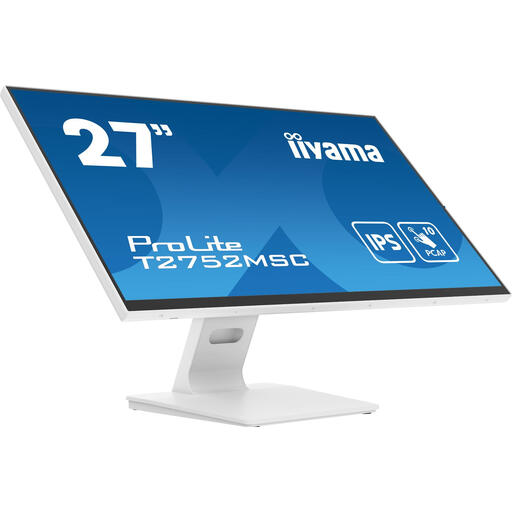
Why This Model Stands Out This iiyama monitor uses 'Optical Bonding'. This means the air gap between the touch panel and the LCD screen has been eliminated. The result is improved brightness, reduced reflections, and a more accurate touch experience. The anti-fingerprint coating is a practical addition for high-touch screens.
Key Features
Who Is This For? Its large size and superior image quality make this model ideal for interactive presentations in meeting rooms, as a digital signage display in retail stores, or for design and creative workstations.
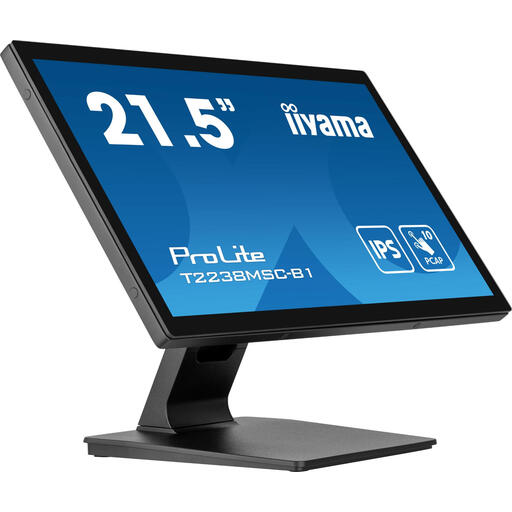
Why This Model Stands Out This more compact 21.5-inch model combines a robust metal housing with a sleek design. The matte screen surface reduces reflections and fingerprints, which is beneficial in brightly lit environments like shops or reception areas.
Key Features
Who Is This For? This is an excellent choice as a POS monitor for checkout systems, a control panel in a production environment, or for workstations where space is limited but a durable touch solution is required.
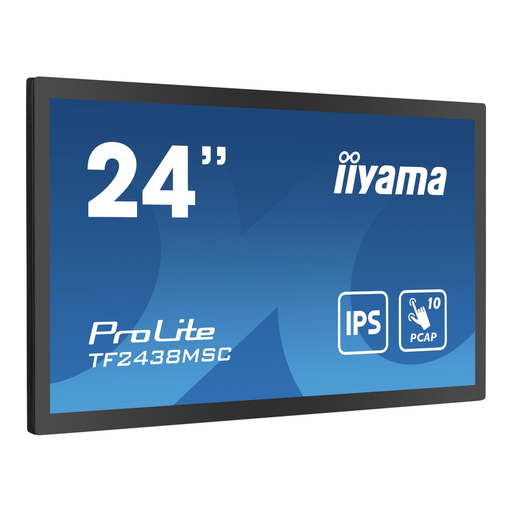
Why This Model Stands Out This is a built-in monitor (open frame), specifically designed for full integration. The high brightness of 600 cd/m? ensures the screen remains easily readable even in bright environments. The metal housing provides the sturdiness needed for installation in public or industrial applications.
Key Features
Who Is This For? This model is specifically intended for system integrators and companies looking to build a custom solution, such as interactive kiosks, ticketing machines, or integrated control panels in machinery.
The monitors mentioned above are focused on interactive applications. Are you looking for non-interactive screens for purposes like advertising or information display? Then check out our range of LED Signs for more options.
PCAP (Projected Capacitive) screens detect touch via an electric field and respond to the conductivity of a finger or a special stylus. They are more durable, support multi-touch, and offer a clearer image. Resistive screens work based on pressure and respond to anything that presses on them. They are often cheaper but less durable and less precise than PCAP.
Yes, especially if the screen will be viewed by multiple people or from different angles. An IPS panel ensures that colours and brightness remain consistent, even when viewed from the side. This is essential for an information kiosk or a POS screen that is seen by both the employee and the customer.
Yes, but you need a specific type of monitor for that, known as an 'open frame' or built-in monitor. These models do not have a full enclosure and are equipped with mounting brackets on the sides. This allows them to be tightly integrated into a kiosk, wall, or piece of furniture. Standard desktop monitors are not designed for this purpose.
