What should you look for when choosing?
Place the paper where you plan to film and assess the shot using your own pen, lighting and working height. This lets you weigh up framing, detail, colour and sound for the lesson you want to create.
| What to consider |
What should you check? |
Who is this important for? |
| Clear strokes and a suitable frame |
Check that the pen nib stays in focus and the whole sheet fits in frame. If you’re using a mirrorless camera, check the lens from the height you’ll be filming at. |
If I want to show small lettering without cutting off the rest of the paper, I’ll make a test recording from my usual working distance first. Around 33% of consumers give clear strokes and lettering top priority. |
| A secure overhead position |
Check that the stand or mount fits above your work area, stays stable and doesn’t take up too much usable space. |
If I record lessons at the same desk, I want to be able to point the camera at the same spot each time. Around 27% of consumers prioritise repeatable overhead filming. |
| Lighting and colour of your work |
Make a test recording with white paper and the ink you use. Check whether you can adjust the exposure and white balance. |
If the colours of my paper and ink need to look true to life in my portfolio, I’ll test the camera with my own lighting first. Around 20% of consumers say colour reproduction is their main concern when buying. |
| Commentary and recording time |
Check for a microphone input or computer recording option, then listen back to a test. Also check the power supply, storage and recording-time conditions. |
If I explain as I write or want to record a longer lesson in one go, I’ll check the audio and recording conditions beforehand. Around 20% of consumers prioritise clear commentary or being able to record a complete lesson. |
Products at Joybuy
This selection includes webcams for recording at a computer and a Sony mirrorless camera with a lens for independent portfolio videos. For each model, check that the mounting options, framing and included accessories suit your lesson.
 No image available
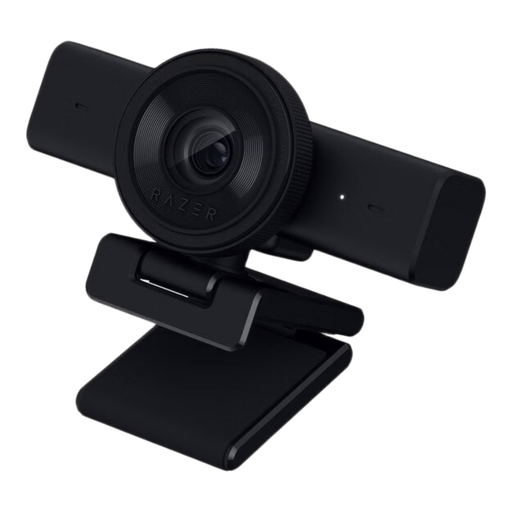
Razer Kiyo V2 X webcam, black
A webcam for recording at a computer. Make a test recording to check that the pen nib stays sharp and the paper is well framed.
The product information lists 1440p/1080p video at 60 fps, autofocus and manual focus. The description mentions OBS compatibility and a 1/4-inch tripod mount.
Joybuy
 No image available
AOC 4K PRO webcam with Sony IMX363 sensor
The product description mentions autofocus for documents and other subjects, plus an included table-top tripod. These are features to consider when filming paper and pen strokes at your desk.
Listed specifications include 4K video, Full HD up to 60 fps, PDAF autofocus and a 75° field of view.
Joybuy
 No image available
AOC webcam for PC with microphone
This webcam is designed for use with a computer. Check whether its adjustable position keeps both the paper and your hand in frame.
The product description lists 4K at 30 fps, a 99° field of view, 180° tilt and 360° rotation. The built-in microphone is designed for computer recordings with spoken commentary.
Joybuy
 No image available
Sony ZV-E10 with 16-50mm zoom lens, black
A mirrorless camera with an included lens for recording video independently. This is the ZV-E10, not the ZV-E10 II; check that the lens frames the whole writing area from your mounting height.
The product description lists a 24.2 MP APS-C sensor, 4K video at 30 fps and a vari-angle screen. According to the description, an adapter/charger and SD memory card are not included.
Joybuy
 No image available
Insta360 Link 2C Standard Bundle, Graphite Black
This computer webcam lists DeskView and Whiteboard Mode for different views of desk work. Make a test recording to check that the paper fits fully in frame.
The product description mentions a 1/2-inch sensor, HDR and PDAF autofocus. According to the description, the product isn’t compatible with ARM-based Windows systems.
Joybuy
Frequently asked questions
Do I need a computer to record my brush lettering lessons?
The IPEVO V4K reviewed here uses computer software; IPEVO mentions OBS, among other options. If you want to record independently, compare mirrorless cameras and check which lens, storage and power supply you’ll need.
How can I check that small lettering is clear before recording a whole lesson?
Film a short passage from your usual working height, with your hand, paper and pen nib in frame. Watch the recording at the size you plan to use for your portfolio, and check both the smallest lettering and the framing of the whole sheet.
What can I do if the camera stops during a long lesson?
Check the recording-time, power and storage conditions for the camera you’ve chosen. Nikon lists up to 125 minutes of uninterrupted recording for the Z30. Panasonic lists 4K/30p recording with no time limit for the G97, but warns that recording may stop if the ambient temperature is high.
What cancellation period and warranty apply when buying a camera online in the Netherlands?
For online consumer purchases, you generally have a statutory cooling-off period of up to 14 days after delivery, subject to exceptions. According to the Netherlands Authority for Consumers and Markets, the seller is responsible for the statutory warranty if the product doesn’t meet what you could reasonably expect under normal use. This is separate from any manufacturer’s warranty.
Can I record identifiable people in my lesson video and publish it in my portfolio?
Not necessarily: according to the Dutch Data Protection Authority, a lawful basis is needed to publish images in which people are identifiable. Which basis applies depends on who appears in the footage and the circumstances of the recording and publication.


