
Daytime viewer with windows opposite the TV
You want to enjoy a film during the day without distracting reflections. So consider where the screen will go and how it handles reflections, rather than looking only at the panel type.


If tall windows face your screen, first check for reflections from your seat, then consider brightness: a bright screen won’t automatically prevent mirror-like reflections. An LCD or mini-LED TV may suit a bright room, while OLED could be appealing if deep blacks and a wide viewing angle matter to you too. With either type, visibility depends on the specific model and your setup. Choose a screen size to suit your viewing distance, and check that your film source offers the picture quality you want.
You want to enjoy a film during the day without distracting reflections. So consider where the screen will go and how it handles reflections, rather than looking only at the panel type.
You’re looking for a balance between visibility in daylight and contrast in evening scenes. Compare the specific LCD, mini-LED and OLED models you’re considering.
You want a screen that suits your viewing distance, without going larger than you need or using more electricity than necessary.
A good fit if: you often watch during the day and your room gets plenty of natural light.
Trade-off: brightness alone doesn’t tell you how well a model handles reflections; viewing angles and black levels vary between TVs.
A good fit if: alongside daytime viewing, you also value deep blacks or watching from different seats.
Trade-off: OLED doesn’t guarantee good visibility with a window opposite the screen; check the reflection handling and brightness of the exact model.
A good fit if: sunlight or light from a window falls directly on the planned screen position.
Trade-off: moving the TV or adding adjustable window coverings may affect your viewing distance and room layout.
For this viewing setup, it’s worth comparing reflections, daytime visibility, film contrast, screen size and energy use. First decide which of these matters most for when you watch.
| Concern | What to look for | Who is this more important for? |
|---|---|---|
| Window reflections | Check how the exact model handles reflections, and note where windows appear on the screen from your seat. | If I have a window directly opposite the TV, I want to avoid reflections distracting me from the film. Around 40% of consumers give reflections top priority. |
| Visibility in daylight | Compare the brightness and picture quality of individual models, along with how they handle reflections. | When I watch during the day, I want to see bright scenes clearly without relying on the panel name alone. For around 25% of consumers, daytime brightness comes first. |
| Film contrast and viewing angle | Compare the black levels and viewing angle of the specific TV, including from seats to either side of the centre. | If I also watch dark scenes or films with others from different seats, I want to know how the picture looks from those spots. Around 17% of consumers put contrast or viewing angle first. |
| Screen size and film source | Measure your viewing distance and check the resolution and playback method of the film file. | I want the screen size to suit my viewing distance and the film source to contain the detail I expect. For around 9% of consumers, screen size and source quality are the main concerns. |
| Energy use and installation | Compare the energy label and energy use of the exact models, and check what’s included with installation. | If ongoing energy use or the installation required will affect my choice, I want to take these points into account in advance. Around 9% of consumers prioritise running or installation costs. |
A bright screen can still reflect a window: brightness and reflection handling are separate features.
Compare both features on the exact model, and first check where windows appear on the screen from your seat.
Panel types have different typical strengths, but visibility and picture performance vary from one TV to another too.
Consider the daylight, seating positions and times you watch films, then compare individual models.
Your viewing distance helps determine the right screen size. A 4K screen can’t add original detail that isn’t in the film source. A larger screen may also use more electricity; Milieu Centraal also notes that a higher brightness setting uses more electricity.
Measure the distance from your seat to the TV, and check the film file and playback method.
According to ACM ConsuWijzer, your statutory rights are separate from the manufacturer’s warranty. If a product is faulty, the retailer is responsible for providing an appropriate solution.
Keep your purchase and product information, and contact the retailer if there’s a problem.
The BRAVIA 9 II is an RGB LED option to consider if daytime performance is a priority.
The S95H range is an OLED option for comparing reflection handling with OLED contrast.
The OLED evo G5 range is worth considering if film contrast and viewing angle matter alongside daytime viewing.
The Dutch 65MLED920/10 is a QD mini-LED option with Ambilight.
This selection includes 4K TVs for watching films, including LCD and QD mini-LED models, as well as an OLED model. Check which screen size and picture features suit your viewing distance, film source and the light in your room.
 No image available
An option to compare if you use a 4K film source and value automatic screen brightness adjustment.
65 inches; 4K UHD; DLED backlighting; AI light sensor for automatic brightness adjustment; Dolby Vision; HDR10+; energy rating D.
 No image available
A model to include in your comparison if you’re looking for a 65-inch 4K TV for watching films.
65 inches; 4K; QD mini-LED dimming; Dolby Vision; HDR10+; native 144 Hz VRR.
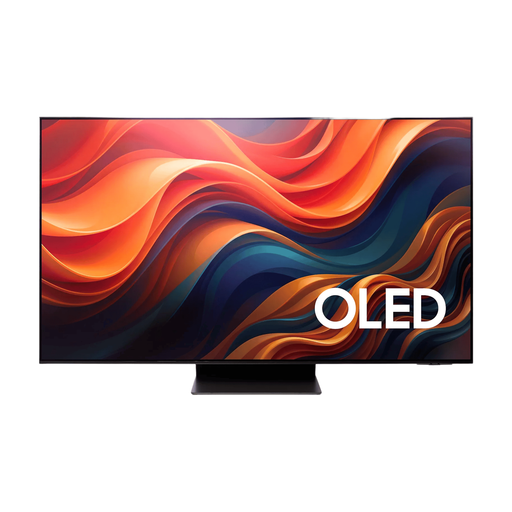 No image available
An OLED model to compare if you want to assess reflection handling alongside picture quality in your room.
65 inches; 4K; OLED; the product listing specifies an anti-reflective screen surface.
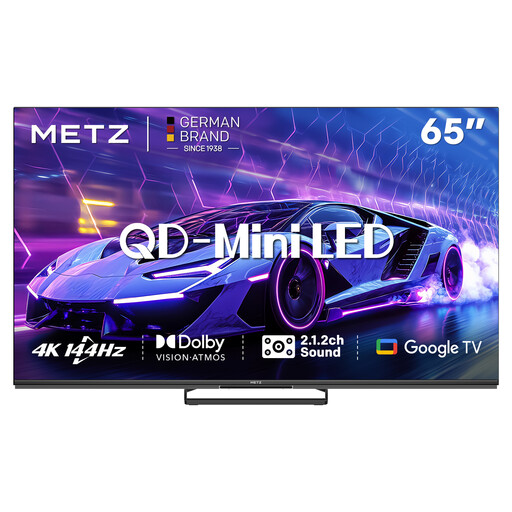 No image available
A 65-inch option to compare if you’re looking for a 4K QD mini-LED TV for films.
65 inches; 4K; QD mini-LED; 144 Hz; Dolby Vision.
 No image available
A smaller size to compare if your viewing distance or available space is a factor.
55 inches; 4K; QD mini-LED; 144 Hz; Dolby Vision.
Not necessarily. Reflection handling and brightness both matter; check where windows appear on the screen from your seat too. If light falls directly on the TV, moving it may help.
First measure your viewing distance, then check the film source and playback method. The Consumentenbond suggests around 2.4 times the screen diagonal as a distance people found comfortable in its own research, not as a fixed requirement. A 4K TV won’t automatically make a film source 4K.
Compare each model’s energy use on its energy label, and set the brightness to a level that feels comfortable for your viewing. Milieu Centraal notes that a higher brightness setting uses more electricity; reducing direct light on the screen may help you avoid turning the brightness up unnecessarily.
Check what’s included and the installation terms for your chosen model. For its Dutch BRAVIA 9 II installation option, Sony says wall mounting doesn’t include a wall bracket; this doesn’t tell you what’s included with other models or services.
No. ACM ConsuWijzer distinguishes between a manufacturer’s or seller’s guarantee and your statutory rights. If a product doesn’t perform as you could reasonably expect under normal use, the retailer is responsible for providing an appropriate solution free of charge. There isn’t one fixed statutory guarantee period in the Netherlands that applies to every TV.