Choose a TV by first checking how well the picture holds up in daylight and from the kitchen and dining table. Then decide which size will fit the space. LCD TVs, including QLED and mini-LED models, can offer high brightness, while OLED typically has wider viewing angles and deeper blacks. Assess the sound of the specific TV separately, and if you’re considering a soundbar, check that both devices have HDMI-ARC or eARC.
Who is this guide for?
Daylight viewers
You often watch TV while the kitchen-diner is bright and want to see film scenes clearly during the day. Compare brightness and reflections where you plan to put the TV. The Dutch Consumers’ Association explains the differences between LCD and OLED in terms of brightness and viewing angles.
Music film fans
You’re particularly interested in vocals, instruments and dialogue. Sound quality varies from one TV to another, so assess the sound of the specific model before deciding whether to connect a soundbar. The Dutch Consumers’ Association also highlights differences in TV sound.
Viewers watching from different spots
You want to watch from both the dining table and the kitchen. So pay attention to the viewing angle of the specific screen and where you position the TV, not just the panel type.
What should you look for when choosing?
Start by checking the light and viewing angles from both spots. Then decide on the size and assess the sound of the specific model.
| What to consider |
What should you look for? |
Who will this matter most to? |
| Daylight and reflections |
View the screen in similar lighting conditions and look for reflections from windows and lamps. |
If I watch during the day, I want to follow both bright and dark scenes clearly. Around 33% of consumers put daylight visibility and reflections first. |
| Sound for music films |
Assess vocals and music on the specific TV; if you want to use a soundbar, check that both it and the TV have HDMI-ARC or eARC. |
If vocals, instruments and dialogue are my priority, I want to assess the sound for myself. Around 25% of consumers give film sound top priority. |
| Watching from two spots |
View the picture from both the dining table and the kitchen, not just from directly in front of the TV. |
If I watch from different spots, I want the picture to remain comfortable to view from an angle too. Around 25% of consumers put viewing angle first. |
| Size and connections |
Measure the viewing distance and available space, including room for a stand or bracket; count the HDMI ports you’ll need. |
If I need to fit a TV into my kitchen-diner, I want to know in advance whether the size and connections will suit my setup. Around 17% of consumers give ease of fitting top priority. |
Common mistakes
-
Choosing by the OLED or QLED label alone
The panel label alone won’t tell you what the picture will look like from your viewing spots or in your lighting conditions. Brightness, viewing angle and reflections also depend on the specific TV and how it’s set up.
Compare the specific model from the kitchen and dining table, in lighting similar to the conditions you’ll watch in.
-
Confusing Dolby Atmos with good built-in TV sound
Support for an audio format doesn’t tell you how vocals, music and dialogue will sound through a specific TV’s speakers.
Assess the TV’s own sound. If you’re considering a soundbar, check that both devices have HDMI-ARC or eARC.
A soundbar also needs a suitable spot and connection.
-
Measuring only the screen diagonal
The TV also needs to fit in your chosen spot with its stand or a suitable mount. A stand that isn’t fitted correctly can tip over; LG warns about this in its installation information.
Measure the available space and follow the fitting instructions for the exact model.
Allow for the space taken up by the stand or bracket.
-
Confusing the manufacturer’s warranty with your statutory rights
An additional manufacturer’s warranty isn’t the same as your statutory rights if a product doesn’t meet expectations. According to the Dutch Government, there is no fixed time limit for statutory guarantees in the Netherlands.
Check exactly what an additional warranty covers, and contact the retailer if a product is faulty.
Brands to compare
TCL
The 55C6K PRO is a 55-inch QD Mini LED LCD model worth comparing if you want to assess a bright screen and built-in sound.
- TCL lists an ONKYO 2.1 sound system and a claimed HDR peak brightness of up to 1000 nits for this model.
- These are manufacturer specifications, not independent measurements of visibility or sound quality in your kitchen-diner. Check the viewing angle too.
LG
The OLED42C68LA is a 42-inch OLED option worth comparing if you’re considering a more compact TV or viewing from different spots.
- LG lists a 42-inch screen and webOS for this model.
- Manufacturer claims about colour and brightness aren’t independent assessments. Check for reflections in daylight and assess the sound separately.
Philips
The 43PUS9000/12 is a 43-inch QLED LCD model worth comparing if you’d also like to factor Ambilight into your choice.
- Philips lists Ambilight, Dolby Vision and Dolby Atmos for this model.
- Support for audio formats doesn’t tell you how the built-in speakers will sound in your room; assess the picture and sound separately.
Samsung
The QE55S99HATXXN is a 55-inch OLED model worth comparing if screen reflections are a major consideration for you.
- Samsung uses the Glare Free designation for this model.
- This model-specific designation doesn’t guarantee that the screen will be free from distracting reflections next to every window. Also check whether 55 inches and your viewing distance suit the room.
TVs at Joybuy
This selection includes OLED TVs in a range of sizes and QNED Mini LED models for you to compare. Check that the size suits your setup, and assess the picture and sound where you’ll be watching.
 No image available
LG OLED65C68LA 65-inch 4K Smart TV
OLED is worth comparing if you watch from different spots; check whether the 65-inch size suits the room.
OLED, 65 inches, 4K Smart TV, Dolby Vision and Dolby Atmos.
View at Joybuy
No image available
LG OLED55C68LA 55-inch 4K Smart TV
OLED is worth comparing if you watch from different spots; measure the space where you plan to put the 55-inch screen.
OLED, 55 inches, 4K Smart TV, Dolby Vision and Dolby Atmos.
View at Joybuy
 No image available
LG OLED42C68LA 42-inch 4K Smart TV
This more compact OLED size is worth comparing if space is limited; check the picture from your other viewing spot too.
OLED, 42 inches, 4K Ultra HD, Dolby Vision, Dolby Atmos and HDMI 2.1.
View at Joybuy
 No image available
LG QNED85B6B QNED Evo Mini LED 4K Smart TV
This QNED Mini LED model gives you an LCD option to compare with OLED; assess brightness, reflections and viewing angle in your own setup.
QNED Evo Mini LED and 4K Smart TV.
View at Joybuy
 No image available
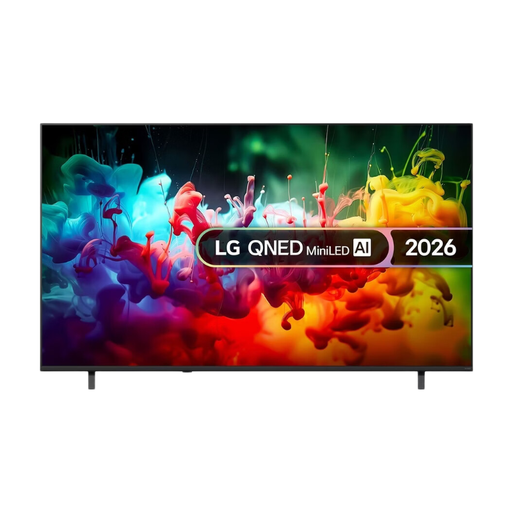
LG QNED70 75-inch QNED AI Mini LED 4K Smart TV (2026)
This QNED Mini LED model is worth comparing if you’re considering LCD technology; check whether 75 inches will suit the available space and viewing distance.
75 inches, QNED AI Mini LED, 4K Smart TV, 2026.
View at Joybuy
Frequently asked questions
How do you choose a screen size for the dining table?
Measure the distance from your main viewing spot to where you plan to put the TV, and check that the screen, stand or bracket will fit in the available space. The Dutch Consumers’ Association suggests around 2.4 times the screen diagonal as a viewing distance that many people find comfortable on average. Use this as a starting point, not a fixed rule.
How do you connect a soundbar?
Check that both the TV and soundbar have HDMI-ARC or eARC, and use the port marked for this purpose on the TV. The Dutch Consumers’ Association mentions an optical connection as a possible alternative; if you use one, check how the controls work.
What should you consider when positioning and setting up your TV?
Follow the fitting and safety instructions for the exact model. LG warns that a stand fitted incorrectly can tip over. Once the TV is in place, check the picture settings: according to the Dutch Consumers’ Association, a brighter setting can increase energy consumption.
How do you compare TVs’ energy consumption?
Compare the energy label information for the models you’re considering. The European product database lists consumption for SDR and HDR separately, so check which viewing mode the displayed figure relates to.
Is the statutory guarantee in the Netherlands always two years, and can I return a TV bought online?
No. According to the Dutch Government, there is no fixed time limit for statutory guarantees in the Netherlands. If a product is faulty, contact the retailer. Online purchases may come with a statutory cooling-off period; ACM ConsuWijzer explains the conditions for cancelling a purchase. Check the terms for your order.


