Joybuy camera options for this shot
The selection below includes compact digital cameras, an action camera and mirrorless cameras with zoom lenses. For each camera, check that the angle of view, controls and complete kit suit your viewpoint and shooting style.
 No image available
Songdian Digital Camera 8X Optical Zoom, 5K, 64MP, White
The listed optical zoom could be useful if you want to frame your shot from one spot; also check that the wide-angle setting is wide enough to capture the bridge.
The product name lists 8X optical zoom, 5K, 64MP and the colour White.
View at Joybuy
 No image available
Songdian 5K Digital Camera, 56MP, 10X Optical Zoom, Front and Rear Camera, Black
The listed optical zoom could help you frame a shot from a fixed spot; check that the available angle of view is also suitable for capturing the whole bridge.
The product name lists 10X optical zoom, 5K, 56MP, a front and rear camera, and the colour Black.
View at Joybuy
 No image available
Sony ZV-E10 + 16-50mm Zoom Black
This kit could suit you if you want a camera with an interchangeable zoom lens; check that the wide-angle setting on the included lens works for your viewpoint.
The product name lists a Sony ZV-E10 with a 16–50mm zoom lens. Check the exact lens version and the included accessories.
View at Joybuy
 No image available
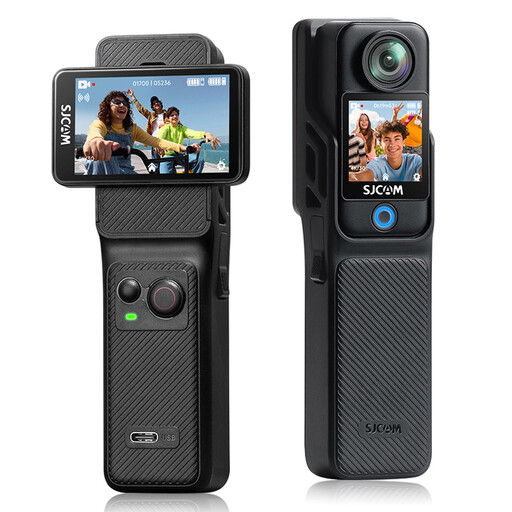
SJCAM C400 4K Action Camera, 16MP, 154° Wide Angle
The listed wide angle could be useful if you want to capture the bridge in a wide frame; check that it suits the composition you’re looking for from your viewpoint.
The product name lists 4K video, 16MP photos and a 154° wide-angle lens.
View at Joybuy
 No image available
Sony Alpha A6100 + 16-50mm f/3.5-5.6 OSS II
This interchangeable-lens kit could suit you if you want to use a zoom lens; check that its range works for your distance from the bridge and the crop you want.
The product name lists a 16–50mm f/3.5–5.6 OSS II lens. Compare the full kit contents before choosing a set.
View at Joybuy
Frequently asked questions
How can you make the bridge dark without overexposing the sky?
Set the exposure for the bright background and check that the outline of the bridge remains recognisable. You can adjust the exposure using exposure compensation or manual settings; according to Nikon USA and Canon Europe, a silhouette doesn’t need to show every detail of the bridge.
Does image stabilisation always remove the need for a tripod?
No. Image stabilisation won’t freeze moving people. Check that stabilisation works for still photos with your chosen body and lens; at a slower shutter speed, movement on the bridge can still look blurred.
What should you check when using a new mirrorless camera?
Check the exact kit contents, the battery you’ll need and a compatible memory card, and practise using the exposure controls in advance. Canon Netherlands Store lists a battery and charger with the EOS R50 kit mentioned here; Nikon Netherlands says the Z50II kit mentioned here is supplied without a charger.
What warranty applies to a camera bought in the Netherlands?
According to ACM ConsuWijzer, if a product is faulty, the seller must offer an appropriate solution, depending on the circumstances, such as a repair, replacement or refund. The statutory guarantee in the Netherlands doesn’t have a fixed term of exactly two years; a commercial manufacturer’s warranty doesn’t replace this right.
Can you share a bridge photo publicly if passers-by are recognisable?
It depends on who took the photo and how it’s shared. The Dutch Data Protection Authority distinguishes between images for private use and those shared more widely or commercially; recognisable people may count as personal data. So consider sharing the image separately from taking it.


