
Seller with a dedicated photo table
You photograph lots of books in a row and want consistent framing, steady images and a straightforward workflow. Canon Europe describes a tripod as a way to reduce camera shake.


If you mainly photograph books in one fixed spot, look for adjustable white balance, control over focusing and composition, as well as even lighting and a stable setup. A camera with a larger sensor is worth comparing if you’re working in low artificial light, but that doesn’t guarantee better colour or legible text; a bridge camera with a small sensor may suit a well-lit table. A long telephoto zoom isn’t automatically useful for books on a table.
You photograph lots of books in a row and want consistent framing, steady images and a straightforward workflow. Canon Europe describes a tripod as a way to reduce camera shake.
You want cover colours, small print and signs of wear to show clearly. White balance, lighting and control over focus are all worth considering; Canon Europe explains why white balance matters in challenging light.
You also want to take photos away from your book setup, so you’re weighing up versatility and zoom range against how well the camera works for books on a table.
Start with the photos you need: check colour and detail at your working distance, then decide whether a fixed setup or the option to use the camera away from your photo table matters to you.
| What to consider | What to look for when buying | Which consumers should give this more weight? |
|---|---|---|
| Colour under artificial light | Check whether you can adjust the white balance and whether RAW capture is available if you want to correct colour afterwards. | If the cover colour needs to look true to life under your lights, this matters more than speed or zoom; around 29% of consumers prioritise colour reproduction. |
| Legible text and signs of wear | Test focusing and framing at the distance you’ll be shooting from; a macro focusing distance at the wide-angle end doesn’t tell you how much of the book will fit in the frame. | If spine text, small titles or damage need to be clearly visible, control over focus is crucial; around 29% of consumers prioritise detail. |
| A repeatable setup | Check whether the screen and controls are practical from your preferred position, and whether there’s room for a tripod and even lighting. | When photographing a series of books, you won’t want to frame each shot from scratch; around 24% of consumers value a smooth, repeatable workflow most. |
| Cost and other uses | Factor in the camera, lighting, tripod and any accessories; also consider how useful the telephoto zoom will be for subjects beyond your book setup. | If you want one camera for books as well as distant subjects, versatility matters alongside the cost of your setup; around 18% of consumers prioritise this balance. |
A camera designed mainly for extreme telephoto zoom won’t automatically give you an advantage when photographing a book on a table. Framing, lighting and colour each need separate attention.
First, assess a full-book shot and a detail shot at the working distance you plan to use. Then compare the zoom range for any other subjects you might photograph.
The shortest quoted focusing distance may only apply at a particular zoom setting. Being able to focus on a close-up detail doesn’t tell you whether the entire book will fit in the frame.
Check the quoted distance at both the wide-angle and telephoto ends, and try the framing you need.
A tripod can help you keep product photos consistently framed. Lighting and accessories such as a charger may also be part of your setup.
Check what’s included with the exact offer and make a list in advance of the lighting, tripod and any charging accessories you’ll need.
A tripod, lighting or a missing charger may mean extra purchases and take up more space.
Panasonic offers bridge cameras with different sensor sizes and control options. The LUMIX FZ82D specifications list a 1/2.3-type sensor, RAW and macro focusing at the wide-angle end.
According to Canon, the Canon PowerShot SX70 HS has a fixed lens, a tilting screen and manual focus. Canon Europe also publishes general advice on white balance and product photography.
Sony specifies a 1.0-type sensor and a fixed lens with 25× zoom for the Cyber-shot RX10 IV.
The Nikon COOLPIX P1100 is designed for an extensive telephoto range. Nikon Netherlands lists 125× optical zoom, a macro close-up mode and a 1/2.3-type sensor.
This selection includes digital cameras whose product names mention zoom features. Before buying, check that the camera type, focusing and controls suit your fixed book setup.
 No image available
The product name mentions optical zoom, 4K, WiFi and 64MP. Check whether the controls and focusing suit your preferred working distance and book framing.
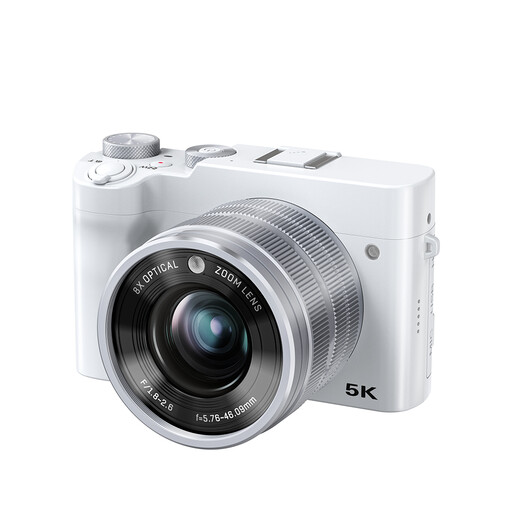 No image available
The product name mentions 8× optical zoom, 5K, 64MP and a dual lens. Consider whether you can achieve the focus and framing you need at your photo table.
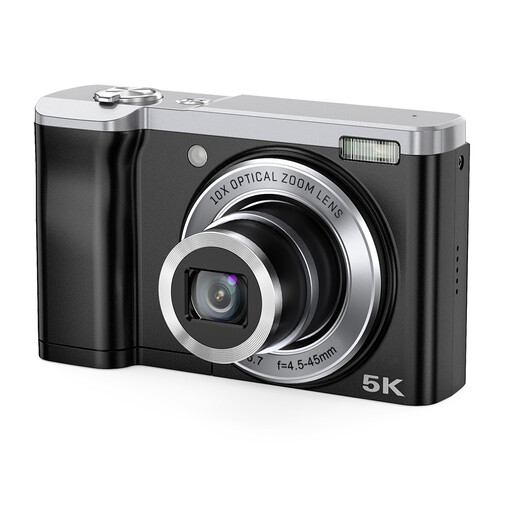 No image available
The product name mentions 10× optical zoom, 5K and front and rear cameras. Check whether the camera can capture the details and full frame of your books from the distance you plan to use.
Where possible, use the same lighting each time and set the white balance to match; check the colour with a test shot. Canon Europe explains that different light sources can cause colour casts. RAW can make it easier to correct colour afterwards, but it’s no substitute for taking care when shooting.
Neither figure is decisive on its own: check that a whole book fits in the frame at your working distance, and take a separate detail shot of any text or damage. For the Panasonic FZ82D, the quoted macro distance of 1 cm applies at the wide-angle end; Panasonic lists 150 cm at the telephoto end.
A fixed tripod position can help keep your framing consistent and reduce camera shake. Pair it with even lighting, and check that you can operate the camera and read the screen from your preferred position.
According to ACM ConsuWijzer, you generally have 14 days to change your mind after delivery when buying online; this can also apply to second-hand products. Your statutory rights are separate from any manufacturer’s warranty: what you can reasonably expect from the product and the circumstances of the purchase are what matter. Check the seller and the terms of the specific purchase; this does not establish a fixed two-year warranty period.
For an imported product, check the version, information about the seller and whether the required CE marking is present. The Dutch government states that electronic devices offered for sale in the EU must meet the applicable requirements; a model name alone doesn’t show that a specific item meets them.