
Quiet listener at home
You usually listen at low volume and want to adjust the sound from your listening spot without constantly turning it up. Sonos describes the Era 100 as having an adjustable loudness feature.


If you mainly listen to brass band music at low volume, start with a speaker that lets you adjust the volume and sound, and try it with a familiar recording at your usual listening level. Two separate speakers are a better choice for a dedicated listening spot where you want to hear the different sections of the band in their proper positions, but they do take up more space. Check that your music source can connect, too, and bear in mind that product specifications are no substitute for a comparative listening test at low volume.
You usually listen at low volume and want to adjust the sound from your listening spot without constantly turning it up. Sonos describes the Era 100 as having an adjustable loudness feature.
You have a dedicated listening spot and would like space for two speakers so you can follow the placement of the instruments in the recording. KEF describes the LSX II as a system with two separate speakers; Yamaha says stereo is possible with two MusicCast 20 units.
You might play music from a computer or CD player, for example, and want to check that the connections and controls suit your current set-up. Sonos lists a separate line-in adapter for the Era 100; Edifier lists wired connections on the MR4.
A good fit if: you have limited space and want to start playing music easily. Sonos lists Wi-Fi, Bluetooth, app-based EQ and a loudness setting for the Era 100.
Bear in mind: Sonos specifies a separate line-in adapter for connecting an external wired source.
A good fit if: you have a dedicated listening spot and want to set up two separate speakers. KEF describes the LSX II as a set with wired and wireless connectivity.
Bear in mind: you’ll need space and connections for both speakers.
A good fit if: you use a compatible wired source and prefer to control the volume directly on the speaker. Edifier lists this control for the MR4.
Bear in mind: check that your source’s outputs are compatible with the speakers’ inputs.
A good fit if: you want to start with one home speaker and add a second compatible MusicCast 20 later.
Bear in mind: Yamaha says you need two units for stereo.
| What to consider | What should you check? | Who should take this into account? |
|---|---|---|
| Sound balance at low volume | Try a familiar brass band recording at your usual volume and compare the available EQ or loudness settings. | Would you like to hear both quiet and powerful passages without automatically turning the volume up? Around 36% of consumers prioritise sound balance at low volume. |
| Stereo spread and speaker placement | Check whether you’re buying one speaker or a pair, whether two units can create stereo, and where you’ll place them. | Would you like to hear the different sections of the band in their proper positions from a dedicated listening spot, and do you have room for two speakers? Around 29% of consumers prioritise stereo spread. |
| Keeping listening levels under control at home | Try the speaker in its planned position and listen for what can be heard outside the room. | Would you like to listen with consideration for others in or around your home? Around 21% of consumers prioritise minimising disturbance to neighbours. |
| Connections and controls | Compare your music source’s output with the speaker and check which cable, adapter, app or network connection you’ll need. | Would you like to connect existing equipment and tailor the controls to your everyday set-up? Around 14% of consumers start by checking source compatibility. |
A low volume setting doesn’t automatically determine how the sound comes across from your listening spot. Sonos describes loudness as a setting that boosts certain frequencies, including bass, when listening at low volumes.
Using a familiar recording, compare the sound with and without the adjustment at the volume you usually listen at.
According to Yamaha, you need two units to use the stereo function on the Yamaha MusicCast 20.
Check whether the listing is for one speaker or a complete set, and whether two units together will give you the stereo sound you want.
A speaker having a connection doesn’t automatically mean your source’s cable will fit directly. Sonos specifies a separate adapter for the Era 100’s line input.
Compare your source’s output with the input on the exact model and check which cable or adapter you’ll need.
The Era 100 is a compact home speaker with Wi-Fi, Bluetooth and control through the Sonos app.
According to KEF, the LSX II is an active stereo system with two separate speakers and wired and wireless connectivity.
The MR4 is an active wired monitor set-up for use with a compatible computer, mixer or media player.
According to Yamaha, the MusicCast 20 can be used on its own as a home speaker or paired with a second unit for stereo.
This selection includes speakers and audio systems with sound adjustment, stereo or multi-speaker set-up options. Check each model’s source compatibility, connections and space requirements to make sure they suit your listening spot.
 No image available
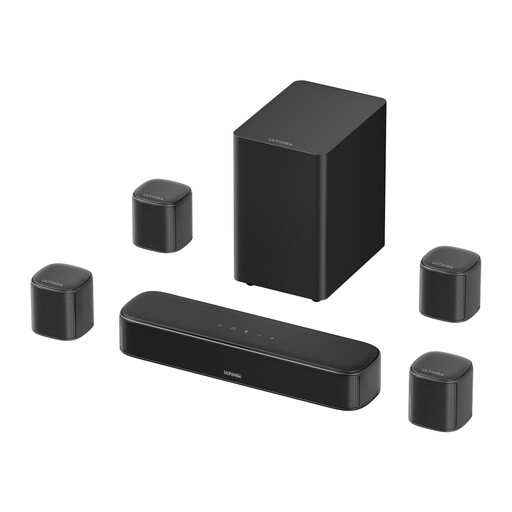
The product description lists an app with a 10-band equaliser for adjusting the sound.
The title lists 4 surround speakers, a 5.25-inch subwoofer and 350 W. Connections listed include HDMI ARC, Bluetooth, optical, AUX and USB; bear in mind that you’ll need space to position multiple speakers and the subwoofer.
 No image available
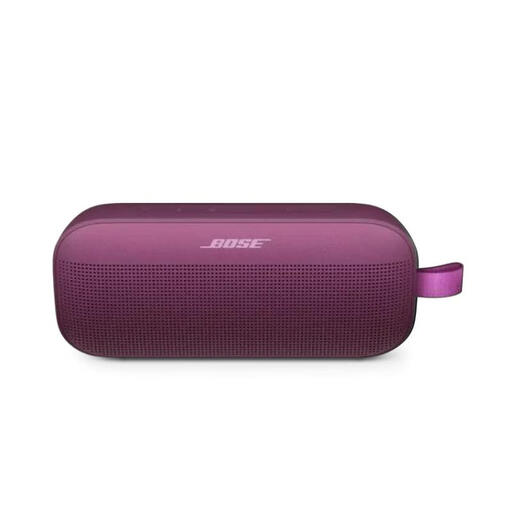
The product description lists adjustable EQ in the Bose app for anyone who wants to fine-tune the sound.
The product name describes a portable Bluetooth speaker. For stereo with separate left and right channels, the description specifies a second compatible Bose speaker.
 No image available
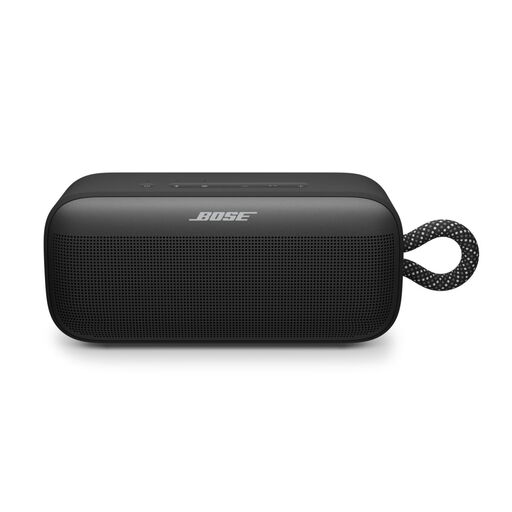
The product description lists adjustments for bass, mid-range and treble through the Bose app.
It’s a portable Bluetooth speaker. For stereo mode, the description lists two SoundLink Plus speakers or a compatible Bose speaker.
 No image available
This pair is designed for anyone looking for two separate speakers for stereo music.
The description lists a 6.5-inch bass-midrange driver and a 28 mm soft-dome tweeter. These are passive speakers, so you’ll need a separate amplifier.
 No image available
The product description lists a music mode and volume controls on the speaker.
Connections listed are Bluetooth 5.3, USB and 3.5 mm AUX. Check which connection is compatible with the computer or other source you want to use.
Sonos describes loudness as a setting that boosts certain frequencies, including bass, when listening at low volumes. Try it with one of your own recordings to see if you like the sound; the setting doesn’t guarantee better playback for every recording.
First, check which output your source has and compare it with the speaker’s inputs. Sonos specifies a separate adapter for the Era 100’s line input; Edifier lists AUX and TRS connections, among others, for the MR4. Check which cable or adapter your devices need.
Choose two separate speakers if you want to set up a stereo pair and have room for them. Check whether each listing is for one unit or a pair, and whether two speakers together can create stereo.
First, check that your Wi-Fi network is working properly and reliably; the Consumentenbond says this is important for uninterrupted playback. Then try moving the speaker or network equipment to a different spot.
Try the speaker in its planned position and listen for what can be heard outside the room. The Rijksoverheid says that in many municipalities, nuisance to neighbours may be covered by local APV regulations. If the disturbance is recurring, discuss it with your neighbours if appropriate and check your municipality’s rules.