
Listener who wants to pick out individual instruments
You have room for two speakers and want a clear left-right soundstage when listening to brass band recordings.


For brass band music in a home office, a stereo pair is a good fit if you have room for two speakers and want a distinct left-right soundstage. A single Wi-Fi speaker is a better choice if saving space and keeping things simple matter more. A portable Bluetooth speaker makes sense if you also want to use it elsewhere. Check that the connections are compatible with your computer, and allow for any cables or adapters you may need.
You have room for two speakers and want a clear left-right soundstage when listening to brass band recordings.
You want music in your home office, but need to weigh up the space required for speakers and any cables against the room you have to work.
You switch between your computer and phone and want to check that your chosen speaker works with both playback options.
First, decide between two speakers placed separately and a single speaker, then consider whether a fixed workspace or portability matters more. Next, check that your computer and phone support the wired or wireless connection you want.
| What to consider | What to look for | Who is this important for? |
|---|---|---|
| Stereo image and instrument groups | Check whether you’re buying a pair or a single speaker, and whether you can position both speakers properly. KEF says the LSX II LT has a cable connecting the two speakers. | If I want to listen to brass band recordings with a clear left-right soundstage, I prioritise two speakers that I can position separately. Around 36% of consumers put stereo imaging first when buying. |
| Desk space and positioning | Measure the available space and compare it with the dimensions of the exact model. Edifier says each R1280DBs speaker cabinet measures 146 × 234 × 196 mm. | When my workspace is crowded, space for the speakers is a practical consideration: I want to know whether the setup will get in the way of my desk. Around 29% of consumers prioritise limited space for positioning. |
| Connecting to a computer and phone | Note the outputs on your devices and compare them with the speaker’s inputs; check for USB, analogue, optical, Bluetooth or Wi-Fi. Audioengine and Edifier list different wired inputs for the models mentioned here. | If I want to play music from both my computer and phone, the connection I choose needs to work with my devices. Around 21% of consumers put source compatibility first when buying. |
| Portability or a fixed setup | Decide whether you’ll genuinely use the speaker in several places. For a portable model, check the battery and the connection you need. The Consumentenbond describes small Bluetooth speakers as an option you can take with you. | If I want to use the same speaker outside my home office, portability matters more than a fixed desk setup. Around 14% of consumers put portability first when buying. |
Published frequency ranges may be based on different measurement methods. Size and positioning also play a part, so the figures alone won’t tell you how a brass band recording will sound where you listen.
Compare the measurement conditions and the space you have. If possible, listen to the specific model before deciding based on sound quality.
KEF says the two speakers are connected by a cable on the LSX II LT.
Check how the exact model variant connects and plan the cable route before choosing your setup.
Sonos says a separate adapter is required for the Sonos Era 100’s analogue line input.
Check your computer’s audio output and whether you need a suitable adapter and cable for the connection you’ve chosen.
Statutory rights are not simply the same as a fixed manufacturer’s warranty period. ACM ConsuWijzer links the legal guarantee to what you could reasonably expect from the product under normal use.
Keep your proof of purchase and contact the seller if the product develops a fault early on.
The R1280DBs is an active stereo pair with Bluetooth and several wired inputs, designed for a fixed listening position.
Audioengine describes the A2+ Next Gen as designed for compact desktop use.
The LSX II LT is a compact streaming stereo system for a fixed listening position.
The Era 100 is a Wi-Fi speaker that you can pair with a second compatible speaker for stereo, if you wish.
The active 8020D is a monitor designed for a fixed listening position.
This selection includes PC and desktop speakers, as well as a wireless Edifier speaker for music at your workspace. Check that each model’s setup and connections work with your computer and the stereo image you want.
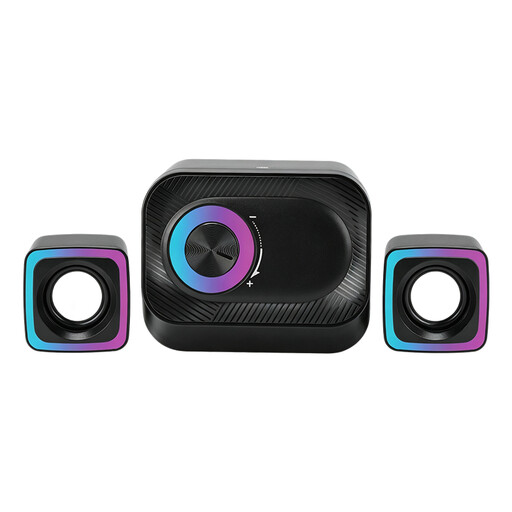 No image available
For a wired PC setup with two satellite speakers; the product information also mentions volume control and RGB lighting.
 No image available
A desktop stereo set for your desk; the product title mentions coloured LED lighting.
 No image available
For anyone who wants a choice of wireless and wired playback options: the product information lists Wi-Fi, Bluetooth, USB and AUX.
The product title specifies 60 W; the product description mentions a built-in battery.
 No image available
For computer use; the product title lists Bluetooth 5.3, USB and a 3.5 mm AUX input.
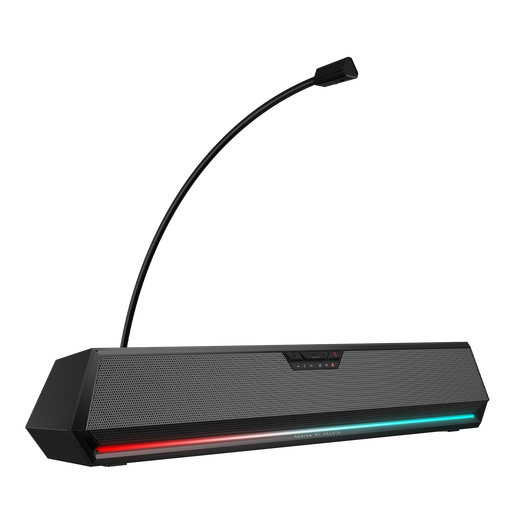 No image available
For playback via Bluetooth, USB or AUX, as listed in the product information.
The soundbar design doesn’t position two separate speakers in the same way as a stereo pair.
Choose two speakers that can be positioned separately if a physical left-right soundstage matters to you and you have the space. If you want to save desk space, one speaker may be a better fit. Sonos also explains how to set up two Era 100 speakers as a stereo pair.
No. Sonos requires you to set up the Era 100 on a Wi-Fi network using the app first.
Check that your computer has a suitable audio output. Sonos says the Era 100’s analogue line input requires a separate Sonos Line-In Adapter and a compatible audio cable.
For online consumer purchases, ACM ConsuWijzer says you’ll generally have 14 days from delivery to change your mind, subject to legal exceptions. This is separate from your statutory guarantee: if a speaker doesn’t perform as you could reasonably expect under normal use, contact the seller.