
Attentive brass band listener
You want to position two speakers so you can assess the stereo image of recordings from your listening position. The room and speaker placement both play a part.


For listening at a desk without a separate amplifier, compact active speakers are a practical choice, as long as their inputs suit your computer or other source. If you already have a suitable amplifier, or want to put together a separate stereo system, passive bookshelf speakers could be a good fit. Whichever route you take, consider how you’ll position the two speakers and the cost of the complete set-up.
You want to position two speakers so you can assess the stereo image of recordings from your listening position. The room and speaker placement both play a part.
You want to play music from a computer with as little separate equipment as possible. Choose connections that suit the source you actually use.
You already have an amplifier, or want to choose one, so you’re comparing passive speakers as part of a complete system.
Choose this option if: you want to use a stereo pair at your desk without a separate amplifier.
Bear in mind: connections vary by model, so check that your source and the cables you need are compatible.
Choose this option if: you already have a suitable amplifier or want to put together a separate stereo system.
Bear in mind: you’ll need a suitable amplifier and must match the source, amplifier and two speakers.
Genelec recommends positioning two monitors symmetrically around the listening position. So first check that you can place both speakers appropriately around your desk.
| Consideration | What to look for when buying | Who this matters to |
|---|---|---|
| Stereo image | Can you position two speakers at a similar height, symmetrically to the left and right of where you sit? | I want to hear both channels clearly from my usual workspace. Around 33% of consumers say stereo image is their top priority. |
| Connection to your source | Check which output your computer has, which input the speakers offer and whether you’ll need a cable. | I want to connect my computer or another source without unnecessary complications. Around 27% of consumers put easy connection first. |
| Space on your desk or in your room | Measure the space for two cabinets, taking your screen and seating position into account. | With a small desk, I want to fit two speakers without them getting in the way of my workspace. Around 20% of consumers make limited space their main priority. |
| Complete system and expansion | Check whether you’re buying a pair or a single speaker, whether you need an amplifier and which expansion connections the exact model has. | If I still need an amplifier or a second speaker, I want to know the cost of the complete stereo set-up. Around 20% of consumers put the complete system first. |
A stereo set-up needs two speakers. So an offer for one speaker is not the same as an offer for a pair.
Check how many speakers are included and work out what you’ll need for two channels.
A passive speaker needs a suitable amplifier. Without one, your system isn’t complete.
Consider your playback source, amplifier and two speakers together before making a choice.
Edifier lists a subwoofer output for the R1280DBs; don’t assume the R1280DB has the same feature.
Compare the full model name in the listing with the specifications for that exact version.
Active bookshelf models such as the R1280DB may be worth considering if you’re looking for a range of consumer-friendly connections.
The Q3 Meta is an example of a passive hi-fi speaker for anyone with a suitable amplifier or looking to build a separate system.
The compact active 8010A is a studio monitor to consider if XLR connections and buying speakers individually suit your set-up.
The A2+ Gen 3 is an example of an active desktop speaker with USB-C audio and an analogue connection.
The OBERON 1 is a compact passive model that can be used for comparison in a small listening room.
This selection includes passive HiVi-Swans bookshelf speakers for use with a separate amplifier, as well as compact PC or desktop speakers for a workspace. For each model, check which connections and components suit your complete stereo set-up.
 No image available
A passive pair for anyone looking for a bookshelf set-up with a separate amplifier.
6.5-inch speakers; a separate amplifier is required.
 No image available
A passive pair for anyone looking for a bookshelf set-up with a separate amplifier.
6.5-inch speakers; a separate amplifier is required.
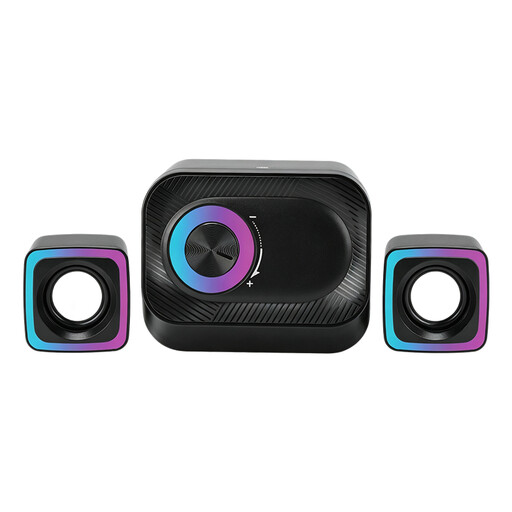 No image available
A wired PC system to consider if you’re looking for a desktop set-up with volume control.
The product title mentions volume control and RGB lighting.
 No image available
A compact stereo set to consider if you’re looking for PC speakers for your desk.
The product title mentions RGB lighting and use with a PC or on a desk.
 No image available
A compact stereo set to consider for a desk or workspace.
The product title mentions coloured LED lighting.
Position them as symmetrically as possible to the left and right of your listening position, and angle them towards you. Genelec suggests starting with a 60° angle between the monitors, viewed from the listening position; the acoustics of your room may affect the result.
Follow the instructions for the exact model. The Edifier R1280DBs manual, for example, recommends keeping the ventilation openings clear; don’t automatically apply this model-specific instruction to other speakers.
According to the Dutch government, there is no fixed statutory warranty period in the Netherlands, but you are entitled to a product that works as it should. If a product is faulty, contact the seller. A manufacturer’s warranty or an extended warranty purchased separately is separate from this.
For distance purchases from a business, you generally have a 14-day cooling-off period. The Dutch government distinguishes, among other things, between purchases from businesses and purchases from private individuals; check which terms apply to your purchase.