What should you look for when choosing?
Mirrorless camera with interchangeable lens
Suitable for: a permanent filming location where you want to frame the book and the work to suit your needs. Canon lists a microphone and headphone socket for the EOS R50 V; the Sony ZV-E10 II uses E-mount lenses.
Bear in mind: the lens, mounting equipment and any external microphone all need to suit your setup and may have to be bought separately.
Compact gimbal camera with fixed lens
Suitable for: a quick setup that you also want to move around. DJI lists a minimum focusing distance of 20 cm and several focus modes for the Osmo Pocket 3.
Bear in mind: check that the fixed field of view captures both the book and its finer details from your planned working distance; a gimbal is not an overhead mount.
Compact Micro Four Thirds mirrorless camera
Suitable for: a compact setup where you also want interchangeable lenses. Panasonic lists features including 4K/30p and USB-C charging for the G100D.
Bear in mind: check the exact version and lens bundle; the G100D versions shown on Panasonic’s Dutch website are listed as unavailable.
First compare the framing from your planned camera height, then the exposure, followed by audio and recording time.
| What to consider |
What to look for when buying |
Who is this important for? |
| Framing and detail |
At your planned camera height, test whether the smallest detail is in focus and the book and both hands fit in the frame. |
I want to show piercing points, folds and thread clearly without losing sight of my whole worktable. Around 36% of consumers prioritise framing and detail. |
| Exposure against a dark background |
Take test shots with dark materials, light-coloured paper and your hands; check that the details on the paper remain visible. |
I want to see my work clearly without bright pages dictating the look of my dark background. Around 29% of consumers prioritise lighting their work. |
| Spoken instructions |
Check which microphone connection you need and whether you want to be able to monitor the audio while recording. |
I want to record clear instructions while keeping my hands busy. Clear audio is the main concern for around 21% of consumers. |
| Recording time and setup |
Test a lesson segment using your chosen settings, storage, power supply and mounting equipment. |
I want to record a lesson segment without unnecessary interruptions and set up the camera quickly. Around 14% of consumers prioritise recording time and ease of setup. |
Cameras at Joybuy
This Joybuy selection includes compact cameras and vlog or handheld cameras for recording a lesson. For each model, check that the mounting position, framing and focus are suitable for your worktable.
 No image available
Osmo Pocket 4P Vlog Combo – Black
Could be suitable if you’re looking for a compact vlog camera for a lesson setup that you can move around.
The variant name says Vlog Combo; check which accessories are included with this version.
View at Joybuy
 No image available
Osmo Pocket 4P Standard Combo – Black
Could be worth considering if you want a compact camera for recording lessons in different locations.
The variant name says Standard Combo; check what’s included in the bundle and test the framing from your planned working distance.
View at Joybuy
 No image available
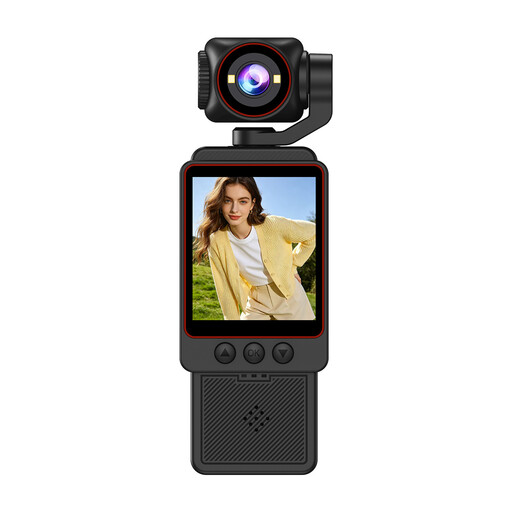
Compact 1080P HD video camera
Could be worth considering if you’re looking for a compact video camera; test whether the smallest binding detail appears sharp and large enough in the frame.
The product name specifies 1080P HD. Check the framing and focus with the book and your hands in place at your planned filming location.
View at Joybuy
 No image available
2K pocket vlog camera with 360° rotating lens
Could be suitable if you’re considering a compact handheld camera and want to try a different filming angle.
The product name specifies 2K video and a rotating lens. Test whether your chosen angle shows the book and both hands at the same time.
View at Joybuy
 No image available
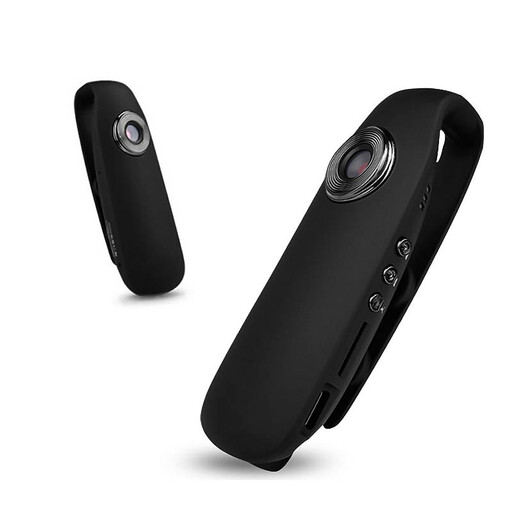
KINSI Mini Bodycam 1080P HD Night Vision
Could be suitable if you want to assess a small, portable camera for recording a lesson.
The product name describes a mini body camera. Check that its mount allows you to capture a useful, stable view of the worktable.
View at Joybuy
Frequently asked questions
Do you automatically need a camera designed for low-light conditions when filming against a dark background?
Not necessarily: the most important thing for a bookbinding lesson is to light your work well. Test the lighting on your subject and the exposure with both dark materials and light-coloured paper; if the lighting stays the same, a fixed manual exposure can help reduce changes between shots. Canon Netherlands describes this approach for video recording.
Can you assume a camera will focus close enough on the stitching?
No, test the actual framing from your planned filming position. DJI lists a minimum subject distance of 20 cm for the Osmo Pocket 3, but that distance alone doesn’t tell you whether the book, both hands and a small detail will all fit clearly in the frame at the same time.
What should you consider when recording a long lesson with spoken instructions?
Test a complete lesson segment using your planned settings, storage, power supply and microphone. DJI lists a battery life of 166 minutes for the Osmo Pocket 3 at 1080p/24fps, 25 °C, with Wi-Fi and the screen off; other settings may give different results. Sony Netherlands also states that the ZV-E10M2 does not record sound in S&Q mode.
Are you always entitled to exactly two years of legal guarantee on a camera in the Netherlands?
No. The Dutch government states that there is no fixed statutory guarantee period in the Netherlands; you are entitled to a product that works properly for as long as you could reasonably expect it to. If a product is faulty, the retailer is your point of contact; a manufacturer’s guarantee may also apply.
Can you publish a lesson featuring identifiable pupils or someone else’s book pages without permission?
First consider which privacy and copyright rules apply. The Dutch Data Protection Authority states that the exception for personal or household use of images does not apply to wider publication; if people are identifiable, you should assess whether you have an appropriate legal basis under the GDPR. According to the Dutch government, you generally need the creator’s permission to publish other people’s copyright-protected material. What you need to do for a particular lesson depends on what is identifiable or protected in the footage.


