Scanners for catalogues at Joybuy
This selection includes an A3 document camera and A4 flatbed and sheet-fed scanners. For bound catalogues, check carefully which models can capture pages on glass and which process loose sheets only.
 No image available
CZUR Shine 800 A3 Pro Document Camera
The product listing specifies flat originals up to A3 and OCR output to editable text. It advises against scanning highly glossy material, such as magazines, so test a glossy catalogue page first.
Compatible with Windows and macOS, according to the product name.
View at Joybuy
 No image available
Canon imageFORMULA DR-F120 Flatbed & ADF Scanner
The flatbed is listed for books, magazines and delicate originals. Use this function for bound material; the feeder isn’t a way to scan an intact catalogue as loose sheets.
A4 scanning size; pages larger than A4 won’t fit in a single scan.
View at Joybuy
 No image available
Epson WorkForce DS-1660W Flatbed Scanner
The product description lists books, bound documents and delicate originals as suitable for the flatbed. Its compact design is highlighted as a good fit for limited space.
A4 scanning size; larger pages won’t fit in a single scan.
View at Joybuy
 No image available
Epson DS-C330 ADF + Sheet-Fed Scanner
This is an A4 sheet-fed scanner, not a flatbed or overhead option for intact bound catalogues. The product description lists booklets up to 5 mm thick as suitable for the feeder.
Pages larger than A4 won’t fit in a single scan.
View at Joybuy
 No image available
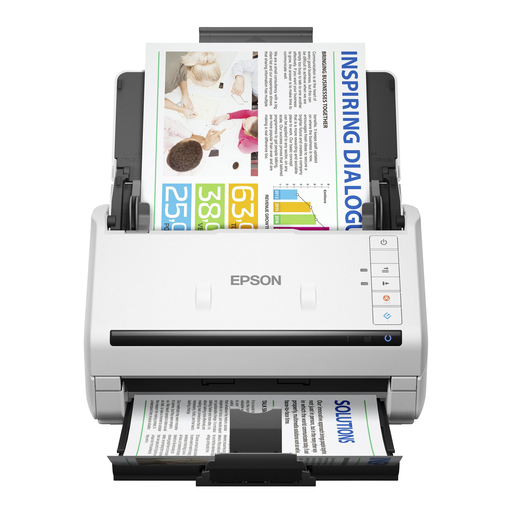
Epson DS-770 II Sheet-Fed Scanner
The product description lists a document feeder for up to 100 pages and single-pass, double-sided scanning. This is for processing documents, not for scanning intact bound catalogues.
A4 scanning size; larger pages won’t fit in a single scan.
View at Joybuy
Frequently asked questions
How can you check whether a catalogue fits within the scanning area?
Measure the page or section you want to capture in a single scan and compare it with the scanning area of the exact model. The Dutch specifications for the Plustek OpticBook 3800L list 216 × 297 mm; IRIS presents the Desk 6 Pro as an A3 model. A3 or A4 support alone doesn’t tell you how clearly the book’s fold will appear.
What should you check before setting up and using a scanner?
Before buying, check that the software supports your operating system. After installation, test both a text page and an image page. CZUR offers downloads for Windows, Mac and Linux for the ET24 Pro; Plustek lists the supported Windows and macOS versions for the Dutch OpticBook 3800L. Keep the capture area clear as instructed by the device, and check scans for dust and reflections.
Should you buy a scanner for a one-off scanning project?
No, hiring one could also be an option for a one-off project or a limited number of books. A Dutch hire company lists book scanners up to A2; ask about size, hire period and terms in advance.
What are the rules in the Netherlands for private use of scans of catalogues?
According to the Dutch government, you may make a private copy of copyright-protected material for your own use, but you must not distribute it or make it available to the public. So don’t assume you’re allowed to share a complete scanned catalogue with fellow students or upload it online.
What should you check about your right to return an online purchase?
According to the Dutch government, when you buy at a distance, the seller must provide information about matters including the product and the cooling-off period, which is usually 14 days. Check the terms that apply to your purchase; a manufacturer’s money-back guarantee is separate from these.


