Joybuy products for this purpose
This selection includes a foldable overhead scanner and portable document scanners. For each model, check whether loose pages, small booklets or your bound notebook can be scanned safely and conveniently.
 No image available
Epson ES-C380W ADF + Sheet-Fed Scanner, A4
The straight-through feed path is described as supporting booklets up to 5 mm thick. Check whether your booklet can be fed through without forcing it.
600 × 600 DPI; Wi-Fi and scanning to network, USB and cloud destinations are listed.
View at Joybuy
 No image available
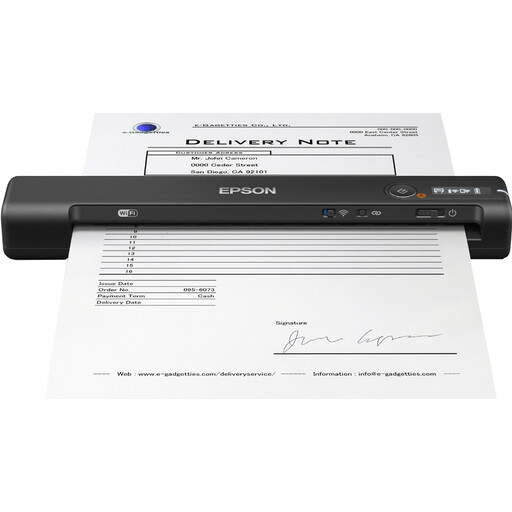
Epson WorkForce ES-60W Handheld Scanner, A4
This portable document scanner is described as suitable for scanning on the go. Its document feeder doesn’t make it a suitable choice for scanning a bound notebook as a whole.
600 × 600 DPI; the product information lists a battery, Wi-Fi and PDF output.
View at Joybuy
 No image available
CZUR Shine 800 A3 Pro Document Camera
This foldable overhead scanner is described as suitable for flat documents. Check whether it’s right for the binding and pages of your notebook.
The product information lists an 8MP sensor, OCR and automatic cropping for documents up to A3.
View at Joybuy
Frequently asked questions
Do I need to take my recipe notebook apart to scan it?
Not necessarily. Choose a scanning method that suits how far the notebook can safely open. An overhead scanner captures pages from above; a book-edge flatbed is designed for pages that can rest on the glass plate. Don’t force the binding.
Will handwritten ingredients automatically be easy to search?
You can’t assume that your handwriting will be recognised correctly. Keep a clear image of the page and check any OCR text, especially quantities and words near the binding. IRIS also lists conditions that can affect scan results.
What should I check when setting up and using the scanner?
Check that you have enough clear space for the open notebook, the connection you need and suitable lighting. For the Desk 6 and earlier models, IRIS warns about issues including shadows from direct sunlight and reflections on glossy paper.
Who can help if a scanner isn’t working properly in the Netherlands?
If the product is faulty, contact the seller. According to the Government of the Netherlands, there is no fixed statutory warranty period in the Netherlands, and your statutory rights apply alongside any manufacturer’s warranty. For eligible online distance purchases, you’ll usually have a 14-day cooling-off period.
Can I share scanned recipes from a copyrighted book with housemates?
Don’t assume you can freely share a scan made for private use. The Government of the Netherlands says you can make a private copy for your own use, but you can’t distribute or publish it. The rights holder may be different for your own handwritten recipes.


