
Keeper of fragile bound volumes
Wants to digitise old, bound copies without putting unnecessary strain on the spine. An overhead scan may be suitable if the book cannot safely lie flat on a glass platen.


Start by considering whether the bound original can safely lie flat, how large the pages are, and whether you need images only or searchable text too. An overhead scanner puts no pressure on the spine, while a book-edge flatbed requires you to position the book on the glass. At a shared desk, also check that the software works on the computer available and where scans will be saved.
Wants to digitise old, bound copies without putting unnecessary strain on the spine. An overhead scan may be suitable if the book cannot safely lie flat on a glass platen.
Wants to find printed passages again, so alongside legible images, carefully checked text recognition and a logical file order are useful. The KB explains how a title, date and author can help people find digitised publications.
Needs to consider the computer available, storage arrangements and multiple users. If personal notes are involved, it’s wise to check the content and access arrangements before sharing scans; the Dutch Data Protection Authority warns about personal data in shared documents.
Choose this if: a bound copy cannot safely lie flat and you want to capture consecutive pages from above.
Bear in mind: curvature correction is a manufacturer’s claim. Test the result on a page with text close to the spine, and check the software requirements for the exact model.
Choose this if: you want to scan a bound magazine from above and page-turn detection or timed capture could help as you turn the pages.
Bear in mind: the features listed don’t tell you how a particular old page will scan. Also agree on the output format and storage location users should choose.
Choose this if: the copy can be placed carefully on the glass and an A4 scan area is sufficient for each scan.
Bear in mind: you’ll need to position the book for every scan. This approach may not be suitable for a fragile or stiff binding.
Choose this if: A3 scans and searchable PDFs are important, and you need to be able to put the scanner away after use.
Bear in mind: check the results on your own paper. A software-interpolated resolution is not a separate sensor measurement.
| What to consider | What to look for when buying | Who is this important for? |
|---|---|---|
| Preserving the binding and pages | Check how far your copy can open and test a double-page spread with text near the spine. | If I don’t want to press an old, fragile binding flat, I’m looking for a method that suits its opening angle. Around 33% of consumers prioritise preserving the original. |
| Finding text later | Check whether the exact model can create searchable PDFs and test small print and text in the gutter. | If I want to search through printed back issues for passages, I want to check text recognition and page order using an example of my own. Around 27% of consumers prioritise being able to find text again. |
| Shared use and storage | Check the operating system, installation permissions and configurable storage locations. Agree who will check and delete files. | If several people use the same computer, I want to agree in advance where scans will be saved and who can open them. Around 20% of consumers prioritise a shared workspace. |
| Page size and image quality | Measure the largest page and open spread; compare the scan area and native resolution with a test scan. | If I want to capture large spreads, illustrations or glossy pages, I want to see whether the full image will be legible. Around 20% of consumers prioritise size and image quality. |
For the IRIScan Desk 6 Pro, IRIS distinguishes between a native resolution of 13 MP and a software-interpolated resolution of 21 MP. The interpolated figure is not a separate sensor measurement.
Compare the native specifications and, where possible, make a test scan of your own paper, especially if it has small print or text in the gutter.
An overhead scanner and a book-edge flatbed require the original to be positioned differently. The opening angle and condition of the binding will help determine which approach is suitable.
First check how far a representative copy can be opened carefully, then test your preferred scanning method before choosing a model.
The Dutch Government explains that a private copy is for personal use, not for distribution or publication. Personal content may also contain personal data; the Dutch Data Protection Authority highlights the risks of sharing documents that contain such information.
Check the rights and content, and agree who will have access and where files will be stored before handing them over.
The ET series is designed for bound material that can be captured from above without putting pressure on the spine.
The IRIScan Desk 6 Pro is a compact document camera for a desk where searchable output is useful.
The SV600 is an overhead scanner for bound documents, magazines and more.
The European OpticBook 4800 offers a book-edge flatbed for originals that can safely lie on glass.
This Joybuy selection mainly features scanners for thin booklets or individual flat pages. Check the feed method: the sheet-fed models are not designed to capture an intact bound magazine as a whole.
 No image available
Worth considering if you want to scan thin booklets at a shared desk; the product description says it handles booklets up to 5 mm thick.
The description lists A4, 600 × 600 DPI and scanning to network destinations. Automatic duplex scanning is not available.
 No image available
The product description presents this as a compact scanner for a small desk that can handle booklets up to 5 mm thick.
The listed specifications are A4 and 600 × 600 DPI; booklets are scanned through a U-turn feed path.
 No image available
This document camera is designed for flat documents; the product description lists OCR and a maximum size of A3.
The description lists an 8MP sensor and OCR for more than 180 languages. Highly glossy materials, including glossy magazines, are not supported.
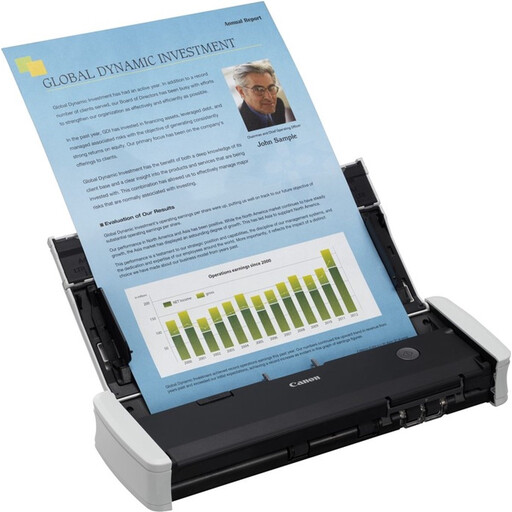 No image available
Consider this model if the journal pages are already loose sheets; the feed is designed for individual documents, not an intact bound journal.
The product description lists A4, duplex scanning, 12 pages per minute and a 20-sheet feeder.
 No image available
A handheld scanner to consider if the pages are available as loose sheets; the described feed is not designed for an intact bound journal.
The product description lists A4, 600 × 600 DPI, OCR and searchable PDFs.
A private copy for personal use cannot automatically be distributed or made public. The Dutch Government also distinguishes this from copying by a business or institution, where reprographic rights may be relevant. Consider the specific use and rights before sharing files.
Before sharing scans, check whether they contain visible or hidden personal data. The Dutch Data Protection Authority warns organisations about data breaches when publishing or sharing documents containing personal data. If you’re using a shared workspace, agree where files will be stored and who will have access.
Check the software and operating system requirements for the exact model against the computer available. For example, CZUR publishes separate downloads and system requirements for the ET24 Pro. Then agree on a consistent approach to file names, page order and storage.
Test it on representative pages before relying on the text being recognised and searchable. Check small print and text in the gutter; for handwritten diaries, you should also assess recognition using your own material.
Only if the copy can be placed carefully on the glass without putting unnecessary strain on the binding. A book edge can make room for the spine, but a stiff or fragile binding may still call for an overhead scanner.