What should you look for when choosing?
First, check whether your current camera, the available light and a stable overhead setup can already produce a usable photo. Only then choose between a compact camera for simplicity and a mirrorless camera if you want more control over the lens and settings.
| Consideration |
What should you look for when buying? |
Who should prioritise this? |
| Straight, repeatable framing |
Check whether you can position the camera directly above the book and whether the lens captures the entire cover from that distance. |
If I’m photographing a series, I want to be able to repeat the same framing without the cover falling outside the shot. Around 33% of consumers prioritise repeatable framing. |
| Colour and fine detail |
Take a test shot in the intended lighting and check the white balance, small text and framing in the final file. |
If I want to reproduce small lettering and cover colours accurately, I want to check the results under my own lighting. Around 27% of consumers prioritise colour and legible detail. |
| Ease of use for occasional photography |
Try your current camera first; if you’re buying a new one, also assess how easy it is to use and frame shots in your available workspace. |
If I only photograph a book occasionally, I don’t want to have to choose lots of new equipment. Around 20% of consumers say ease of use is their top priority. |
| Complete camera kit |
For a mirrorless camera, check which lens is included and whether the lens mount, attachment and lighting suit your setup. |
If I’m buying a camera for my setup, I want to know in advance which components are included. Around 20% of consumers prioritise a complete kit and its cost. |
Cameras on Joybuy
Below are cameras available on Joybuy for anyone looking for a digital camera to photograph book covers. Assess the listed zoom and focusing features in relation to your working distance and the framing you need.
 No image available
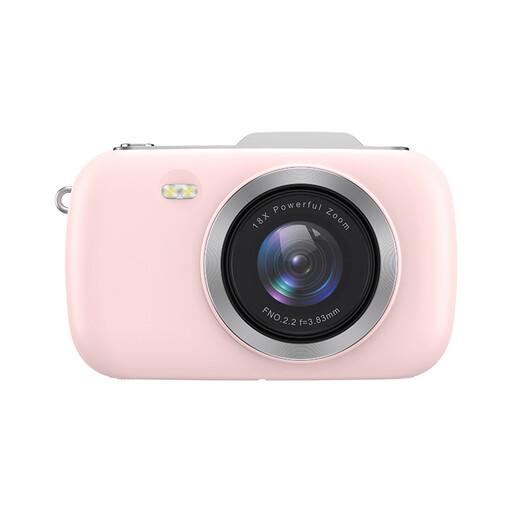
KOMERY G7-A, 4K, 80 MP, pink
If you want to adjust the framing from where you’re taking the photo, the product title lists zoom.
The product title lists 4K, 80 MP and 18× zoom.
View on Joybuy
 No image available
KOMERY G7, 5K, 80 MP, white
If you want to adjust the framing from where you’re taking the photo, the product title lists 18× zoom.
The product title lists 5K, 80 MP and 18× zoom.
View on Joybuy
 No image available
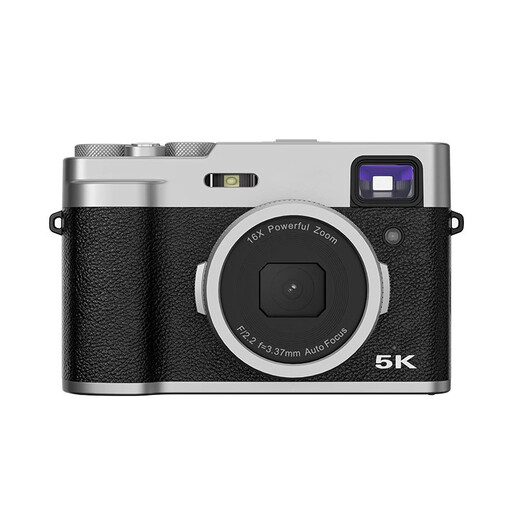
Songdian digital camera, 48 MP, autofocus, black
If autofocus is important for the way you work, this feature is listed in the product title.
The product title also lists 5K, a 2.8-inch LCD screen and an optical viewfinder.
View on Joybuy
 No image available
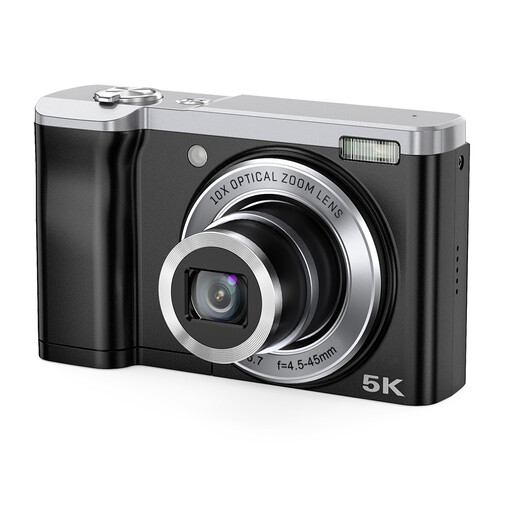
Songdian digital camera, 56 MP, black
If you want to adjust the framing from where you’re taking the photo, the product title lists 10× optical zoom.
The product title lists 56 MP and front and rear cameras.
View on Joybuy
 No image available
Sony ZV-E10 + 16–50mm zoom lens, black
The included 16–50mm zoom lens lets you adjust the framing from where you’re taking the photo.
This is the Sony ZV-E10, not the ZV-E10 II. Check the full model name when comparing versions.
View on Joybuy
Frequently asked questions
Do you need a macro lens to photograph an entire book cover?
Not necessarily. Check that the lens captures the whole cover sharply and completely from the height available, then assess small text in a test file. Canon Europe describes flat-lay photography using a standard kit lens or compact camera.
How can you prevent a colour cast on the white background?
Take a test shot using the lighting you’ll actually use and check the white balance. Canon Europe explains that you can adjust the white balance in challenging lighting to assess colour reproduction.
What should you check when photographing a series of covers?
For each series, check that the camera is still directly above the book, the framing is consistent and the lighting hasn’t changed. This helps keep your setup consistent; it is not a product-specific maintenance interval.
What are your rights when you buy a camera online?
According to ACM ConsuWijzer, online consumer purchases generally come with a cooling-off period of up to 14 days after delivery, subject to legal exceptions. Your statutory guarantee is separate from any manufacturer’s warranty; if a product is faulty, the seller is responsible for providing an appropriate solution. Consider business purchases separately.
Can you publish a photograph of a book cover online?
Not necessarily: the cover may contain copyrighted work belonging to someone else. The Dutch Government distinguishes between a private copy for personal use and distributing or making a work available to the public. Before publishing, check whether you need permission or whether an exception applies; this general information does not provide definitive permission for a particular cover or use.


