If you have few spare USB ports, a Bluetooth mouse that pairs directly with a compatible computer is a sensible first choice. A mouse that only works with a USB receiver won’t solve the problem. Then choose based on how it fits your hand and how you use it, and consider whether you’d rather replace a battery or recharge a built-in one. Before buying, check the compatibility and connection options of the exact model.
Who might find this mouse guide useful?
People identifying plants with few spare USB ports
You view photos of plants on a computer that already has several devices connected, and would rather not use a USB port for a mouse receiver. Waarneming.nl recommends including the flower, leaves and stem when photographing plants.
People who review lots of photos and observations
During long sessions, the way a mouse fits your hand and handles scrolling can make a difference. The Dutch Working Conditions Portal recommends alternating screen work with other tasks or taking a break.
People who want to choose how their mouse is powered
You want to know whether you’ll need a replaceable battery or will have to recharge the mouse regularly, so you can factor in the batteries or charging options you’ll need.
What should you look for when choosing?
Start with a connection that suits the spare ports on your computer, then consider how the mouse fits your hand, how it navigates and how it’s powered.
| What matters when buying |
What to check before buying |
Who should consider this? |
| Connecting without using a USB port |
Check whether your computer supports Bluetooth and whether the mouse can pair without a receiver. |
I want to keep my spare ports available for other devices; around 36% of consumers prioritise a connection that doesn’t require a USB receiver to stay plugged in. |
| How it fits your hand |
Check what hand size the mouse is designed for and whether the model is for left- or right-handed use. |
If I’m clicking for long periods and pointing precisely, I want a shape that suits my hand; around 29% of consumers rank fit above other buying considerations. |
| Navigating through photos |
Compare the scroll controls and settings with how you move through observations. |
When I’m comparing lots of plant photos, I’m most interested in precise scrolling and pointing; around 21% of consumers give navigation top priority. |
| Power while you work |
Check whether the mouse uses a replaceable battery or a rechargeable battery, and what connection it needs for charging. |
I want to avoid charging or a flat battery interrupting my work; around 14% of consumers consider how a mouse is powered their most important buying concern. |
How to avoid common buying mistakes
-
Assuming ‘wireless’ means ‘no USB receiver’
A mouse can work wirelessly with a USB receiver and still use up a port on your computer.
Check whether the exact model works directly via Bluetooth, without needing to use the receiver.
A receiver can occupy a USB port while you’re using the mouse.
-
Choosing a rechargeable mouse without considering how you’ll charge it
Going wireless doesn’t mean charging won’t need a connection.
Compare the charging method with your workspace. You could choose a model with a replaceable battery, or check whether you can keep working while it charges.
At some point, charging will require a suitable connection or another charging option.
-
Assuming ‘ergonomic’ means the mouse will fit you
Models vary in size and hand orientation. An ‘ergonomic’ product description doesn’t prove that the shape will suit every hand or prevent discomfort.
Check the hand size and model. Alternate intensive screen work with other tasks or a break.
Brands to compare
Logitech
The models mentioned range from a Bluetooth mouse with a replaceable battery to vertical and compact mice with different scrolling controls.
- Logitech says the M240 Silent pairs via Bluetooth without a dongle and uses one replaceable AA battery.
- According to Logitech, the Lift is designed for small to medium-sized hands. The MX Anywhere 3S has a scroll wheel with two modes and charges via USB-C.
- Fit and scrolling controls vary by model, so check the version you’re planning to buy.
CHERRY
The MW 8C ERGO is a larger right-handed mouse with a choice of Bluetooth or a 2,4 GHz USB receiver.
- CHERRY specifies USB-C charging and four sensitivity settings.
- The receiver uses a USB port if you choose that connection method, and the larger shape won’t necessarily suit every hand.
Kensington
The Pro Fit Ergo is a vertical wireless mouse with a nano receiver and a replaceable AA battery.
- Kensington says this model is designed for medium to large hands.
- The nano receiver needs a USB port. A comfort study from 2019 cited by Kensington doesn’t prove that the fit will suit every user.
Microsoft
The Microsoft Bluetooth Mouse is a compact Bluetooth option for a compatible Windows computer.
- Microsoft specifies Bluetooth 5.0 LE and one replaceable AA battery for this model.
- Check that your computer supports Bluetooth and that the controls suit the way you work.
Joybuy product picks
This selection focuses on wireless mice with Bluetooth options, so you can compare their controls and connections without having to rely on a USB receiver as standard.
 No image available
Logitech MX Master 4 Graphite
A good fit if you want to use Bluetooth and do a lot of navigating while reviewing photos.
Charging via USB-C will require a suitable connection at some point.
Joybuy
 No image available
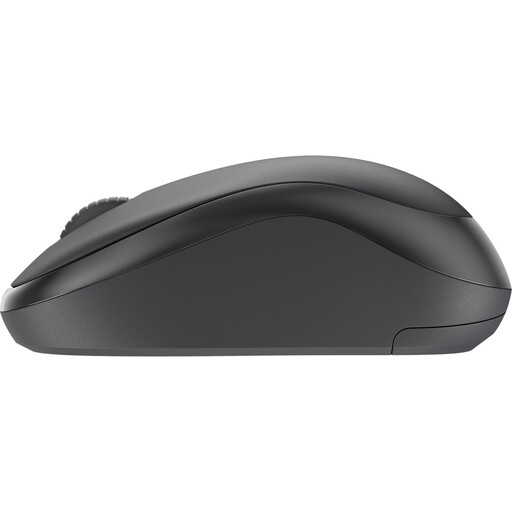
Logitech M240 Silent, black
A Bluetooth option if you want to use a mouse without plugging in the USB receiver.
The product information also lists a Logi Bolt receiver, which will use a USB port.
Joybuy
 No image available
ASUS ROG Strix Impact III Wireless
The product information lists Bluetooth as a connection option if you want to keep a USB port free.
The RF connection uses a USB receiver; Bluetooth is the alternative connection option.
Joybuy
 No image available
AJAZZ AJ159 PRO, white
The product name lists Bluetooth alongside 2.4G and USB-C as connection options.
The charging base contains magnets. The product information advises keeping it away from pacemakers and other medical implants.
Joybuy
 No image available
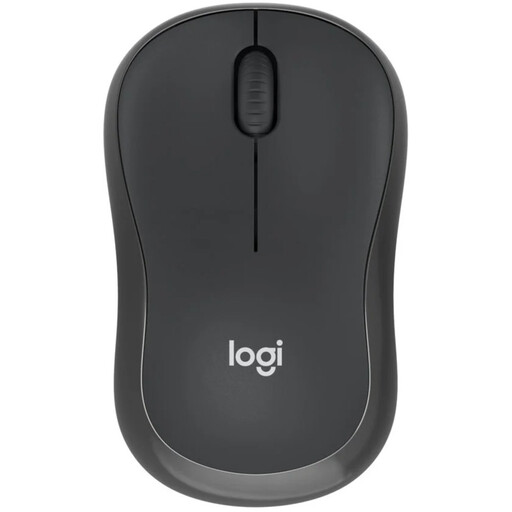
Logitech M240 Silent, black
A good fit if you want to pair via Bluetooth without using a USB dongle.
The product information mentions quieter clicks; check that the shape and controls suit your hand.
Joybuy
Frequently asked questions
Does a wireless mouse always leave a USB port free?
No. A Bluetooth mouse can pair directly if your computer is compatible, while a model that works via a USB receiver uses a port. Check the connection method for the exact model.
How do you pair and maintain a Bluetooth mouse with an AA battery?
Follow the pairing steps for the model and your computer. Microsoft explains how to pair its Bluetooth Mouse and replace the AA battery; check the instructions separately for other mice.
Is an ergonomic mouse enough for long plant-identification sessions?
Not on its own. The Dutch Working Conditions Portal recommends alternating intensive screen work with other tasks or taking a break. This advice doesn’t prove that any one mouse model prevents discomfort.
If you buy a mouse in the Netherlands, are you covered only by the manufacturer’s warranty?
No. Your statutory rights apply alongside any commercial warranty. According to ACM ConsuWijzer, the seller is responsible if a product doesn’t do what you could reasonably expect under normal use. There is no set statutory warranty period that applies to every mouse.
Which workplace rules are relevant if plant identification is part of your job?
For employees covered by the Dutch rules on screen work, the Working Conditions Portal says screen work must be regularly alternated with other tasks or a break. Whether the rules apply depends on the work situation; they don’t generally require you to buy a particular type of mouse.


