
Vandaag of morgen in huis

Kwaliteit gegarandeerd

Welkomstaanbiedingen ontgrendelen: GRATIS bezorging | Tot 80% korting | Gratis 30 dagen JoyPlus-proefperiode
Download de app
Many screen users look for a blue-light filter because their laptop, monitor or TV can feel uncomfortable during prolonged use. A filter can also reduce glare, making text and images more pleasant to view in a bright room. However, it is important not to treat marketing claims automatically as a guarantee of comfort or protection.
A good choice starts with the screen size, fitting method and features you actually need. A blue-light filter is not always suitable for every screen, while a TV with low blue light offers a different solution from a separate screen filter.
A product may mention blue-light reduction without clearly stating how much light is filtered, which light setting this applies to or how the measurement was carried out. Always check the technical product information. Some Kensington filters state a reduction of up to 43%, according to the product description. This is a claim from the brand’s product information and is not a general guarantee for every user or situation.
An anti-reflective screen filter must fit the screen properly. So, do not just measure the diagonal size; also check the aspect ratio, visible screen bezel and fitting method. A filter for a 14-inch laptop is not automatically suitable for every 14-inch model.
The difference is even greater with monitors. A 34-inch anti-glare filter may be unsuitable if the monitor has an unusual shape, curved panel or narrow bezel.
A blue-light filter and an anti-glare filter do not solve exactly the same problem. Glare can be caused by a window, ceiling light or desk lamp reflecting on the screen, for example. An anti-reflective coating can help with this. If bright ambient light is your main concern, you may benefit more from an anti-reflective screen filter than from a blue-light reduction setting alone.
When choosing a blue-light filter for a laptop, check:
For a blue-light filter for a monitor, the screen bezels and viewing angle are also important. The filter must remain securely in place and must not interfere with the monitor’s controls.
Pay attention to the difference between:
A filter can make colours appear slightly warmer. This is often acceptable for word processing, but for photo editing, video work or competitive gaming, colour accuracy may be more important.
PET filters are thin and lightweight. Check whether the surface is suitable for touch input and whether care instructions are included. Do not use harsh cleaning products or abrasive cloths. Dust between the filter and screen can cause air bubbles, marks or scratches.
A built-in solution, such as a monitor light with blue-light reduction or a TV with low blue light, does not add an extra layer to the screen. On the other hand, a separate filter usually gives you more flexibility and can be removed when you do not need it.
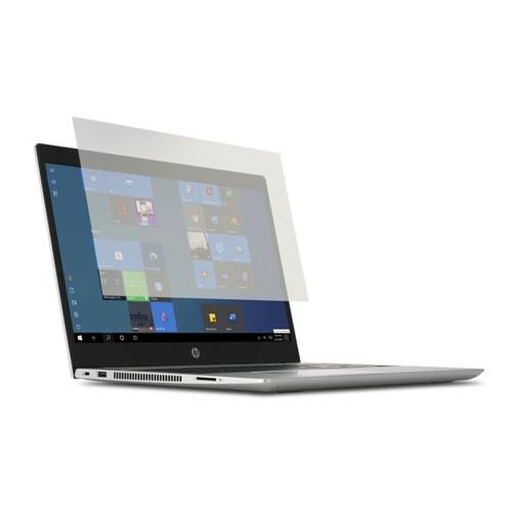
Why it suits this profile: A practical choice for students and home workers with a compatible 14-inch laptop who are looking for a removable filter.
The product information states compatibility with 14-inch laptops, easy installation and removal, and support for touchscreen and pen use.
PET material, transparent design, cleaning cloth included and a stated two-year warranty period.

Why it suits this profile: Ideal for viewers who want a complete TV solution with a built-in low-blue-light function alongside high picture resolution and smart features.
The specifications list both low blue light and flicker-free technology. This means you do not immediately need a separate filter layer for the TV screen.
QLED 4K, HDR10+, Dolby Vision and Atmos, Google TV and support for multiple TV signals.
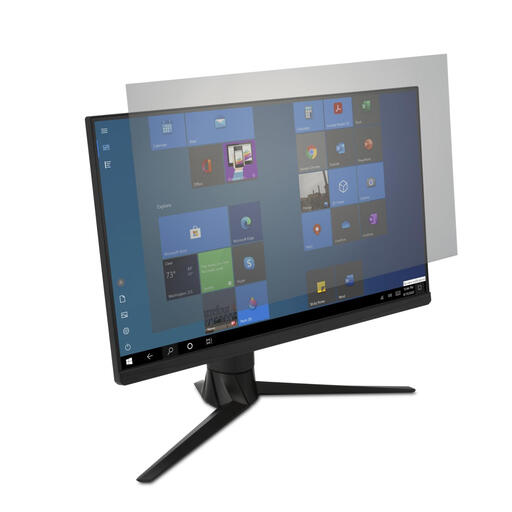
Why it suits this profile: Designed for professionals, multitaskers and gamers with a compatible 34-inch monitor who want to reduce reflections.
According to the product description, the filter combines anti-glare performance with blue-light reduction. However, check your monitor’s physical dimensions beforehand.
Suitable for touchscreen and pen use according to the product information, with a cleaning cloth and removable fitting.
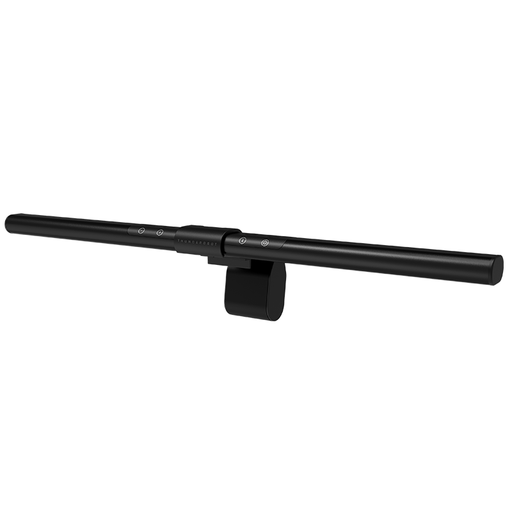
Why it suits this profile: A monitor light is useful when you want to illuminate your screen without adding an extra layer to the display.
The asymmetrical light source is designed to limit direct reflections on the screen. According to the product information, it offers ten dimming levels and a flicker-free design.
Ra95 lighting, ten dimming levels and USB connection. Check the compatible monitor thickness before installation.
We have put together a complete, up-to-date list of products that fully meet these strict selection criteria and the applicable European safety regulations.
A separate blue-light filter does not use electricity. The purchase cost is therefore a one-off expense, but the user experience depends on fitting it correctly. Remove dust from the screen first, touch the optical surface as little as possible and follow the manufacturer’s installation instructions.
With a built-in function, such as low blue light on a TV or monitor, no additional accessories are required. However, the setting can make colours appear warmer. For films, games and image editing, you can therefore use a profile that you adjust for each activity.
A blue-light filter is not a substitute for a good workspace either. Do not place the screen directly opposite a window, do not aim a desk lamp straight at the display and take regular breaks. The Thunderobot monitor light’s product information also states that blue-light reduction is not a replacement for taking time to rest.
No. Check the screen size, aspect ratio and fitting method. A filter for 14-inch laptops will not automatically fit every model with the same diagonal size. Also check whether touchscreen or pen use is supported.
No. An anti-glare filter is designed to reduce reflections and glare. A blue-light filter is intended to reduce some blue light according to the product specification. Some models combine both functions.
Its lifespan depends on installation, cleaning and daily use. A filter without scratches, lifting edges or permanent air bubbles can remain usable for a long time. Clean it with a soft microfibre cloth and avoid ammonia, abrasives and harsh glass cleaners.
