
Vandaag of morgen in huis

Kwaliteit gegarandeerd

Welkomstaanbiedingen ontgrendelen: GRATIS bezorging | Tot 80% korting | Gratis 30 dagen JoyPlus-proefperiode
Download de app
Blue wireless headphones combine a striking colour with the convenience of Bluetooth. However, it is not wise to choose based solely on appearance or a big discount. The differences between on-ear headphones, over-ear headphones and wireless earbuds are significant. Terms such as noise cancelling, long battery life and “clear calls” can also give an incomplete picture.
Keep these common pitfalls in mind:
Over-ear headphones completely surround the ear. This can help with passive sound isolation and long listening sessions, but they are larger and heavier. According to the product information, the Bose QuietComfort weighs 240 grams and offers up to 24 hours of battery life.
An on-ear model rests on the ear. According to the product specifications, the Sony WH-CH520 weighs 147 grams, making it relatively easy to carry around. However, bear in mind that this model is not listed as water-resistant.
Blue wireless earbuds are compact and fit in a trouser pocket or small bag. They are handy for calls, cycling on quieter routes and everyday use, but the fit varies considerably from ear to ear. Check whether several sizes of silicone ear tips are included.
Headphones with long battery life are practical for commuting, travelling and working on the go. Look beyond a single figure:
For example, the Sony WH-1000XM5 states up to 30 hours with noise cancelling and up to 40 hours without it. The Sony WF-C510 is listed as offering up to 22 hours including the charging case. These figures come from the product information; actual battery life may vary depending on volume, connection and settings.
Bluetooth 5.0, 5.1, 5.2 or 5.3 mainly indicates the connection standard being used. Also check whether multipoint is available if you often switch between a laptop and smartphone. For headphones for music and calls, microphones, controls and how ambient sound is processed are more important than the Bluetooth version alone.
An IP rating may be relevant for sports or use during a walk. IPX4 means protection against splashing water according to the product listing; IPX5 offers a different level of protection against water jets. The charging case is not automatically as water-resistant as the earbuds. Do not use a model in the rain or during intense exercise without checking the product specifications and safety information.
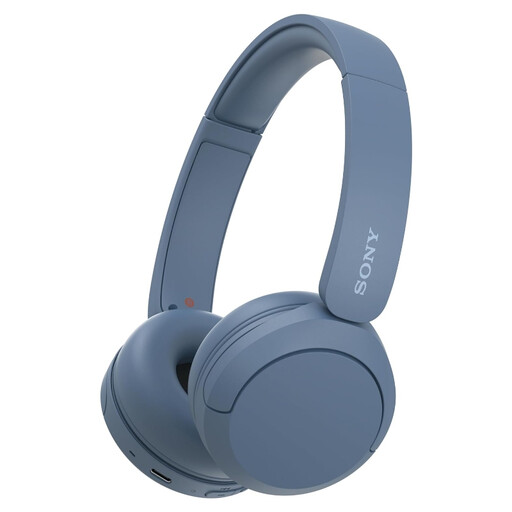
Why it suits this profile: This on-ear model is lightweight, wireless and designed for music, calls and everyday use. The product specifications list multipoint and USB-C.
The battery life, weight and connectivity are clearly stated. However, no water resistance is listed.
147 grams, multipoint connectivity, microphone and stated battery life of up to 40 hours.
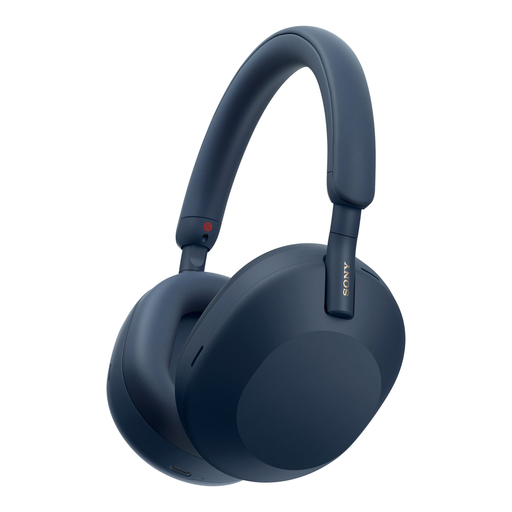
Why it suits this profile: A choice for travellers and music lovers who value active noise cancellation, multipoint and a wired connection.
The specifications distinguish between battery life with and without noise cancelling, making the claim easier to compare.
Active noise cancelling, multipoint, 3,5mm connection and up to 40 hours of battery life without noise cancelling.
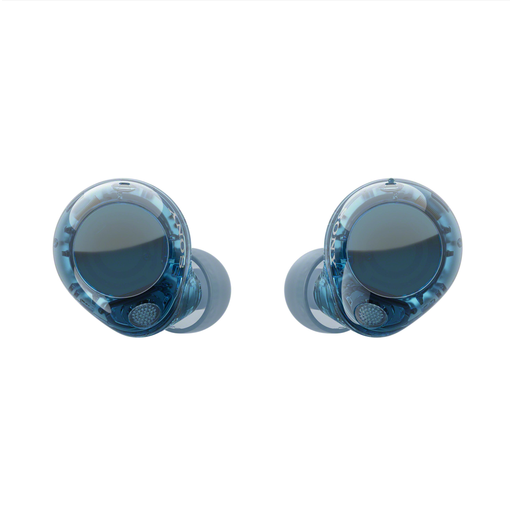
Why it suits this profile: These wireless earbuds are designed for everyday use and active pursuits where a compact design and noise cancelling are desirable.
IPX4 is listed as protection for the earbuds. The charging case is not automatically water-resistant and should be kept dry.
Multipoint, USB-C, noise cancelling and stated total battery life of up to 30 hours with noise cancelling.
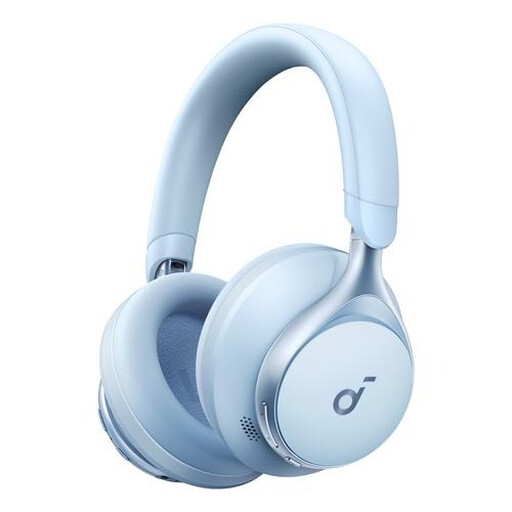
Why it suits this profile: This over-ear model is designed for music, calls and everyday listening when long battery life is a priority.
The stated battery life is clearly specified. Before buying, check separately whether noise cancelling and water resistance are available.
Over-ear design, Bluetooth, USB-C and, according to the product information, up to 55 hours of battery life.
We have put together a complete, up-to-date list of products that fully meet these strict selection criteria and the applicable European safety regulations.
First, charge the headphones and switch on Bluetooth on your smartphone. Then press and hold the power or Bluetooth button until the device appears in the list. Select the product name and check that the sound is playing through the headphones. With multipoint models, you can then pair a second device; check the manual for the exact sequence.
Battery life depends on battery capacity, charging habits, volume, temperature and features such as noise cancelling. A model may technically last longer if it is charged less often, but the built-in battery can still deteriorate over time. Keep the headphones dry, avoid extreme heat and use a suitable USB-C charger.
That depends on the fit and IP rating. According to the product information, models with IPX4 can withstand splashing water, but this does not mean they are suitable for submersion. Also check that the earbuds stay securely in place, and dry the earbuds and charging case before putting them away. Do not use headphones while cycling or in other situations where you need to remain fully aware of surrounding sounds.
