
Vandaag of morgen in huis

Kwaliteit gegarandeerd

Welkomstaanbiedingen ontgrendelen: GRATIS bezorging | Tot 80% korting | Gratis 30 dagen JoyPlus-proefperiode
Download de app
If you spend your days in front of a laptop, monitor, smartphone or television, you may have noticed that glare, a restless display or tired eyes can make the experience less comfortable. A blue light filter could be worth considering. However, screen filters vary considerably in size, attachment method and performance. What’s more, settings on your screen or a pair of blue light glasses won’t automatically solve every problem.
Joybuy’s Product Recommendation Officer is here to help you assess the key differences in a practical way. That way, you can avoid buying a filter that doesn’t fit, alters the image too much, or becomes difficult to maintain after a short time.
A high percentage sounds appealing, but it doesn’t tell the whole story. You should also check how the percentage was determined, which part of the light spectrum it applies to, and whether the manufacturer is making the claim themselves. For example, Kensington products are said to offer a reduction of up to 43%. This is a claim taken from the brand’s product information and should not be read as a guaranteed result for every user or situation.
A blue light screen filter can be particularly useful when glare is the main issue. On a matte screen in a dark room, the difference may be smaller than on a glossy screen positioned opposite a window.
A monitor filter for 21.5 inches won’t automatically fit every monitor with roughly the same diagonal measurement. Pay attention to:
A 34-inch monitor filter is designed for a specific screen size. So measure the panel and compare it with the product specifications before you order.
An anti-blue light filter does not automatically reduce all causes of discomfort. Incorrect viewing distance, excessive brightness, reflections or prolonged screen time can still play a part. A monitor light bar is not a replacement for a screen filter either, but it can help reduce strong contrasts between the screen and its surroundings.
According to the safety information for the Thunderobot L1, the blue light reduction feature does not replace regular screen breaks. So use a filter as part of a comfortable workstation, not as a medical device.
Getting the right size is the first requirement. For a laptop, it’s important to check the screen diagonal without including the bezel. A laptop screen filter for 14 inches is only suitable when the visible screen actually measures that size.
For monitors, there are variants for sizes including 21.5 and 34 inches. A blue light filter for a monitor must also be compatible with the attachment method. Check whether the product uses adhesive strips, a magnetic construction or another fixing method. If you have a touchscreen, the product description must explicitly state that touch and stylus operation are supported.
A transparent filter generally preserves the original screen display better, while a matte finish can diffuse reflections more effectively. An anti-reflective screen filter is especially relevant for workstations near windows, ceiling lights or desk lamps.
Bear in mind that a matte layer can alter perceived sharpness or colour. So check whether the filter can be used on both sides and which side has the anti-reflective coating. For example, the Kensington filter for 21.5-inch monitors states that the antimicrobial coating is only on the matte side.
Dust between the screen and filter can cause air bubbles, marks or scratches. Switch off the screen, let it cool down and clean it with a soft microfibre cloth. Avoid using abrasive products, ammonia or harsh glass cleaner if the manufacturer advises against it.
A filter that is easy to remove is handy when several people use the same screen. Also check that the bezel doesn’t cover any ports, sensors or the webcam.
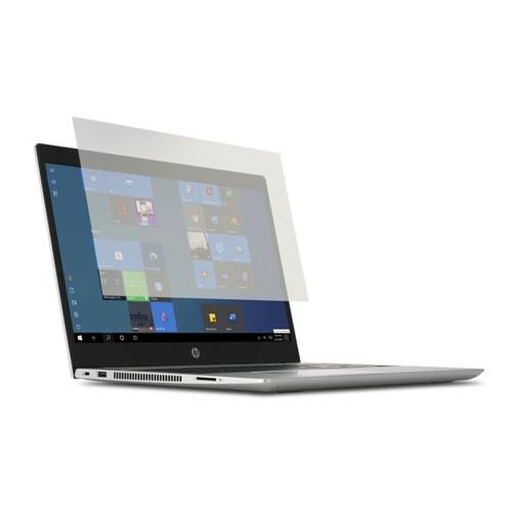
Why this fits the profile: This laptop screen filter is aimed at students, home workers and other users with a 14-inch laptop who want to reduce reflections without a complicated installation.
Compatibility is clearly linked to 14-inch laptops, so you don’t have to guess based on a vague screen size.
PET material, transparent finish, support for touch and stylus, and a cleaning cloth included. According to the product information, Kensington states up to 43% blue light reduction.
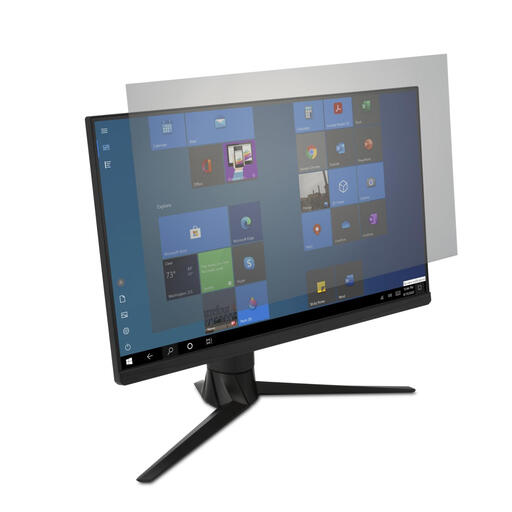
Why this fits the profile: A suitable choice for professionals and intensive home workers with an ultrawide 34-inch monitor, especially when reflections on the desk are bothersome.
The size is specifically stated for 34-inch monitors. According to the product description, the attachment is easy to fit and remove.
Anti-reflective coating, transparent finish, touchscreen support and a cleaning cloth. Kensington’s own product information states up to 43% blue light reduction.
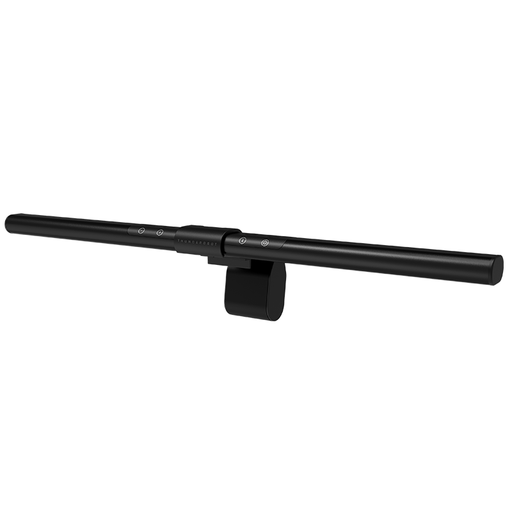
Why this fits the profile: For gamers and users who work or read in the evening. The lamp sits on top of the monitor and directs light asymmetrically onto the desk.
This is not a separate screen filter that needs to be stuck onto the panel. That means you avoid installation problems on a curved or unusual screen, as long as the monitor thickness is compatible.
Ra95 light, ten dimming levels and an asymmetric light source. According to the product description, the lamp has no visible video flicker; do check the fit and positioning.
We’ve put together a full, up-to-date list of products that fully meet these strict selection criteria and comply with current European safety regulations.
A blue light filter works best when you consider your entire workstation. Position the screen directly in front of you, maintain a comfortable viewing distance and avoid having a lamp reflect directly onto the screen. Adjust the brightness to suit the room rather than leaving it at maximum by default.
On televisions, a built-in setting such as “Low Blue Light” may be available. Product information for certain Metz televisions also mentions flicker-free display. These are manufacturer features; the effect can vary depending on the viewer, picture mode and environment.
That depends on the type of filter. An anti-reflective screen filter is specifically designed to reduce reflections. A filter that only blocks blue light may not noticeably reduce glare. So check that “anti-glare” or “anti-reflective” actually appears in the specifications.
The lifespan depends on the material, installation and maintenance. A PET or plastic filter can remain usable for a long time if you only clean it with a soft cloth and avoid bending it. Scratches, peeling edges and permanent air bubbles are signs that it’s time to replace the filter.
That depends on how you use your devices. Blue light glasses work across multiple screens, but they may alter colour reproduction and you have to wear them all the time. A blue light filter for a laptop or monitor stays on one device and can also reduce reflections at the same time. So compare how many screens you use, whether colour accuracy matters, and which option fits more easily into your daily routine.
