
For viewers short on shelf space
You want to place a standalone player next to your TV and mainly watch standard Blu-rays or DVDs. Measure the available space and allow room for the disc tray and connections.


For a small living room, start by choosing a player that supports the disc format you watch. A compact Full HD player is enough for standard Blu-rays and DVDs, while Ultra HD Blu-rays require a player that explicitly supports the format. If you have 3D discs, check for separate 3D support too. Also compare the dimensions and connections, and check the region code for imported standard Blu-rays. 4K upscaling does not turn a standard disc into an Ultra HD Blu-ray, and HDR playback also requires the TV and disc to support the format you want.
You want to place a standalone player next to your TV and mainly watch standard Blu-rays or DVDs. Measure the available space and allow room for the disc tray and connections.
You have Ultra HD Blu-rays or are thinking of buying some. Check that both the player and your TV support the disc and HDR formats you want.
You may want to play DVDs, standard Blu-rays, 3D discs or imported films. Check support for each disc type, and check the region code for imported standard Blu-rays.
Start with the discs you actually watch. Then check that the player fits your available space and works with the connections on your TV and sound system.
| What to consider | What to check before buying | Who should consider it |
|---|---|---|
| Will the player fit in the available space? | Compare its width, height and depth with the space on your unit. Leave room for the tray and cables too. | If I have little space next to the TV, I want to know whether the player will fit without blocking the tray or connections. Around 33% of consumers prioritise placement. |
| Can it play Ultra HD Blu-rays? | Check that ‘Ultra HD Blu-ray’ is explicitly listed as a supported disc format; 4K upscaling is different. | Anyone who owns or wants to buy Ultra HD discs will want to be sure the player can play that format. Ultra HD support is the top priority for around 25% of consumers. |
| Will it work with my collection? | Check support for DVD, Blu-ray and, if needed, 3D. For imported standard Blu-rays, check the region code too. | If my collection includes different disc types or imported standard Blu-rays, I want to know whether each title will play. Collection compatibility is the top priority for around 25% of consumers. |
| Will it work with my TV and sound system? | Compare the HDMI and audio outputs on the exact model with the inputs on your equipment. Check the manual for the control features you want. | If you want to connect existing audio equipment, it’s worth checking the connections and controls before buying. These are the top priority for around 17% of consumers. |
A player may upscale standard DVDs without being able to play Ultra HD Blu-ray discs. So check the supported disc formats for the exact model.
Look for ‘Ultra HD Blu-ray’ in the model specifications. If you want to play these discs in future, you may need a second player.
Sony says that standard Blu-rays may have a region code; Europe is Region B. Sony states that Ultra HD Blu-ray discs are region-free.
Compare the region code on the packaging with the player’s documentation. Don’t assume that Ultra HD discs being region-free means standard Blu-rays are too.
LG lists no Wi-Fi or Ethernet for the BP250. Sony warns that Quick Start, where available, may use more power when enabled.
Choose features you’ll actually use, and check the network and control options available on each model.
An additional manufacturer’s or retailer’s warranty is not the same as your statutory rights. The Dutch Government advises contacting the retailer about a faulty product.
Compare what an additional warranty offers with your existing rights, and contact the retailer if the product is faulty.
The models listed range from a compact Full HD player to an Ultra HD player.
The DP-UB450EG-K is an Ultra HD option, while the DMP-BDT167 is a separate Full HD option with 3D playback.
The BP250 is a Full HD option for Blu-ray and DVD discs.
These product picks are for watching films on standard Blu-rays and DVDs or on Ultra HD Blu-rays, and are aimed at anyone looking for a Full HD or Ultra HD player that suits a small living room.
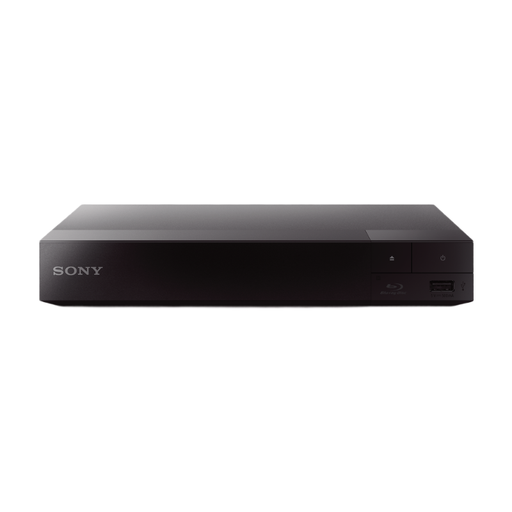 Image unavailable
A Full HD option for standard Blu-rays and DVDs when space is limited.
Sony lists the BDP-S1700/K as measuring 230 × 39 × 194 mm, with one HDMI output.
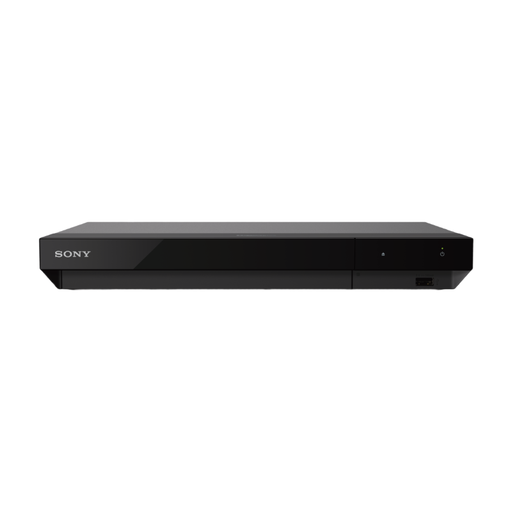 Image unavailable
An option for anyone who wants to play Ultra HD Blu-rays and has room for its larger size and connections.
Sony lists Ultra HD Blu-ray support, two HDMI outputs and dimensions of 320 × 45 × 217 mm for the UBP-X700/K. Sony also lists HDR10 and Dolby Vision; check that your TV and disc support the HDR format you want.
Don’t assume it can: check that ‘Ultra HD Blu-ray’ is explicitly listed among the playable discs for the exact model. Sony lists support for this format on the UBP-X700/K; 4K upscaling is a separate feature.
Sony says that standard Blu-rays may have a region code; Europe is Region B. Compare the code on the case with the player’s documentation. Sony says that Ultra HD Blu-ray discs are region-free.
Sony advises switching off the player, unplugging it for at least 10 seconds, then pressing the eject button after switching it back on. Don’t force the disc if this doesn’t work; Sony recommends contacting an authorised service centre. This is Sony’s advice, not general repair guidance for every brand.
Not automatically. According to the Dutch Government, purchases in the Netherlands come with statutory rights and there is no fixed statutory warranty period. Contact the retailer if the product is faulty, and compare what an additional warranty offers.
For online purchases from a business, the Dutch Government says that a 14-day cooling-off period applies in many cases; the rules and exceptions depend on the transaction. According to this guidance, an online purchase from a private individual is not a distance sale.