
Cyclists with a USB-A bike light
You want the connection to fit. Some small bike lights plug directly into a USB port, while others charge using a cable. Lezyne describes both types.


Start by checking your bike light’s connector and charging instructions. A light with a USB-A plug that fits directly into a port needs a different setup from one that charges via a cable. A compact charger may be enough if you’re only charging the light. Extra ports are useful for other devices only if the connections and power output per port are suitable, including when charging several devices at once. Leave the charger uncovered and with room around it to release heat, as advised by Brandweer Nederland.
You want the connection to fit. Some small bike lights plug directly into a USB port, while others charge using a cable. Lezyne describes both types.
You want to connect other devices as well as your bike light. So check the ports you need and how power is distributed when charging several devices at once, rather than looking only at the stated total output.
You check the condition of your light, cable and charger, and want to set up your charging area so the charger has room around it. Brandweer Nederland advises leaving space around a charger so it can release heat.
First, check your bike light’s connection and charging instructions. Then decide whether you want to connect just the light or other devices at the same time too, and don’t choose more ports than you need.
Lezyne describes lights that plug directly into a USB port, as well as lights that charge using a cable. Brandweer Nederland advises leaving chargers uncovered and not using damaged chargers or cables.
| What to consider | What to look for | Who is this important for? |
|---|---|---|
| Bike light connection | Check the port, the cable you need and any clearance required around a light that plugs directly into the charger. Refer to the instructions. | If I have a light with a fixed USB-A plug or a charging cable, I want it to connect to the charger I choose. Around 36% of consumers prioritise this connection. |
| Charging several devices at once | Compare the ports and power requirements of the devices you’ll connect at the same time, including how power is distributed when using multiple ports. | If I want to connect a phone, tablet or another device while working from home, the ports need to suit that combination. Around 29% of consumers prioritise charging several devices at once. |
| Safe indoor charging | Don’t use a damaged cable or charger, and leave the charger uncovered with room around it. | If I charge a battery-powered light indoors, I want to be able to check the charging equipment and leave the charger uncovered. Around 21% of consumers focus on the setup and condition of their charging equipment. |
| Only the capacity you need | Choose port types and features that suit your current devices. If you need a cable, also check which components are included. | If I’m only charging a bike light, I don’t want to pay for extra ports I won’t use. Around 14% of consumers prioritise a simple choice of ports that meets their needs. |
A charger’s higher stated power output doesn’t prove that it will charge your bike light faster. If you’re buying a mains charger, also check the applicable CE marking and EU declaration of conformity for the specific product. Ondernemersplein and the Netherlands Food and Consumer Product Safety Authority describe general European safety requirements; a product listing alone doesn’t confirm that a particular item meets them.
A charging pad and a USB port are different connections. Don’t assume your bike light can charge wirelessly.
Check your light’s instructions and choose a charger with the connection specified for charging.
A charger’s stated maximum power output doesn’t tell you how quickly it will charge your light.
Check your light’s charging requirements first. Choose extra ports or capacity only if you plan to use them for other devices too.
A similar name or power rating doesn’t confirm that it’s the same version.
Compare the full model number and port configuration before applying specifications from one product to another.
Belkin offers wall chargers with two USB-A ports, as well as models with both USB-A and USB-C. These may be worth considering if you want to charge your light alongside another device.
The Anker Prime 67W GaN Wall Charger (3 Ports), model A2669, is described as a three-port charger for a charging area with several devices.
The UGREEN Nexode 100W 5-Port GaN Fast Charger is described as having four USB-C ports and one USB-A port, for a charging area with several devices.
This selection includes USB charging products and extension leads with USB ports for a charging area with several devices. For each product, check that its connection and included accessories suit your bike light and other devices.
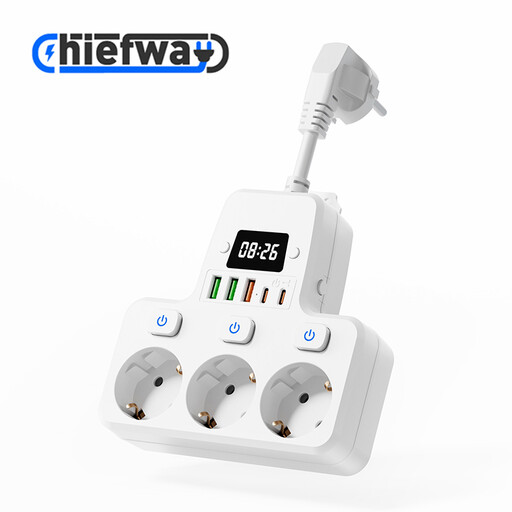 No image available
May suit a charging area where you need AC sockets as well as USB ports; check that the connections suit your light.
The product name lists 3 AC sockets, 3 USB-A ports and 2 Type-C ports.
The product name states a maximum of 4000 W and a 10 cm cable; check that the cable length works for the position of your socket.
 No image available
May suit you if you’re looking for an extension lead with USB ports for several devices; check the port types and available space at your desk.
The product name lists several AC sockets, USB-A and Type-C charging ports, and a maximum of 2500 W.
Before buying, check that the cable length and the position of your socket work for your setup.
 No image available
May suit a desk where you want to connect several USB devices; check that its connections match those on your bike light.
The product name describes it as a USB charging station with USB-C and USB-A connections for home and office.
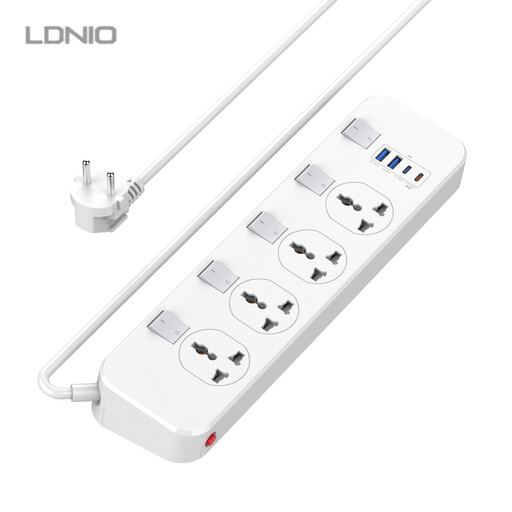 No image available
May suit a desk where you want to connect several devices; compare the listed ports and sockets with your charging needs.
The product name lists 4 universal sockets, 2 USB-A ports and a Type-C port.
The product name also lists a 20 W USB-C PD connection (5 V 3 A) and a 6.5 ft cable. Check that the connections and cable length work for your setup.
No, it depends on the model. Lezyne describes small lights that plug directly into a USB port, as well as models that charge using a cable. Check your light’s connection and instructions before choosing a charger.
Leave the charger uncovered and with room around it to release heat, don’t use damaged cables or chargers, and follow your light’s instructions. Brandweer Nederland advises charging battery-powered devices in a room with a working smoke alarm.
The charger’s maximum power output alone doesn’t tell you how quickly your light will charge. Check the charging requirements for your specific light and compare them with the port and power output supplied by the charger, including when you connect other devices at the same time.
Yes, a mains charger must meet the applicable European requirements for electrical equipment. Ondernemersplein and the Netherlands Food and Consumer Product Safety Authority describe the general requirements for CE marking and an EU declaration of conformity. Check the information for the specific product, as a general product listing doesn’t confirm that every individual item complies.
The government guidance mentioned doesn’t confirm a general USB-C requirement for every bike light. It covers specified categories of new devices from 28 December 2024 and laptops from April 2026. So check the connection on the specific light model.