
Vandaag of morgen in huis

Kwaliteit gegarandeerd

Welkomstaanbiedingen ontgrendelen: GRATIS bezorging | Tot 80% korting | Gratis 30 dagen JoyPlus-proefperiode
Download de app
A tangled mess of cables on your desk, or worse: a mouse that dies in the middle of an important task because the batteries are dead. Sound familiar? A wireless rechargeable mouse is a practical solution. No more fussing with disposable batteries and a clutter-free workspace.
But the options are vast. Which mouse is right for you? In this guide, we'll help you get started. We'll skip the marketing jargon and focus on the specs that really matter, so you can make an informed decision that suits your needs.
Before you make a choice, it's helpful to consider a few key features.
A wireless mouse connects in two ways: via Bluetooth or a 2.4GHz RF receiver (a small USB dongle).
Many mice today offer both options, allowing you to choose whichever is most convenient for any given situation.
You use your mouse daily, so comfort is key. A standard mouse works just fine for most people, but if you spend long hours at the computer, an ergonomic mouse can make a real difference. These mice feature a vertical or contoured grip that supports the natural posture of your hand and wrist. This can help reduce strain and discomfort.
Two technical terms you'll often encounter are DPI and polling rate.
A wireless mouse with a rechargeable battery puts an end to replacing batteries. Most models today are a USB-C rechargeable mouse, using the same standard as most modern phones and laptops. This is convenient, as you only need one cable.
Based on functionality and specifications, we've listed some popular choices for different users.
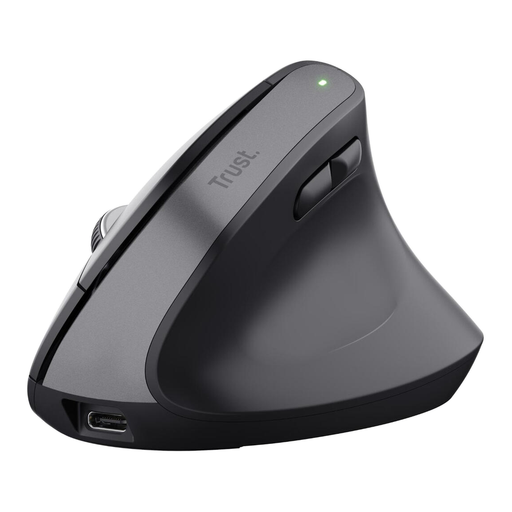
Why it stands out: The Trust Bayo+ is designed with comfort as a priority. Its vertical design promotes a natural hand position. Additionally, the multi-device function allows you to easily switch between three different devices, making it very flexible for a modern workspace.
Pros:
Who is it for: Office professionals and home users who spend many hours at the computer and are looking for a comfortable, versatile mouse to reduce wrist strain.
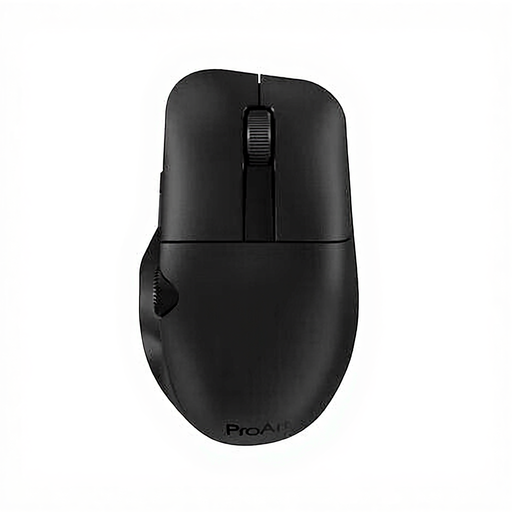
Why it stands out: The ASUS ProArt MD300 is aimed at creative professionals who need precision and customisation. Its high DPI, programmable buttons, and smooth scroll wheel make it a powerful tool for tasks like photo editing and graphic design.
Pros:
Who is it for: Creatives, designers, and power users who need a precise, customisable, and reliable mouse for professional software.
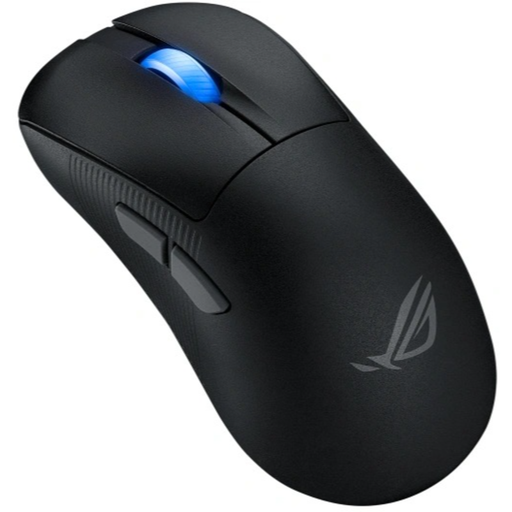
Why it stands out: This wireless gaming mouse is built for pure performance. With an extremely high DPI, an ultra-lightweight design, and a very high polling rate, the ROG Keris II Ace is designed for competitive gamers who want to gain every millisecond of advantage.
Pros:
Who is it for: Serious and competitive gamers looking for a lightweight, lightning-fast, and extremely precise mouse to maximise their performance.
The right mouse is a personal choice. Perhaps you're looking for a different design, a specific feature, or a model that better fits your budget. There are countless options available that offer various combinations of comfort, performance, and features.
Explore our full range of Bluetooth Optical Mice for more options.
What is the best wireless mouse? The "best" mouse is different for everyone. It depends entirely on your use case. A gamer has different requirements (high DPI, low latency) than someone who primarily performs office tasks (ergonomics, battery life). This guide is designed to help you determine which specifications are most important for you.
What is the advantage of a wireless mouse with a rechargeable battery? The biggest advantage is convenience and long-term cost savings. You'll never have to buy or replace disposable batteries again. When the battery runs low, you simply connect a USB-C cable and can often continue working while it charges. This is also better for the environment.
Is a high DPI value always better? Not necessarily. A very high DPI makes the cursor extremely sensitive, which can be impractical for normal desktop work. It's primarily useful for gamers who need quick reflexes or for users with multiple or very large screens. A mouse with an adjustable DPI button is therefore a handy feature, allowing you to adapt the sensitivity to your task.
