
Vandaag of morgen in huis

Kwaliteit gegarandeerd

Welkomstaanbiedingen ontgrendelen: GRATIS bezorging | Tot 80% korting | Gratis 30 dagen JoyPlus-proefperiode
Download de app
A desk cluttered with cables is a source of frustration for many. A wireless mouse offers the freedom and flexibility you need, whether you're working from home, studying or at the office. But with so many options, the choice can be overwhelming. As a Joybuy Product Recommendation Officer, I'm here to help you navigate the selection. In this article, you won't find marketing jargon, but practical information and recommendations based on clear specifications, so you can make the right choice.
Before we look at the products, it's helpful to know which features are important. Here are three key points to help you with your choice.
A wireless mouse connects in two ways:
Some models offer both options, providing maximum flexibility if you switch between different devices.
An ergonomic mouse is designed to support the natural posture of your hand and wrist. This can reduce discomfort and strain during prolonged use. Pay attention to the shape, size and whether the mouse is suitable for left- or right-handed use. A good design ensures your hand rests comfortably on the mouse, even after hours of clicking and scrolling.
Based on the criteria above, we have made a selection of popular models for different users.
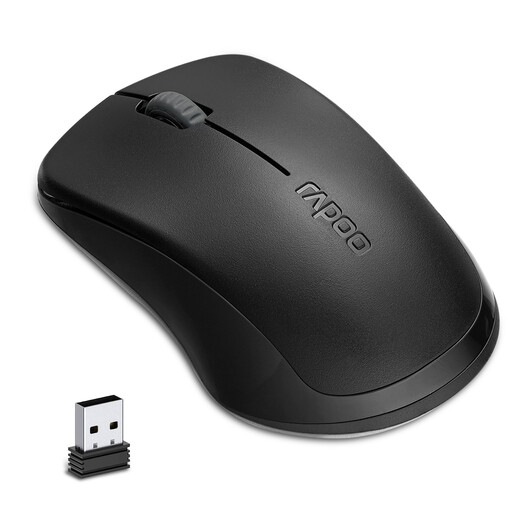
Why It Stands Out: The RAPOO 1680 is a no-nonsense wireless mouse that gets the job done. It focuses on the essentials: a stable 2.4GHz connection, a comfortable design and silent clicks. According to the manufacturer, the click noise is effectively reduced, making it suitable for quiet environments.
Pros:
Who Is It For? This is an excellent choice for students, home users and anyone looking for a reliable, affordable and quiet mouse for daily tasks.

Why It Stands Out: The Logitech MX Master 4 is a professional mouse designed for productivity and comfort. It is packed with advanced features, such as a highly accurate sensor that works even on glass and a smart scroll wheel. This is a tool for the demanding user.
Pros:
Who Is It For? This mouse is a popular choice among professionals, programmers and creatives who spend many hours at their computer daily and demand high standards of precision, comfort and functionality.
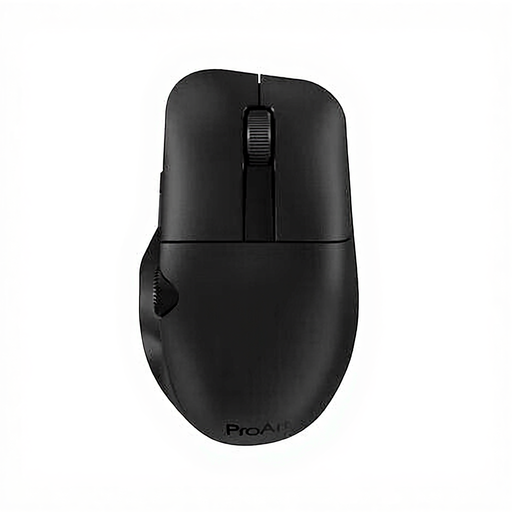
Why It Stands Out: The ASUS ProArt MD300 strikes a balance between performance and a sleek design. This mouse is aimed at creative professionals who need precision and customisation. The dual connectivity and programmable buttons make it a flexible tool.
Pros:
Who Is It For? Designers, video editors and other creative users looking for a precise, customisable and stylish mouse will appreciate the features of the ProArt MD300.
A mouse's sensitivity, expressed in DPI, is a decisive factor for many users. If you're looking for a mouse with a specific DPI value for gaming or detailed graphic work, it's worth exploring further.
Check out our full range of DPI mice for more specialised models.
A Bluetooth mouse connects directly to your computer without extra hardware, which saves a USB port. A 2.4GHz mouse uses a small USB receiver (dongle) for what is often a very stable and direct connection. The choice depends on your available ports and personal preference.
DPI determines how sensitive your mouse is. For everyday use (internet, email, documents), a standard DPI (1000-1600) is perfectly adequate. For tasks that require precision, such as photo editing or graphic design, a higher and adjustable DPI (4000 or more) can help you work more accurately.
