
Vandaag of morgen in huis

Kwaliteit gegarandeerd

Welkomstaanbiedingen ontgrendelen: GRATIS bezorging | Tot 80% korting | Gratis 30 dagen JoyPlus-proefperiode
Download de app
A laggy mouse, a cable that gets in the way, or an uncomfortable grip can seriously disrupt a productive day or an intense gaming session. Switching to a wireless mouse seems simple, but the range of options is vast. Whether you're a gamer, a professional, or a student, the right mouse can make a world of difference.
This guide is designed to help you make an informed choice. We'll cut through the marketing jargon and focus on the specifications that truly matter for your specific needs.
Before we get to the recommendations, here are a few practical points to consider.
A wireless mouse typically connects in two ways:
Some mice offer both options, giving you maximum flexibility.
Do you spend a lot of time at your computer? Then an ergonomic mouse is not an unnecessary luxury. These mice are shaped to support your hand and wrist in a natural position, which can help reduce strain. For gamers, a lightweight mouse is often preferred, as it allows for faster and less fatiguing movements. For those who are frequently on the go, a compact laptop mouse is more practical.
Based on specifications and use cases, we've made a selection for different types of users.
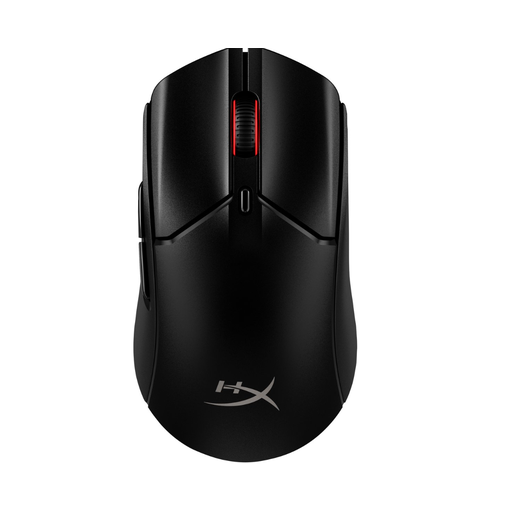
Why It Stands Out The HyperX Pulsefire Haste 2 Wireless is engineered for speed. Weighing just 61 grams with a solid shell design, this mouse feels extremely responsive. The combination of a high-precision sensor and dual wireless connectivity makes it a popular choice for serious gamers.
Pros
Who Is It For? This gaming mouse is ideal for gamers looking for an ultralight, precise, and reliable wireless mouse to enhance their performance.
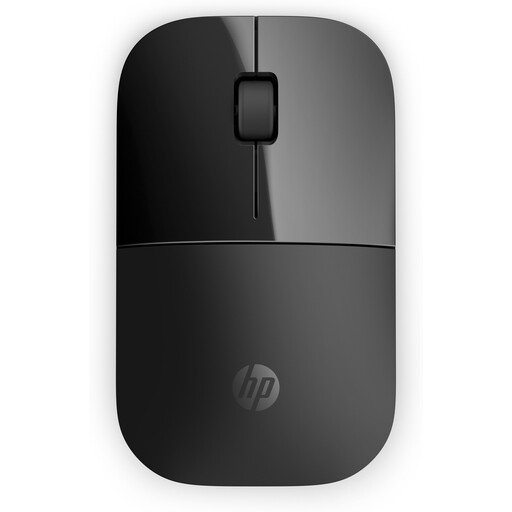
Why It Stands Out The HP Z3700 is the definition of simplicity and functionality. Its slim, compact design makes it the perfect laptop mouse that easily slips into your bag. No complicated software or settings, just plug-and-play.
Pros
Who Is It For? Perfect for students, home users, and professionals who need a simple, reliable, and affordable wireless mouse for everyday tasks.

Why It Stands Out The Logitech MX Master series has long been known as a productivity powerhouse. The MX Master 4 continues this tradition with an ergonomic mouse shape, advanced scrolling options, and features designed for efficiency.
Pros
Who Is It For? This mouse is an excellent choice for professionals, programmers, and creatives who work with a mouse all day and require comfort, precision, and advanced productivity features.
These recommendations cover a wide range of needs, but perhaps you're looking for something slightly different. There are countless models with unique features, from vertical mice to models with even more programmable buttons.
Check out our full range of USB Wireless Computer Mouse for more options that suit your needs.
1. What is the difference between a Bluetooth mouse and a mouse with a USB dongle? A Bluetooth mouse connects directly to your device without using a USB port, which is useful for laptops with few ports. A mouse with a 2.4GHz USB dongle often provides a slightly faster and more stable connection, which is preferred for gaming.
2. How important is DPI for a wireless mouse? DPI determines how sensitive your mouse is. For standard office work and browsing, a DPI between 1000 and 1600 is fine. Gamers and graphic designers often benefit from a higher, adjustable DPI (above 4000) for more precision and speed.
3. How long does the battery of a rechargeable mouse last? This varies greatly by model and usage. Some rechargeable mice last for several weeks, while others can go for several months. Many modern models, like the Logitech MX Master 4, can be charged via a USB-C cable while in use, so you'll never be left without power.
