
Vandaag of morgen in huis

Kwaliteit gegarandeerd
Download de app
Categorieën

Buying a new wireless mouse seems simple—until you see the options. The wrong choice can lead to discomfort, reduced productivity, or frustration during gaming. Whether you're a professional seeking efficiency, a gamer demanding precision, or someone looking to prevent wrist strain, the right mouse is a crucial part of your computer setup. This guide will help you understand the specifications and find a model that fits your needs.
Before we look at specific models, it's helpful to understand the key features. These parameters determine how a mouse performs and feels.
A wireless mouse connects via Bluetooth or a dedicated USB receiver (usually 2.4GHz).
The shape of the mouse is crucial for comfort.
The sensor determines the accuracy of the mouse.
Based on functionality, specifications, and intended use, we have selected three different wireless mice.
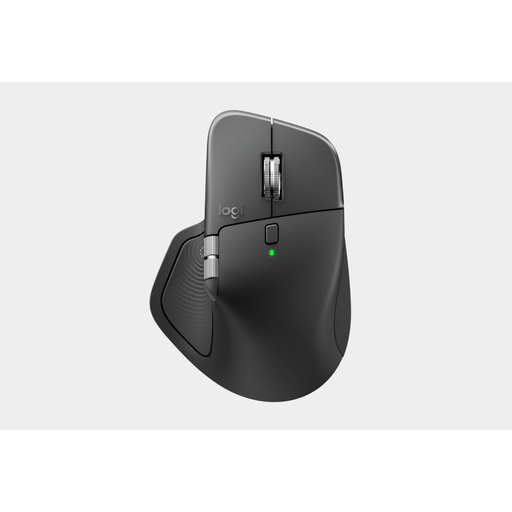
Why this product? The Logitech MX Master 4 is engineered for productivity. This professional mouse combines an ergonomic shape with advanced features. The 8K DPI Darkfield sensor ensures precise tracking on virtually any surface, even glass. The connection via the Logi Bolt USB-C receiver is stable and secure, which is important in a business environment.
Benefits
Who is this for? This Logitech mouse is an excellent choice for professionals, developers, and creatives who spend many hours at the computer daily and value efficiency, comfort, and the ability to work across multiple devices.
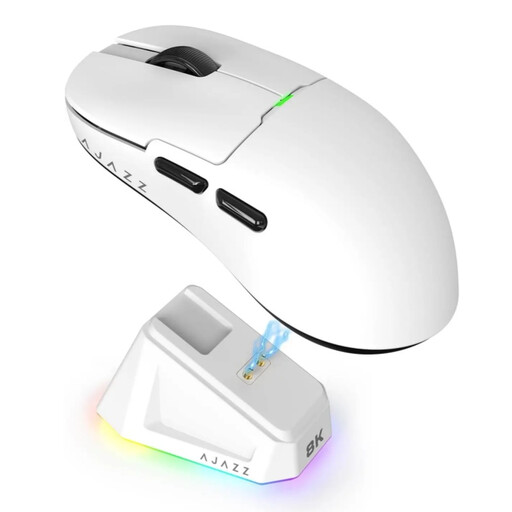
Why this product? When it comes to gaming, speed and responsiveness are essential. The AJAZZ AJ159 PRO is a lightweight mouse at just 56 grams, designed for rapid movements. The PAW3395 sensor offers a maximum DPI of 26,000 and a polling rate of 8000 Hz, resulting in extremely responsive and smooth cursor movement with zero lag.
Benefits
Who is this for? This gaming mouse is aimed at serious and competitive gamers seeking maximum performance, a low weight, and a high degree of customisation to optimise their gameplay.
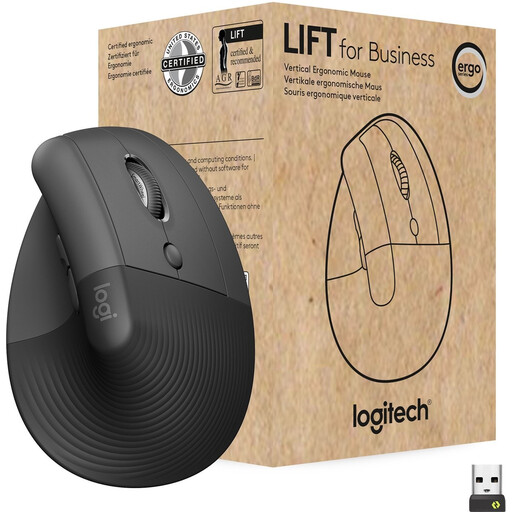
Why this product? The Logitech Lift is a vertical mouse designed to reduce strain on the wrist. Its 57-degree angle places the hand in a natural handshake position. According to Logitech, this promotes better forearm posture. This model is specifically designed for small to medium-sized hands.
Benefits
Who is this for? This ergonomic mouse is ideal for office workers, remote workers, and anyone who wants to prevent issues like RSI or already suffers from wrist or arm pain. It is a long-term investment in comfort.
This selection covers three common use cases. However, the market for wireless mice is vast, with options for every budget and specific preference. If these models don't fully meet your requirements, check out our full range.
A Bluetooth mouse connects directly to your computer without extra hardware, which keeps a USB port free. A mouse with a 2.4GHz USB receiver often has a slightly faster and more stable connection, which is preferred for gaming. Many modern mice offer both options.
DPI determines how sensitive your mouse is. For standard office work and web browsing, a high DPI is not necessary (800-1600 is fine). For gaming, especially on high-resolution screens, or for detailed graphic design work, a higher and adjustable DPI offers more flexibility and precision.
An ergonomic mouse, and particularly a vertical mouse, is designed to place the hand and wrist in a more natural, neutral posture. This can reduce muscle tension and relieve pressure on the wrist. While it is not a medical guarantee, many users experience greater comfort and a reduction in discomfort during prolonged computer use.
Written by the Joybuy Product Recommendation Officer