
Vandaag of morgen in huis

Kwaliteit gegarandeerd

Welkomstaanbiedingen ontgrendelen: GRATIS bezorging | Tot 80% korting | Gratis 30 dagen JoyPlus-proefperiode
Download de app
A desk cluttered with cables, a mouse that stutters, or a sore wrist after a long day of work. Sound familiar? Switching to a wireless mouse can eliminate many of these frustrations. But with so many choices on the market, it's hard to determine which model is right for you. This guide is designed to help. We'll cut through the marketing jargon and focus on the specifications that truly matter, so you can make an informed choice.
Before we dive into specific models, here are a few practical points to consider. These will help you better understand the specifications of a wireless mouse.
Wireless mice connect in two main ways: via a small USB receiver (dongle) or via Bluetooth.
Comfort is personal. The shape of the mouse is crucial, especially for long-term use.
DPI (Dots Per Inch) indicates the sensitivity of the mouse sensor. A higher DPI means the cursor moves faster across the screen with a small physical movement. For general office work, a DPI between 800 and 1600 is sufficient. Gamers and graphic designers often benefit from a higher, adjustable DPI for fast actions and precise, detailed work.
Based on functionality and intended use, we have highlighted several interesting models for you.
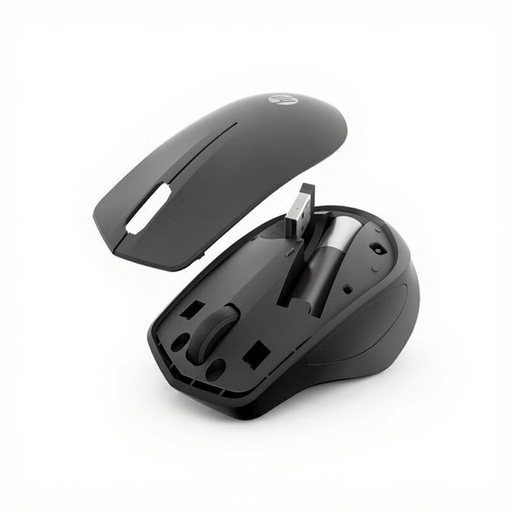
Why it stands out: This HP mouse is designed for a quiet work environment. Its buttons feature technology that, according to the manufacturer, reduces click noise by 90%. A simple and reliable choice for daily use.
Key Features:
Who is it for? For professionals, students, and home users looking for a functional and, above all, silent wireless mouse without complex features.
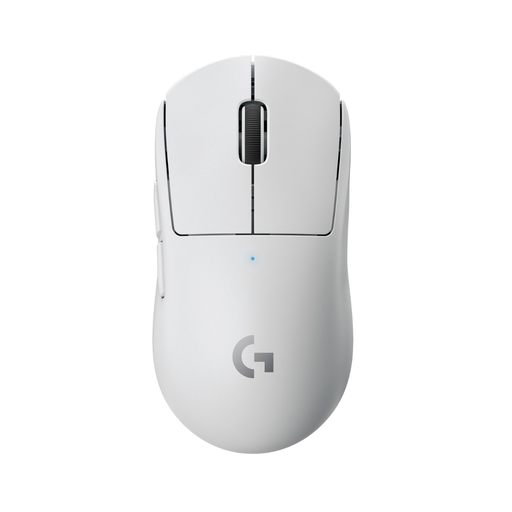
Why it stands out: Weighing less than 63 grams, this is one of the lightest gaming mice on the market. Developed in collaboration with esports professionals, every aspect of this model is geared towards speed and performance.
Key Features:
Who is it for? For serious and competitive gamers seeking a top-tier gaming mouse where every millisecond and gram counts.
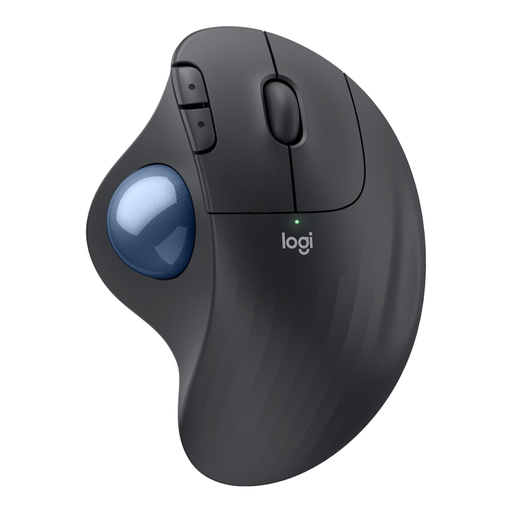
Why it stands out: This is a trackball mouse that prioritises comfort. Instead of moving your arm, you control the cursor with your thumb. Its ergonomic shape is designed to keep your hand in a relaxed position.
Key Features:
Who is it for? For users seeking an ergonomic mouse to prevent or reduce discomfort, and for anyone with limited desk space.
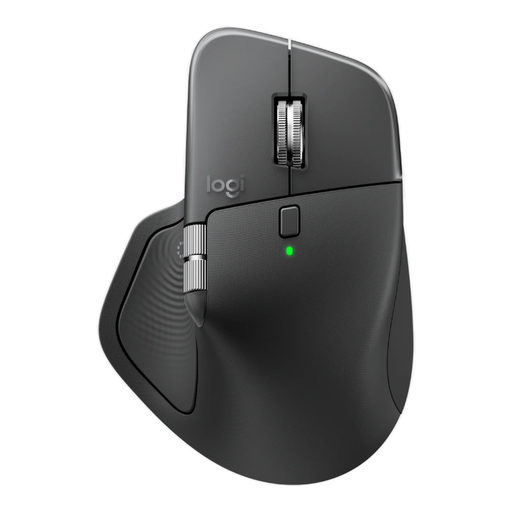
Why it stands out: The MX Master series is renowned as a productivity powerhouse. This model combines a premium design with advanced features, such as a scroll wheel that automatically switches between precision and hyper-fast scrolling.
Key Features:
Who is it for? For demanding professionals, such as developers, analysts, and creatives, who need a versatile and professional office mouse to optimise their workflow. This is a premium Logitech mouse for power users.
These recommendations cover a wide range of needs, but your perfect match might not be among them. Everyone has different preferences when it comes to form, function, and budget.
Curious about other models? Browse our full range and compare the specifications for yourself.
View All Wireless Computer Mice
A mouse with a USB dongle (2.4 GHz) often provides the most stable and fastest connection, which is important for gaming. A Bluetooth mouse connects directly to your device without using a USB port, which is convenient for laptops with limited ports. Many advanced mice support both.
This varies greatly by model and usage. Some mice, like the HP 285, can last up to 18 months on replaceable batteries. Others, like the Logitech MX Master 4, have a rechargeable battery that, depending on use, can last from several weeks to months and can be charged via USB-C.
Not necessarily. A more expensive mouse often offers more features, such as a higher DPI, customisable buttons, better ergonomics, or the ability to connect to multiple devices. If you don't need these features, a simpler and more affordable model, like a standard HP mouse, can be an excellent choice for your daily tasks. It all depends on your personal needs.
