
Vandaag of morgen in huis

Kwaliteit gegarandeerd

Welkomstaanbiedingen ontgrendelen: GRATIS bezorging | Tot 80% korting | Gratis 30 dagen JoyPlus-proefperiode
Download de app
A desk cluttered with cables is a common source of frustration. A wireless mouse is a simple step towards a clean and flexible workspace. But with so many options, finding the right model can be challenging. Should you opt for Bluetooth or a USB receiver? Is an ergonomic design important? And what about battery life?
As a Joybuy Product Recommendation Officer, I'm here to guide you through the specifications. In this article, I'll provide practical tips to help you choose a model that suits your needs, whether you're working in the office, at home, or on the go.
Before we dive into the products, here are a few key points to help you make your choice.
A mouse is a tool you often use for hours on end. A good fit, therefore, is not a luxury. An ergonomic mouse is designed to support the natural posture of your hand and wrist, which can help reduce strain. Pay attention to the shape: there are models for right-handed users, left-handed users, and symmetrical (ambidextrous) mice suitable for both hands. The size of the mouse should also match the size of your hand for optimal comfort.
A wireless mouse connects to your computer in two ways:
Some mice offer both options, which is convenient if you want to switch between different devices.
Do you work in an open-plan office or a quiet space? Then a silent mouse is worth considering. The buttons on these mice are designed to minimise clicking sounds. Additionally, the power supply is important. A rechargeable mouse with a built-in battery can be charged via a USB cable, which saves costs and waste in the long run. Other models run on replaceable batteries.
Based on functionality and specifications, we have highlighted a few interesting models for you.
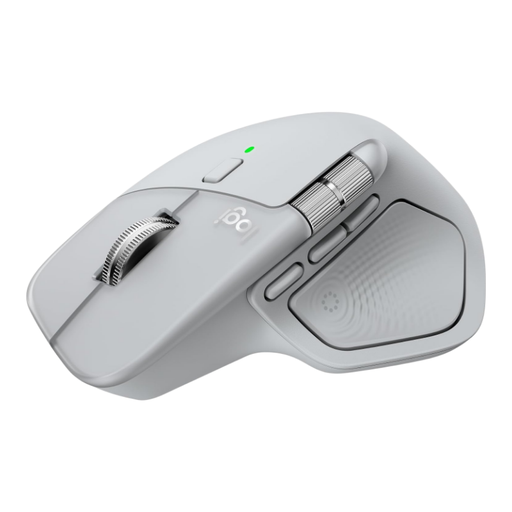
Why It Stands Out The Logitech MX Master 4 is designed for users who demand a lot from their equipment. According to the manufacturer, the MagSpeed scroll wheel allows you to scroll up to 1,000 lines per second. The mouse offers dual connectivity via the Logi Bolt USB-C receiver and Bluetooth 5.1, and can be paired with up to three devices simultaneously. The addition of a horizontal thumb wheel makes navigating wide spreadsheets or timelines effortless.
Key Features
Who Is It For? This model is a great match for professionals, creatives, and power users seeking a precise, customisable, and comfortable mouse for intensive daily use across multiple devices.
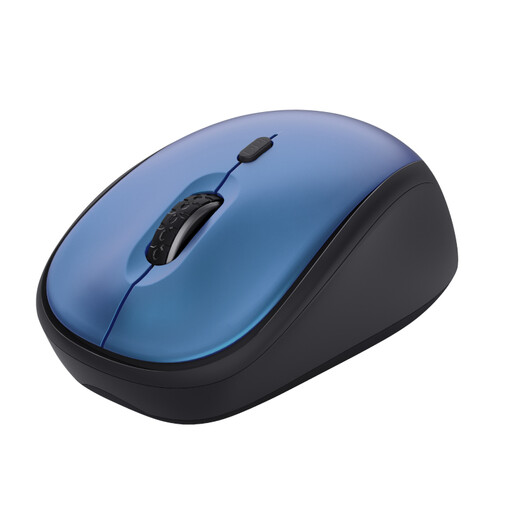
Why It Stands Out The Trust Yvi+ focuses on one thing: a quiet working environment. According to Trust, its buttons produce minimal sound, allowing you to work without disturbing yourself or others. Setup is simple via the included USB receiver. Its symmetrical design makes it suitable for both left- and right-handed users.
Key Features
Who Is It For? Ideal for users in an open-plan office, library, or at home who need a simple, reliable, and especially silent mouse without complex features.
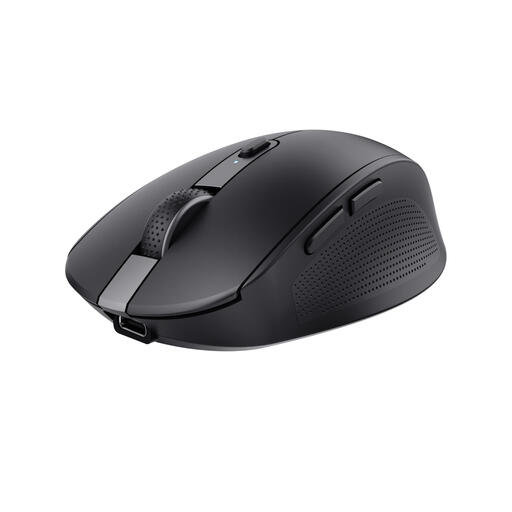
Why It Stands Out The Trust Ozaa combines popular features in a compact form factor. This rechargeable mouse can connect to up to three devices simultaneously via Bluetooth or the included USB receiver. The buttons are silent, and according to the manufacturer, the mouse is made from 60% recycled plastic, making it a conscious choice.
Key Features
Who Is It For? An excellent choice for the flexible user who regularly switches between a laptop, tablet, and PC. It offers the silence and multi-device functionality of more expensive models in a more accessible and compact package.
Choosing a mouse is a personal decision. You might be looking for a different design, a specific colour, or a model that better fits your budget. For a broader overview of our computer mice and other workspace accessories, you can visit our Desk with Keyboard category.
A Bluetooth mouse connects directly to the Bluetooth receiver in your computer, so no USB port is needed. An RF (Radio Frequency) mouse uses a dedicated USB dongle for the connection. This connection is often very stable but does occupy a USB port.
Battery life varies greatly by model and usage. Some rechargeable mice last for several weeks on a full charge, while more advanced models like the Logitech MX Master 4 can offer up to 70 days of use. Most models can still be used while charging.
An ergonomic mouse is designed to keep your hand in a more natural, relaxed position. For people who spend many hours a day at the computer, this can help reduce discomfort and strain in the wrist and hand. However, it is not a medical solution but a tool for greater comfort.
