
Vandaag of morgen in huis

Kwaliteit gegarandeerd

Welkomstaanbiedingen ontgrendelen: GRATIS bezorging | Tot 80% korting | Gratis 30 dagen JoyPlus-proefperiode
Download de app
A desk cluttered with cables is a common source of frustration. It restricts your movement and creates a messy look. A wireless keyboard offers the perfect solution: more flexibility, a tidy workspace, and the freedom to work wherever and however you want. But with so many choices, finding the right model can be a challenge.
As a Joybuy Product Recommendation Officer, I'm here to guide you. I filter the market and provide practical advice to help you make a choice that fits your needs, whether you're working from home, gaming, or looking for a reliable keyboard for daily tasks.
Before we dive into the products, here are a few key points to help you choose the right wireless keyboard.
The way a keyboard connects is a crucial factor.
The size of the keyboard determines its functionality and the space it occupies on your desk.
All models discussed here feature a QWERTY keyboard layout, the standard in many regions.
The technology beneath the keys has a major impact on the typing feel and durability.
Based on specifications and features, we have highlighted some compelling options for different types of users.
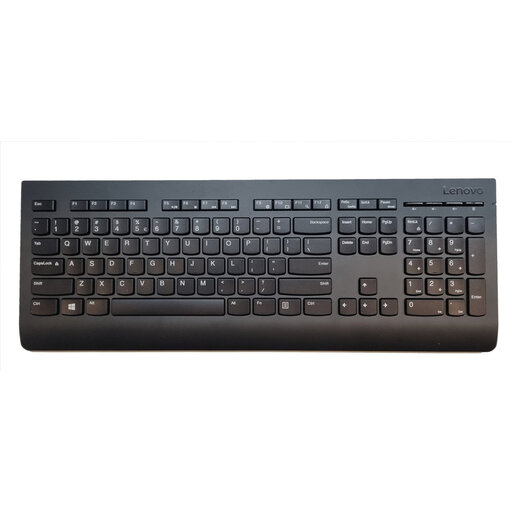
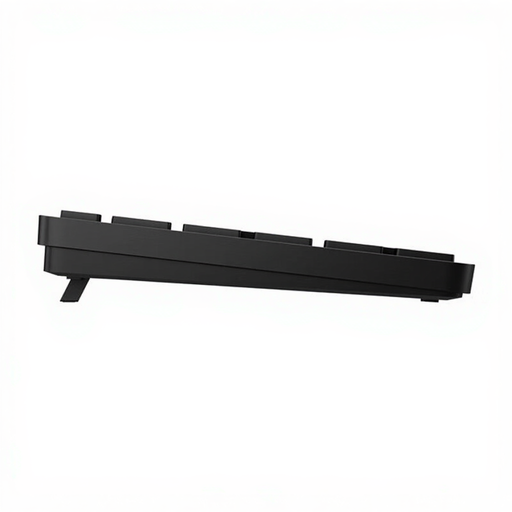
Why It Stands Out This Lenovo keyboard is a prime example of a reliable and functional workhorse. It offers a full-size layout with a stable 2.4 GHz RF connection. The design is straightforward and focused on productivity. A handy feature is its spill-resistant design, which offers protection against minor accidents with coffee or water.
Pros
Who Is It For? Ideal for the home or office user seeking a no-nonsense wireless keyboard. If you need a dependable, full-size keyboard for everyday tasks and don't require extra programmable functions, this is a solid choice.
Why It Stands Out The HP 450 focuses on efficiency and personalisation. With the HP Accessory Center software, you can program over 20 keys for your favourite shortcuts. According to HP, the battery lasts up to 20 months, meaning you'll rarely have to worry about replacing it. Additionally, the keyboard is made from over 60% recycled materials.
Pros
Who Is It For? This keyboard is an excellent match for professionals, programmers, and students looking to boost their productivity. The ability to program complex tasks to a single key makes it a powerful tool for a streamlined workday.
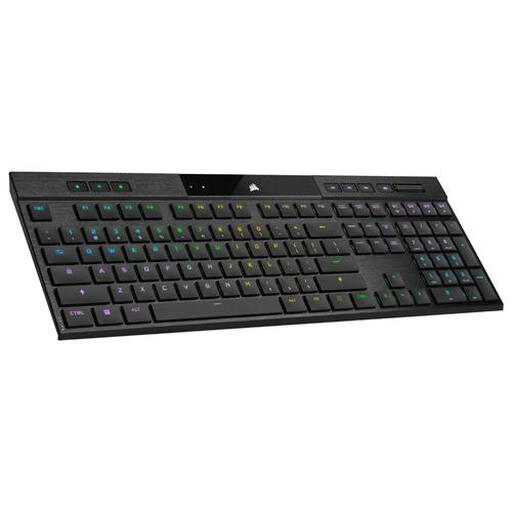
Why It Stands Out The Corsair K100 AIR is a premium model that combines performance and style. It's a remarkably thin mechanical keyboard with tri-mode connectivity: choose between a high-speed RF connection for gaming, Bluetooth for versatility, or a wired USB connection. The per-key RGB lighting and programmable keys via iCUE software offer endless customisation options.
Pros
Who Is It For? This is the ultimate gaming keyboard for the serious gamer who refuses to compromise. It's also a fantastic choice for creative professionals and tech enthusiasts seeking a high-performance keyboard that seamlessly switches between being a PC keyboard and a keyboard for Mac or other devices.
This selection represents different types of wireless keyboards, from practical and functional to advanced and performance-oriented. If your ideal model isn't here, or if you're looking for a different colour or a specific feature, there's much more to discover.
Explore our full range of Black Wireless Keyboards and find the perfect match for your desk.
An RF keyboard uses a dedicated USB dongle for a stable, direct connection to a single device, which is ideal for a fixed setup. A Bluetooth keyboard connects wirelessly without a dongle and can often be paired with multiple devices (like a laptop, tablet, and phone), offering greater flexibility.
Yes, absolutely. Modern wireless technology has improved significantly. For competitive gaming, a gaming keyboard with a 2.4 GHz RF connection is recommended, as it offers very low latency (lag) comparable to a wired keyboard. Models like the Corsair K100 AIR are specifically designed for high-performance gaming.
Battery life varies greatly by model and usage. Keyboards without backlighting, like the HP 450, can last up to 20 months on a set of batteries, according to the manufacturer. Models with features like RGB lighting have a shorter battery life and need to be recharged more often, typically after a few days to a few weeks, depending on brightness and usage.
