
Vandaag of morgen in huis

Kwaliteit gegarandeerd

Welkomstaanbiedingen ontgrendelen: GRATIS bezorging | Tot 80% korting | Gratis 30 dagen JoyPlus-proefperiode
Download de app
As a Joybuy Product Recommendation Officer, I see the sheer number of choices available every day. The wireless gaming mouse is a perfect example. A cord getting in the way during an intense match, the fear of input lag, or a battery dying at the worst possible moment—these are all familiar frustrations. Fortunately, modern technology has advanced so much that a wireless gaming mouse can now deliver performance without compromise.
This article is designed to help you make your choice. We'll look at the specs that truly matter and give you a few concrete recommendations, so you can find a model that fits your playstyle and budget.
Before you buy a gaming mouse, it's helpful to understand a few technical terms. This will help you properly evaluate the specifications.
Most wireless gaming mice use one of these two technologies, or sometimes both.
The weight and shape of a mouse are highly personal, but there are a few guidelines to consider.
The sensor is the heart of the mouse. Two specifications you'll often see are DPI and Polling Rate.
Based on objective specifications and features, we have selected a few models that appeal to different types of gamers.
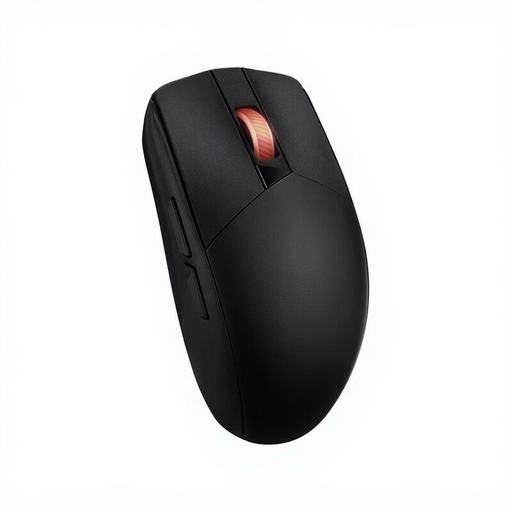
Why It Stands Out: The ASUS ROG Strix Impact III Wireless is a true all-rounder. It combines extremely high sensitivity with dual-connectivity options and a comfortable, symmetrical design.
This mouse offers both a high-speed RF Wireless connection for gaming and Bluetooth for productivity or use with other devices. Its sensor, with a resolution of up to 36,000 DPI, is impressive and delivers precision for the most demanding tasks. Weighing in at 68 grams, it falls into the lightweight category, making it perfect for fast-paced action.
Pros:
Who Is This Mouse For? For the gamer seeking a versatile, high-performance mouse that excels in both competitive gaming and everyday use. Its ambidextrous design makes it an excellent choice for left-handed players.
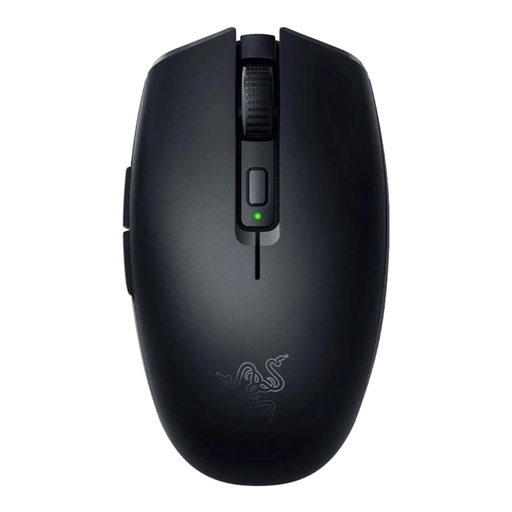
Why It Stands Out: The Razer Orochi V2 is designed for gamers who prioritise mobility and an ultra-lightweight build. At under 60 grams (without a battery), it's one of the lightest wireless mice on the market.
Like the ASUS model, the Orochi V2 offers dual connectivity. According to Razer, the battery life is exceptional: up to 450 hours on its high-speed Razer HyperSpeed Wireless (RF) and an incredible 1,000 hours via Bluetooth. Its compact, symmetrical design makes it not only ideal for gamers with smaller hands but also perfect for taking on the go.
Pros:
Who Is This Mouse For? For the competitive gamer who needs a lightweight gaming mouse for lightning-fast reflexes. It's also ideal for laptop gamers or anyone looking for a compact yet powerful mouse for use on the go.
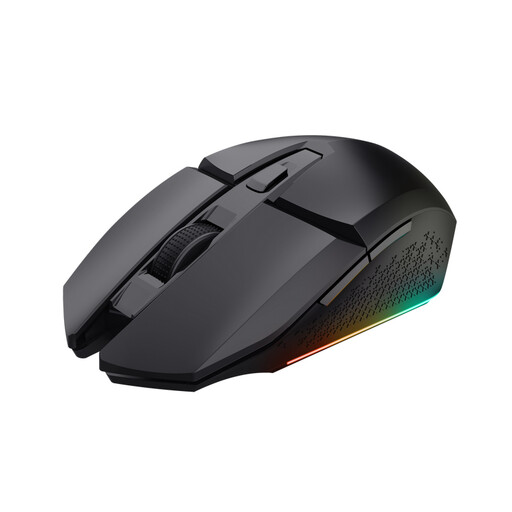
Why It Stands Out: The Trust GXT 110 Felox is an accessible option for those looking to switch to wireless gaming without breaking the bank. It offers all the essential features in a solid package.
This mouse uses a reliable RF Wireless connection and has a built-in rechargeable battery, eliminating the hassle of disposable ones. The 4,800 DPI sensor is more than sufficient for most games and gamers. Its design is symmetrical, making it a viable option for left-handed users as well.
Pros:
Who Is This Mouse For? For the beginner or casual gamer looking for a reliable and affordable wireless gaming mouse. It's a great starting point for experiencing the freedom of wireless gaming.
The perfect mouse is a highly personal choice that depends on your hand size, grip style, and the games you play. The models above are popular choices, but many more options are available. For instance, if you're specifically looking for an ambidextrous optical mouse, there are plenty of other models to consider.
Explore our full range of ambidextrous optical mice here
While many mice advertise extremely high DPI values, most professional and serious gamers play at a relatively low setting, typically between 400 and 1600 DPI. This allows for greater control and precision when aiming. A mouse with a high maximum DPI mainly indicates that it contains a high-quality sensor. It's best to experiment and find a setting that feels comfortable for you.
Yes, modern wireless gaming mice that use a 2.4GHz RF connection have a latency that is virtually indistinguishable from their wired counterparts. Technologies like Razer HyperSpeed or ASUS ROG SpeedNova are specifically designed to minimise input delay, making them perfectly suited for competitive gaming at the highest level.
Battery life varies greatly depending on the model and usage. Factors like the connection type (Bluetooth is more power-efficient than RF), polling rate, and the use of RGB lighting have a significant impact. Some models, like the Razer Orochi V2, can last for hundreds of hours on a single battery. Other mice with a rechargeable battery typically offer between 40 and 100 hours of playtime per charge. Always check the manufacturer's specifications for an estimate.
