
Vandaag of morgen in huis

Kwaliteit gegarandeerd

Welkomstaanbiedingen ontgrendelen: GRATIS bezorging | Tot 80% korting | Gratis 30 dagen JoyPlus-proefperiode
Download de app
Wireless earbuds are handy for listening to music and podcasts, making calls, travelling and working out. But a long list of features doesn’t always tell you what they’ll be like to use every day. For example, a model with a high quoted battery life may offer limited listening time on a single charge. And “waterproof” doesn’t automatically mean you can swim with them.
Use these practical checks to compare wireless earbuds, Bluetooth earbuds and wired alternatives based on the features that really matter in the UK.
Brands often quote total battery life, including the charging case. So always check:
A model with a long total battery life may still be less suitable if you use your earbuds for several hours at a time.
ANC earbuds use active noise cancellation to electronically reduce background noise. How well it works varies depending on the situation. Low, constant sounds such as train or plane noise are generally a different use case from voices, traffic or sudden noises.
Claims such as “up to -50 dB” come from the brand’s product information and don’t guarantee the same experience in every environment. Also check whether there’s a transparency mode, such as Aware Mode, for when you need to hear what’s going on around you.
The IP rating indicates the types of dust and water a product is protected against under the stated test conditions. IPX4 is intended to protect against splashes and sweat, while IPX5 describes protection against water jets. Neither rating automatically means you can submerge the earbuds.
Dry the earbuds, and especially the charging case, before storing or connecting them. This is important for sports earbuds and water-resistant earbuds used outdoors.
In-ear models partially seal the ear canal, which can help passively reduce background noise. Fit varies from ear to ear, so check whether the earbuds come with multiple ear tip sizes or stabilising wings.
Open-ear earbuds and clip-on models let you stay more aware of your surroundings. That can be useful when walking or commuting, but on a busy train, background noise may have a greater impact on your listening experience.
A neckband model, such as some wireless in-ear headphones, keeps the earbuds connected by a cable. This can be handy when you’re on the move, as you’re less likely to lose an earbud.
Bluetooth 5.3 or 5.4 mainly tells you about the connection technology supported; it doesn’t directly guarantee better sound or a longer range. Check that your smartphone, tablet or laptop is compatible.
For calls, the number of microphones, call noise reduction and microphone placement all matter. When gaming or watching videos, a low-latency mode can help keep audio and video in sync. According to the product information, the Edifier X1 Lite, for example, supports a quoted low latency of 60 ms.
Choose battery life to suit your routine:
With wireless earbuds, the charging case is part of the everyday experience. Wired USB-C earbuds don’t need Bluetooth pairing or a battery, but your device must support audio over USB-C.
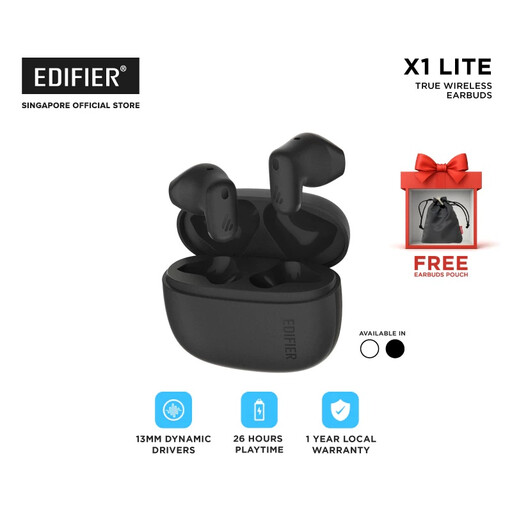
Why they suit this profile: A compact choice for music, podcasts and everyday journeys, with Bluetooth 5.4 and a charging case.
The product information quotes up to 26 hours of total listening time and an IP54 rating. When buying, check how this listening time is split between the earbuds and the case.
13 mm dynamic drivers, IP54 sweat resistance, USB-C fast charging and a quoted low-latency mode.
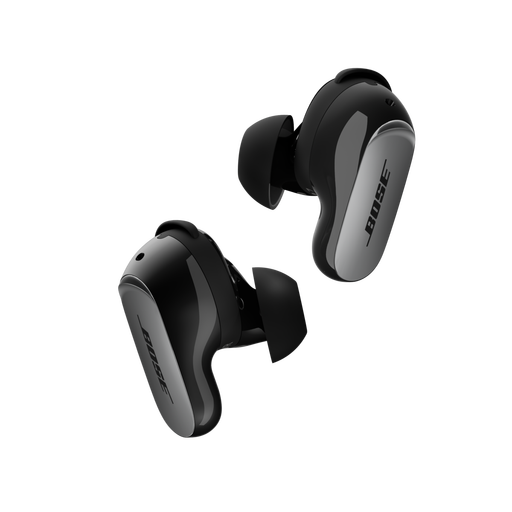
Why they suit this profile: Designed for users who prioritise active noise cancellation, app settings and an adjustable fit.
According to the product description, Bose ANC and an Aware mode are included. This lets you switch off noise cancellation when you need to hear your surroundings.
Bluetooth 5.3, CustomTune sound calibration, multipoint pairing, USB-C and up to 6 hours of listening time per charge.
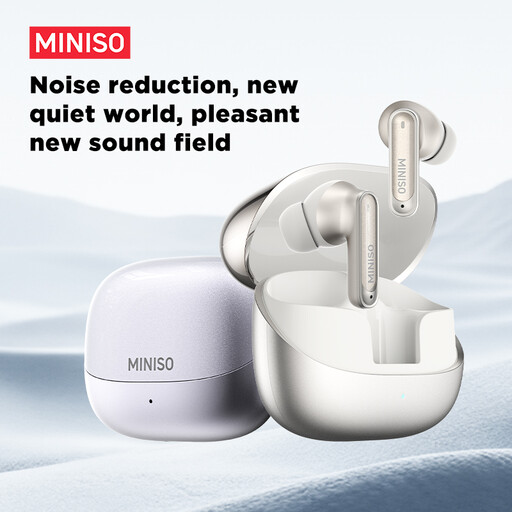
Why they suit this profile: A good fit for users who combine exercise, commuting and long listening sessions.
The product information lists IP55 and a case offering up to 55 hours of total battery life. The earbuds aren’t designed to be submerged.
10 mm driver, six microphones for calls according to the product description, touch controls and fast charging.
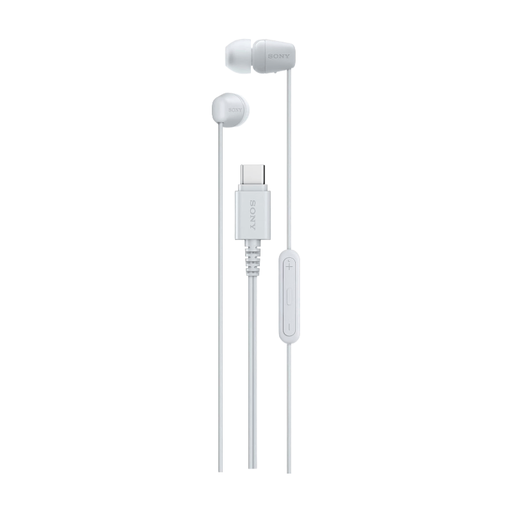
Why they suit this profile: A practical option for laptops, tablets and smartphones with a USB-C port when plugging in directly matters more than wireless convenience.
There’s no Bluetooth battery or charging case to worry about. Just check that your USB-C port supports audio; not every USB-C port works in the same way.
USB-C connection, built-in microphone, remote control, 1.2-metre cable and a weight of 3 grams according to the product details.
We’ve put together a complete, up-to-date list of products that meet these strict selection criteria and the current European safety requirements.
Open the Bluetooth settings on your phone, put the earbuds into pairing mode and select the product name. If they’ve been paired before, they’ll often connect automatically when you open the case. Check the manual if both earbuds don’t connect at the same time.
Their lifespan depends on the battery, charging habits, moisture, temperature and how often you use them. Store them in the case, avoid extreme heat and charge them with a suitable cable. Battery capacity naturally declines over time in products with lithium-ion batteries.
It depends on the fit and IP rating. IPX4 or IP55 may offer protection against sweat and rain according to the product details, but not against swimming or submersion. Dry the earbuds before putting them in the charging case, and make sure you can hear enough of your surroundings when cycling or running.
