
Vandaag of morgen in huis

Kwaliteit gegarandeerd

Welkomstaanbiedingen ontgrendelen: GRATIS bezorging | Tot 80% korting | Gratis 30 dagen JoyPlus-proefperiode
Download de app
Choppy video calls, a movie that’s constantly buffering, or that one room in the attic where the WiFi never seems to work. Many households will recognise these frustrations. The cause is often an outdated or underperforming WiFi router. The standard router from your internet provider can't always handle the demands of working from home, 4K streaming, and online gaming.
Choosing a new WiFi router can be the solution, but the selection is vast and the technical specifications can be overwhelming. In this article, we'll help you make the right choice based on objective specifications and practical needs, without unnecessary marketing jargon. This way, you can find a router that suits your home and your usage.
Before you choose a model, it's helpful to understand a few basic principles. This will help you determine which type of router is best suited for your situation.
The first choice you need to make is between a single, powerful router or a mesh wifi system.
Technology never stands still. The Wi-Fi standard determines the speed and efficiency of your network.
Pay attention to the maximum wireless speed (expressed in Mbps or Gbps) and the number and type of LAN ports. For a fast router for gaming or connecting a desktop computer, a Gigabit (1 Gbps) LAN port is the standard. Newer, more expensive models even offer Multi-Gigabit ports (2.5 Gbps or 10 Gbps) for the absolute highest speeds.
Based on specifications and various use cases, we have listed some interesting options for you.
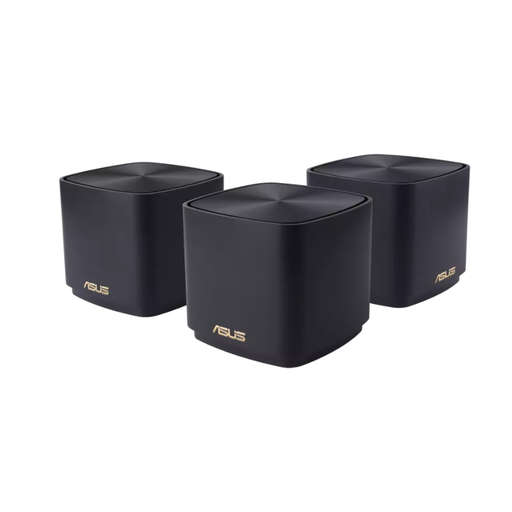
Why It Stands Out This mesh wifi system from ASUS consists of three compact units that work together to create a large coverage area. According to the manufacturer, the system is suitable for homes up to 445 m?. It uses Wi-Fi 6 technology, ensuring a stable and fast connection, even when many devices are online simultaneously. The built-in security, which is updated via Trend Micro's cloud database, is an added benefit for families.
Pros
Who Is It For? Families in larger homes or multi-story houses who want a stable signal everywhere, from the attic to the garden.
View the ASUS ZenWiFi XD4 Plus
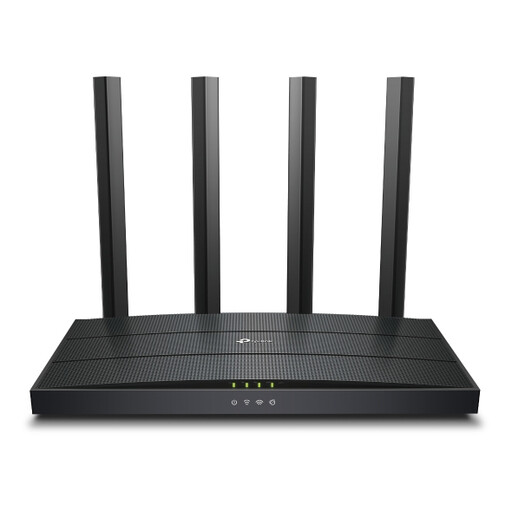
Why It Stands Out The TP-Link Archer AX1500 is an accessible Wi-Fi 6 router that offers a significant upgrade over standard provider routers. It delivers combined speeds of up to 1.5 Gbps and can efficiently communicate with multiple devices at once, thanks to technologies like OFDMA and MU-MIMO. This reduces lag when everyone in the house is online.
Pros
Who Is It For? Remote workers, streamers, and small families in an apartment or an average-sized home looking for a reliable and faster connection without breaking the bank.
View the TP-Link Archer AX1500
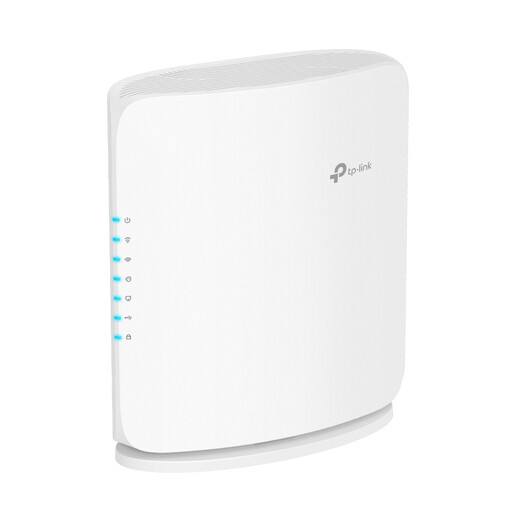
Why It Stands Out This is a Wi-Fi 7 router, the latest standard for wireless networks. According to TP-Link, this technology delivers significantly higher throughput and lower latency. What really sets this router apart are its ports: it features a 10 Gbps and a 2.5 Gbps port, making it ready for the fastest fibre optic subscriptions of today and the future. This is an excellent choice if you're looking for a fast router for gaming.
Pros
Who Is It For? Tech enthusiasts, demanding gamers, and users with a multi-gigabit internet subscription who want the highest possible performance and to future-proof their network.
Every household is different. If the options above don't quite match your needs, many more models are available. Consider routers with specific features or at a different price point. Buying a router is a personal decision.
Check out our full range of dual band router models for more choices.
Yes, in most cases. Especially if you use multiple devices simultaneously (smartphones, laptops, smart home devices) or have an internet subscription of 100 Mbps or faster. Wi-Fi 6 is more efficient, resulting in a more stable connection and better performance in crowded network environments.
Routers you buy yourself often offer better performance, more features, and newer technology. This includes greater range, higher speeds, advanced parental controls, VPN capabilities, and support for Wi-Fi 6 or Wi-Fi 7. You have more control and can better tailor your network to your needs.
Yes, most modern routers are designed for easy installation. A mobile app guides you through the process step-by-step. It's usually a matter of connecting the cables to your modem, turning on the router, and following the instructions on your phone. You can often be online in under fifteen minutes.
