
Vandaag of morgen in huis

Kwaliteit gegarandeerd
Download de app
Categorieën

Choosing a webcam can feel like navigating a maze of specifications. 4K, 1080p, autofocus, field of view... The wrong choice can result in grainy video during an important meeting or a microphone that picks up more background noise than your voice. This guide will help you understand the key technical specifications and find a model that fits your needs, whether you're a professional, streamer, or student.
To make an informed decision, it's helpful to understand the key parameters. Below are the criteria that determine a webcam's performance.
Resolution determines the sharpness of the video. The most common resolutions are:
The frame rate (frames per second, fps) indicates how smooth the motion appears. 30 fps is standard, while 60 fps provides much smoother video, which is desirable for gaming and streaming.
The field of view (FOV), expressed in degrees, determines how much is captured in the frame.
A webcam with autofocus automatically adjusts focus as you move, ensuring you stay consistently sharp. Models with Phase Detection Auto Focus (PDAF) often provide faster and more precise focusing. Automatic light correction adjusts the image in varying light conditions, such as backlighting from a window, so you always remain clearly visible.
Nearly every modern webcam has a built-in microphone. Note the difference between a single microphone and dual (stereo) microphones, which often capture richer audio. Features like noise reduction filter out distracting background sounds, which is essential for clear communication.
Based on the specifications above, we have selected our top webcams for different types of users.
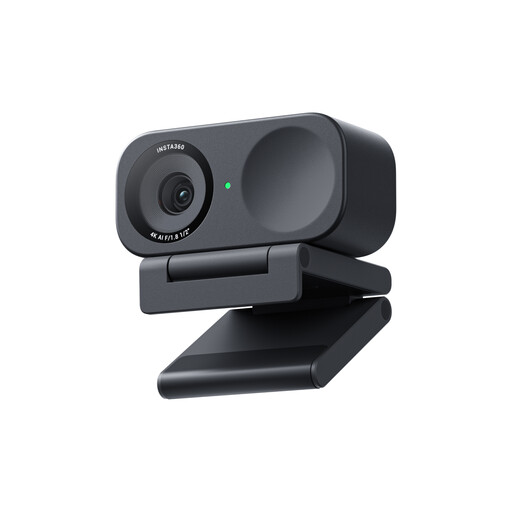
Why this product The Insta360 Link 2C stands out with its 4K Ultra HD resolution and a remarkably large 1/2" sensor. A larger sensor can capture more light, which the manufacturer claims results in superior low-light performance. The webcam features AI-powered functions like auto-tracking and framing, keeping you perfectly centred in the frame even when you move.
Pros
Who is this for? This 4K webcam is a popular choice among content creators, professional streamers, and remote professionals who give presentations and require the highest possible image quality and smart tracking features.
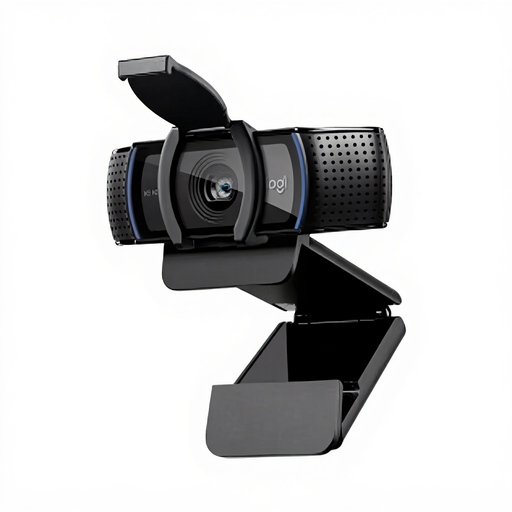
Why this product The Logitech C920e is a go-to webcam that strikes an excellent balance between price and performance. It delivers consistent 1080p Full HD video, a significant upgrade from most built-in laptop cameras. The model is certified for popular platforms like Microsoft Teams and Zoom, ensuring compatibility and reliability for business use.
Pros
Who is this for? The C920e is an excellent webcam for PC users, particularly remote and office workers who need a reliable, high-quality webcam for daily meetings without investing in the most advanced features.
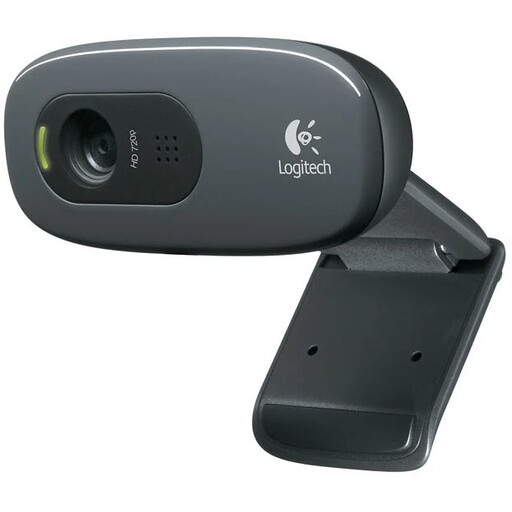
Why this product For those seeking a simple and affordable upgrade, the Logitech C270 offers the essentials in a compact design. This webcam delivers HD 720p video, which is sufficient for standard video calls on applications like Skype or Google Meet. The built-in microphone features noise reduction, and the camera includes automatic light correction for a clear image.
Pros
Who is this for? This webcam is a practical choice for students, families, or anyone needing a functional webcam for online classes, tutoring, or keeping in touch with friends and family, without the need for professional-grade specifications.
The right webcam depends heavily on your personal needs and budget. The models above represent popular choices across different segments. Are you looking for a model with a wider field of view, specific mounting options, or other features?
Explore our full range of cameras and webcams for more models and specifications.
1. What is the difference between an HD and a 4K webcam? The main difference is resolution, or the number of pixels. An HD webcam (720p or 1080p) provides a sharp image that is sufficient for most applications, such as video calls. A 4K webcam has four times as many pixels as a 1080p model, resulting in a much more detailed and sharper picture. This is especially noticeable when streaming, recording videos, or zooming in on a part of the image.
2. Do I need a webcam with a microphone? Most webcams include a built-in microphone, which is convenient for an all-in-one solution. For general use, like video meetings, the quality of a built-in microphone with noise reduction is often sufficient. However, for professional-grade audio, such as for podcasts or streaming, a separate USB microphone will typically deliver superior sound quality.
3. How do I install a webcam on my PC? Most modern webcams are 'plug-and-play'. This means you simply connect the webcam to your computer via its USB cable, and the operating system (Windows or macOS) will automatically recognise the device and install the necessary drivers. For advanced features, such as adjusting image settings, you can download the manufacturer's software.
Written by a Joybuy Product Recommendation Officer
Our Product Recommendation Officers analyse product parameters and specifications to help you make an informed choice, without the marketing jargon.