
Vandaag of morgen in huis

Kwaliteit gegarandeerd

Welkomstaanbiedingen ontgrendelen: GRATIS bezorging | Tot 80% korting | Gratis 30 dagen JoyPlus-proefperiode
Download de app
Need to transfer a file that's too large for email? Backing up your school project? Or quickly moving photos from your phone to your laptop? A good USB drive, also known as a flash drive, is essential. But with a vast array of options, and terms like USB 3.0, USB-C, and various speeds, making the right choice can be confusing.
As a Joybuy Product Recommendation Officer, I'm here to help you make the right decision. This article offers practical tips and a curated selection of popular USB drives tailored to different needs—all without the marketing fluff.
Before you decide, there are a few key specifications that make all the difference. Paying attention to these will help you avoid making the wrong purchase.
The days of waiting minutes to copy a movie are over. A fast USB drive uses USB 3.0 (also known as USB 3.2 Gen 1) or higher. These offer significantly faster transfer speeds than the outdated USB 2.0 standard. For transferring large files like videos, extensive presentations, or software, a USB 3.0 drive is a smart choice.
Most computers still feature the traditional, rectangular USB-A port. However, newer laptops, tablets, and smartphones are often equipped with the smaller, reversible USB-C port.
The storage space you need depends on your usage.
Based on specifications and functionality, we've highlighted several compelling options for you.
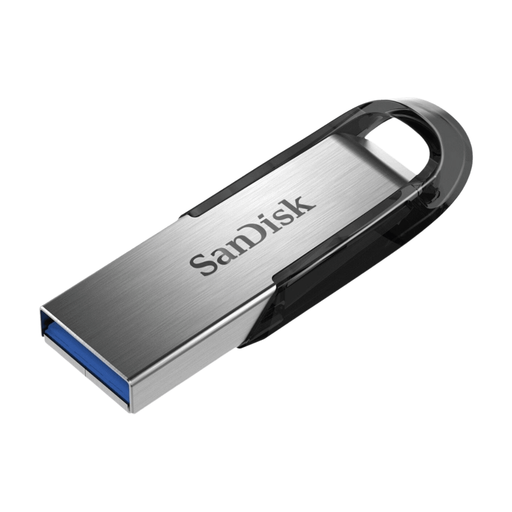
Why it stands out: This SanDisk USB drive combines a stylish and robust metal casing with reliable performance. The metal exterior provides extra durability, making it highly resistant to daily wear and tear.
Advantages:
Who is it for? Ideal for users seeking a reliable and durable USB drive for daily work or study. A great choice if you frequently carry files with you and appreciate a sturdy design.
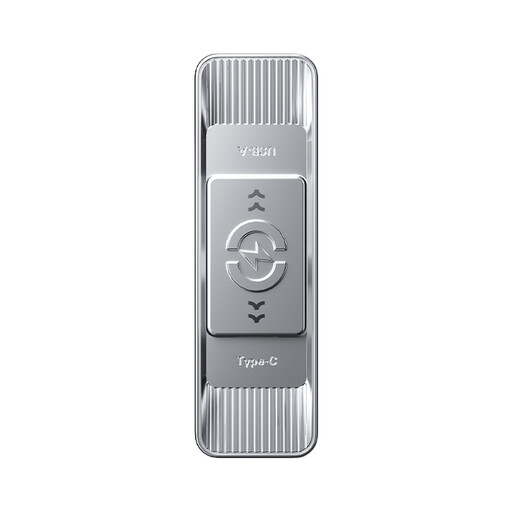
Why it stands out: The ultimate in flexibility. This dual USB drive features both a USB-A and a USB-C connector, allowing you to use it seamlessly across laptops, desktops, tablets, and smartphones.
Advantages:
Who is it for? Perfect for anyone who exchanges files between different types of devices, such as a Windows laptop and an Android smartphone or a MacBook.
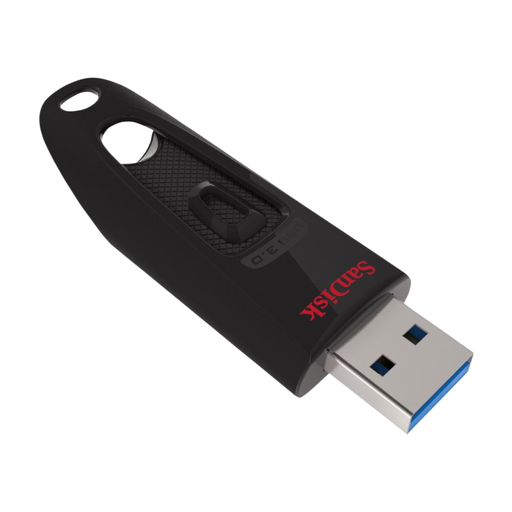
Why it stands out: A practical and reliable all-rounder with a convenient retractable design. You'll never have to worry about losing a cap.
Advantages:
Who is it for? A solid choice for general use at home, school, or the office. The focus is on reliability and ease of use.
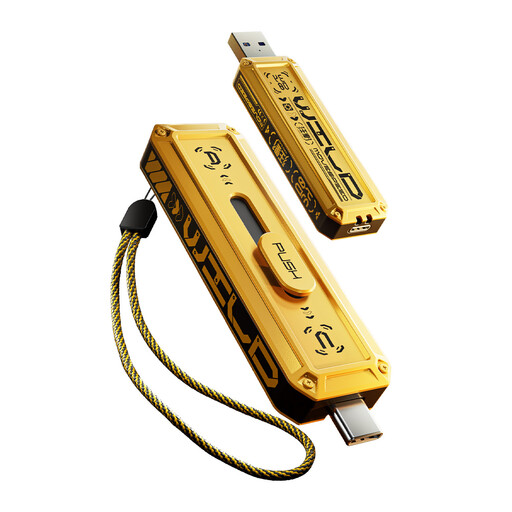
Why it stands out: This drive is engineered for maximum speed. With specifications comparable to an external SSD, this is a powerhouse for those who can't afford to lose a second.
Advantages:
Who is it for? For professionals, gamers, and creatives who regularly need to move very large files (4K video, 3D models, game installations) and demand the highest possible speeds.
These recommendations cover the most common needs, but there are, of course, many more options available. Perhaps you're looking for a different capacity, a specific design, or a more budget-friendly model.
Explore our full range of USB drives and find the perfect match for your devices.
In practice, these terms are often used interchangeably. USB 3.2 Gen 1 is the new name for USB 3.0 and offers speeds up to 5 Gbps. USB 3.2 Gen 2 is faster (up to 10 Gbps). For most users, a drive labeled USB 3.0 or USB 3.2 Gen 1 already provides a significant speed boost for everyday tasks.
A metal USB drive generally offers two advantages: durability and heat dissipation. The metal casing is more resistant to drops and impacts. Additionally, metal can better dissipate the heat generated during intensive use, which can benefit performance. A plastic drive is often lighter and less expensive. The choice depends on your priorities.
This gives you an idea of the capacity:
