Buying a new USB-C cable seems simple—until your laptop won’t charge, a data transfer takes hours, or the cable fails after just a few weeks. The term 'USB-C' only refers to the connector's shape, not its performance. Charging power, data speed, and durability can vary dramatically. The wrong choice leads to frustration and unnecessary expense.
This article will help you make an informed decision. We will cover the key specifications to look for and present a selection of USB-C to USB-C cables for various use cases.
What to Look for When Buying
To find the right cable, it is crucial to examine the technical specifications. These determine whether a cable is suitable for your devices and your needs.
1. Charging Power (Power Delivery)
Not every USB-C to USB-C cable is a fast-charging USB-C cable. The maximum power output is expressed in Watts (W).
- Up to 60W: Sufficient for most smartphones, tablets, and compact laptops (like a MacBook Air).
- 100W to 240W: Necessary for more powerful laptops (like a 16-inch MacBook Pro) and other power-hungry devices. These cables use the Power Delivery (PD) 3.0 or 3.1 standard.
Always check the power requirements of your device and charger. Using a cable with a higher wattage rating than needed is not a problem; the device will never draw more power than it can handle.
2. Data Transfer Speed
A USB-C data cable can vary significantly in speed.
- USB 2.0 (480 Mbps): The standard speed for many charging cables. Suitable for syncing photos and documents, but slow for large files like videos.
- USB 3.2 / USB4 (5 Gbps to 40 Gbps): Essential for rapidly transferring large files, connecting external SSDs, or driving a 4K or 8K monitor. A 40 Gbps cable can transfer a 15 GB film in just a few seconds.
3. Durability and Material
A cable's lifespan depends on its construction. A braided USB-C cable, often made of nylon, offers extra protection against kinks and fraying compared to standard plastic (TPE/PC) cables. Also, pay attention to the strain relief at the connectors, as this is a common point of failure.
4. Length
The cable's length is a practical consideration.
- 1 metre: Standard length, ideal for desk or bedside use.
- 2 metres or longer: Offers more flexibility if the power outlet is further away.
- Retractable: Convenient for travel, allowing you to store cables neatly without them getting tangled.
Our Top Picks for 2026
Below is a selection of USB-C to USB-C cables, each with specific features for different needs.
1. Baseus Mirror Mini Series Flexible Stretch Fast Charge Data Cable
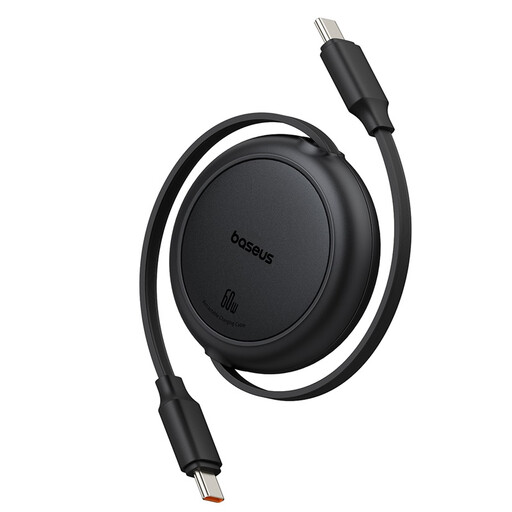
- Why this product: This cable is designed for maximum portability. Its retractable mechanism prevents a tangle of cables in your bag or on your desk.
- Advantages:
- Charging Power: Supports up to 60W Power Delivery, suitable for smartphones, tablets, and most ultrabooks.
- Data Transfer: Speeds up to 480 Mbps (USB 2.0), functional for syncing files.
- Design: Compact and retractable up to 1 metre, ideal for travel and a clutter-free workspace.
- Who is this for: For the user who is frequently on the go and seeks a compact, tidy solution for charging a phone, tablet, or lightweight laptop.
2. Xiaomi 6A Braided USB-C to USB-C Cable
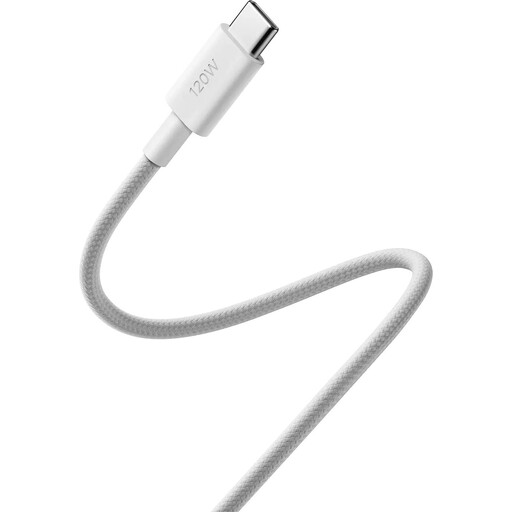
- Why this product: This cable is focused on maximum performance for both charging and data. It is a laptop charging cable usb c that is also suited for the most demanding data tasks.
- Advantages:
- Charging Power: Supports up to 240W with the PD 3.1 standard, making it suitable for the most powerful laptops and devices.
- Data Transfer: Certified for USB4 Gen 3 with speeds up to 40 Gbps. This allows you to drive external 8K displays and transfer very large files rapidly.
- Durability: A braided USB-C cable with stainless steel connectors. According to Xiaomi, the cable is tested to withstand over 10,000 bends.
- Who is this for: For professionals, content creators, and tech enthusiasts who use a powerful laptop, external SSD, or high-resolution monitor and require the highest possible charging and data speeds.
3. USB-Cable Apple USB-C to USB-C 1m
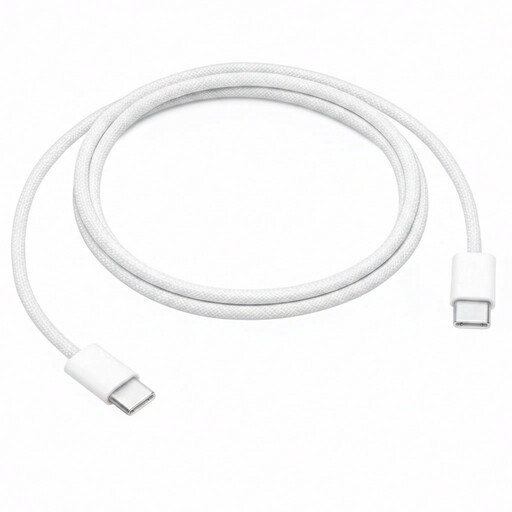
- Why this product: This is the official braided charging cable from Apple, designed for seamless compatibility within the Apple ecosystem.
- Advantages:
- Charging Power: Supports charging up to 60W, ideal for iPhones, iPads, and MacBooks (like the Air and 13-inch Pro).
- Compatibility: Guaranteed to work with Apple devices and chargers.
- Material: The woven design is more durable and less prone to tangling than Apple's older plastic cables.
- Who is this for: For Apple users who prefer official accessories for charging and syncing their MacBook, iPad, or iPhone. The focus here is on reliable charging, not high data speeds (the cable supports USB 2.0).
Didn't Find What You Were Looking For?
Our selection covers specific needs, but the range of USB-C cables is much broader. Are you looking for a different length, a specific colour, or a cable with different technical features? Countless other variants are available that might be a better fit for your situation.
Explore our full range for more options.
Discover all USB to USB cables
Frequently Asked Questions (FAQ)
1. Is every USB-C to USB-C cable suitable for fast charging? No. Whether a cable supports fast charging depends on the maximum charging power (W) the cable can handle and whether it supports the Power Delivery (PD) standard. A low-power cable (e.g., 15W) will charge a laptop that requires 60W very slowly, if at all. Always check the cable's specifications.
2. What is the difference between a charging cable and a data cable? Virtually every USB-C cable can handle both charging and data transfer. The crucial difference lies in the data transfer speed. Many cables designed primarily for charging have a low data speed of USB 2.0 (480 Mbps). To quickly transfer large files or connect an external monitor, you need a cable that supports higher speeds, such as USB4 (up to 40 Gbps).
3. Can I use a 240W cable for a device that only needs 60W? Yes, that is perfectly safe. The USB-C Power Delivery standard ensures that a device only draws the amount of power it needs and can handle. The charger and the device communicate with each other to negotiate the correct power level. A higher-wattage cable is therefore future-proof, but it offers no advantage for your current device if it requires less power.
Written by the Joybuy Product Recommendation Officer


